
A blinking light on your air conditioner is a signal that something isn’t quite right. A blinking AC light generally indicates a problem or a specific status of your AC system, often communicating an error or a need for attention. This is your AC’s way of telling you it needs help. Many different issues can cause this, from simple fixes to more complex problems requiring professional attention. Let’s dive into what these blinking lights can mean and how to deal with them.
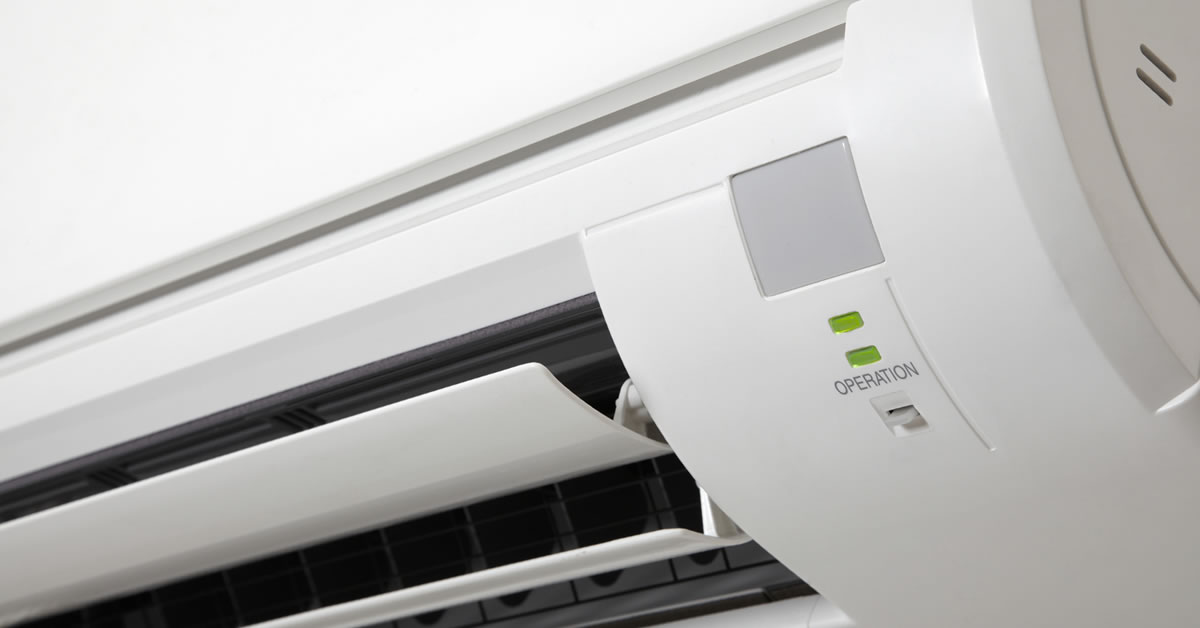
Image Source: www.billyaircon.com.sg
Deciphering Your AC’s Blinking Lights
Air conditioners use indicator lights to communicate their operational status. When a light blinks, it’s usually not a good sign. These lights are often part of the AC system’s internal diagnostics, designed to help you or a technician pinpoint the source of a malfunction. They can blink in various patterns, with different colors, and on different parts of your system (indoor unit, outdoor unit, or thermostat).
Common Causes for a Blinking AC Light
Several common issues can trigger a blinking light on your AC unit. Let’s explore some of the most frequent culprits.
Electrical Issues
Power problems are a primary reason for your AC’s blinking light.
- Power Surges or Fluctuations: Sudden changes in the electrical supply can confuse the AC’s control board, leading to blinking lights. This might happen during a thunderstorm or if there are issues with your home’s wiring.
- Loose Wiring: Connections within the AC unit or at the thermostat can become loose over time. This disrupts the flow of electricity and can trigger error signals.
- Blown Fuse or Tripped Circuit Breaker: If your AC draws too much power, a fuse might blow or a circuit breaker might trip to protect the system. This interruption in power often results in a blinking status light when power is restored.
- Capacitor Problems: The start and run capacitors help the AC’s motor start and keep running. If a capacitor is failing or has failed, the motor might struggle, leading to a blinking light.
Refrigerant Issues
The refrigerant, often called Freon, is crucial for cooling. Problems here can manifest as blinking lights.
- Low Refrigerant Levels: A leak in the system can cause refrigerant levels to drop. Low refrigerant can lead to the AC freezing up or not cooling effectively, and the system’s sensors might detect this and trigger a warning light.
- Refrigerant Overcharge: While less common, too much refrigerant can also cause pressure imbalances within the system, triggering error codes.
Mechanical Problems
Internal components of your AC can also fail or malfunction.
- Dirty Air Filter: This is a very common and easily fixable cause. A clogged air filter restricts airflow, making the system work harder. This strain can lead to overheating or freezing of internal components, signaling an issue with a blinking light.
- Dirty Evaporator or Condenser Coils: Similar to a dirty filter, dirty coils impede heat transfer. The evaporator coil (inside) can get dirty from dust and debris, while the condenser coil (outside) can get clogged with dirt, leaves, and grass clippings. This reduced efficiency can trigger a warning.
- Fan Motor Issues: If the blower motor (indoor) or the fan motor (outdoor) isn’t working correctly, the system won’t be able to dissipate heat or circulate air properly, leading to a blinking fault light.
- Compressor Problems: The compressor is the heart of your AC. If it’s failing or overheating, it will likely signal an error through a blinking light.
- Drain Line Clogs: The AC produces condensation, which drains away. If the drain line clogs, water can back up, triggering a safety switch that shuts down the unit and often results in a blinking light.
Thermostat Issues
The thermostat is your AC’s brain. Problems here can also cause blinking lights.
- Faulty Thermostat: The thermostat itself might be malfunctioning, sending incorrect signals or failing to communicate properly with the AC unit.
- Low Batteries (for digital thermostats): Some digital thermostats use batteries. Low battery power can cause the thermostat to behave erratically and display blinking lights.
- Incorrect Wiring at the Thermostat: If the wires connected to the thermostat are loose, crossed, or incorrectly installed, it can lead to communication errors.
Other Less Common Causes
- Overheating: If the AC unit overheats due to any of the issues mentioned above, a thermal overload switch will often trigger a blinking light to indicate the problem.
- Communication Errors: In modern HVAC systems, different components communicate with each other. A breakdown in this communication can cause diagnostic lights to blink.
Diagnosing the Blinking Light: A Step-by-Step Approach
When you see a blinking light on your AC, don’t panic. Follow these steps to try and figure out what’s going on.
Step 1: Identify the Blinking Pattern and Location
The first and most crucial step is to observe how the light is blinking and where it is located.
- Location: Is the light blinking on the indoor unit (air handler), the outdoor unit (condenser), or the thermostat? Different locations can point to different problems.
- Pattern: Does it blink once, twice, or in a specific sequence (e.g., a long blink followed by two short blinks)? Does it blink continuously?
- Color: Is the light red, green, amber, or another color? Red lights often indicate more serious issues.
Consult Your Owner’s Manual: Your AC’s owner’s manual is your best friend here. It will likely contain a section detailing the meaning of different blinking light patterns and error codes specific to your model. This is essential for accurate AC system status light interpretation.
Step 2: Check the Thermostat First
The thermostat is the easiest part of the system to check and often the source of simple problems.
- Batteries: If your thermostat uses batteries, replace them with fresh ones.
- Settings: Ensure the thermostat is set to “Cool” and the temperature is set lower than the current room temperature. A simple accidental change can cause the system not to run.
- Power: Check if the thermostat screen is blank. If it is, the problem might be with the thermostat’s power supply or the thermostat itself.
Step 3: Inspect the Air Filter
A dirty air filter is a super common culprit for AC issues, including blinking lights.
- Locate the Filter: It’s usually in the return air duct, near the indoor unit.
- Check for Clogs: Hold the filter up to a light. If you can’t see light through it easily, it’s time for a change.
- Replace if Dirty: If it’s clogged, replace it with a new, clean filter of the correct size and MERV rating. This is a simple HVAC troubleshooting step that can often resolve the issue.
Step 4: Examine the AC Unit (Indoor and Outdoor)
Visually inspect both parts of your air conditioner.
- Indoor Unit (Air Handler):
- Drain Pan and Line: Look for any standing water in the drain pan, which is typically located beneath the indoor coil. Check if the condensate drain line (a PVC pipe) is clear. You might see a float switch in the drain pan that shuts off the unit if water backs up.
- Visible Damage: Look for any obvious signs of damage, loose wires, or debris.
- Outdoor Unit (Condenser):
- Obstructions: Ensure there’s no debris (leaves, branches, grass clippings) blocking the airflow to the condenser unit. Clear away any obstructions.
- Fan Operation: With the power off, you can check if the fan blades spin freely.
- Ice Buildup: Feel the refrigerant lines. If they are covered in ice, this indicates a significant airflow or refrigerant issue. Turn the AC off immediately and set the fan to “ON” to help melt any ice.
Step 5: Check the Circuit Breaker and Fuses
Electrical issues are a common trigger for blinking AC indicator lights.
- Circuit Breaker Panel: Locate your home’s main electrical panel. Find the breaker labeled for your AC unit (it might be on two separate breakers: one for the indoor unit and one for the outdoor unit). If a breaker is in the “off” position or in the middle “tripped” position, try resetting it by flipping it firmly to “off” and then back to “on.”
- Fuses: Some AC units have fuses, particularly the outdoor unit. If you’re comfortable and have the right tools, you can check these. However, this is often best left to a professional.
Step 6: Identify Specific Error Codes
Many modern AC units have sophisticated diagnostic systems that provide specific AC error codes through their blinking lights.
- Consult the Manual: As mentioned, your manual is key. It will often have a table that translates blinking patterns into specific fault codes. For example, “three short blinks followed by a pause” might mean a specific component failure.
- Manufacturer Website: You can often find digital copies of manuals or troubleshooting guides on the manufacturer’s website if you’ve lost yours.
- Online Search: If you know your AC’s brand and model number, you can search online for “[Brand] [Model Number] blinking light meaning” or “AC error codes.” This can help you find specific information on what your blinking AC light meaning is.
Common Blinking Light Scenarios and What They Mean
Let’s look at some common blinking light scenarios and their potential causes. Remember, the exact meaning varies by manufacturer.
Scenario 1: AC Unit Not Cooling Blinking Light
This is a frustrating problem, as the unit runs but doesn’t cool.
- Possible Causes:
- Low Refrigerant: Leaks lead to insufficient cooling.
- Dirty Coils: Poor heat exchange prevents cooling.
- Fan Motor Issues: If the outdoor fan isn’t working, heat can’t be expelled.
- Compressor Failure: The compressor is essential for the cooling cycle.
- Thermostat Malfunction: Incorrect readings or settings.
Scenario 2: Blinking Red Light on AC Unit
A red light is usually a more serious indicator.
- Possible Causes:
- Electrical Fault: Short circuits, blown fuses, or issues with the control board.
- Overheating: The unit’s safety mechanisms have engaged due to high temperatures.
- Motor Failure: A critical motor (like the compressor or fan) has failed.
- System Lockout: The system might be locked out due to multiple previous errors.
Scenario 3: Continuous Blinking Green Light
Sometimes a green light blinking continuously might indicate a normal operation or a minor status update, but it can also mean a fault depending on the system.
- Possible Causes:
- Normal Operation Indicator: Some systems use a blinking green light to show the compressor is running.
- Filter Replacement Reminder: Some units blink to remind you to change the filter.
- Minor Fault Detected: It could also signal a less critical error that doesn’t prevent operation but needs monitoring.
Scenario 4: Intermittent Blinking (e.g., 3 short blinks, pause, repeat)
This pattern is very common for AC error codes.
- Possible Causes:
- Specific Component Failure: This pattern often corresponds to a specific code in the manual, such as a faulty sensor, capacitor, or motor.
- Communication Error: Issues between indoor and outdoor units.
Troubleshooting and Fixing Common AC Problems
Once you have a better idea of the cause, you can try some fixes.
Simple Fixes (DIY Friendly)
These are issues you can often address yourself.
- Replace the Air Filter: As discussed, this is the most common and easiest fix.
- Clear Debris Around Outdoor Unit: Ensure good airflow to the condenser.
- Reset the Thermostat: Replace batteries or reset the thermostat according to the manual.
- Reset the Circuit Breaker: Try resetting the breaker for the AC unit.
- Clear the Condensate Drain Line: You can often use a wet/dry vacuum or a stiff wire to gently clear blockages. Be careful not to damage the line.
- Clean Coils (with caution): If the coils are visibly dirty, you can try cleaning them with a specialized coil cleaner spray. Turn off the power first! For the outdoor unit, a garden hose can be used carefully to spray away debris from the fins.
When to Call a Professional HVAC Technician
Many blinking AC light issues require the expertise of a trained technician. You should call a professional if:
- You’re uncomfortable performing any of the checks.
- The problem persists after trying the simple fixes.
- The blinking light indicates a serious issue (e.g., red light, compressor failure).
- You suspect a refrigerant leak. Refrigerant is a chemical that requires special handling.
- You see ice buildup on the refrigerant lines.
- You’ve checked the manual, and it points to a complex internal component failure.
- The HVAC troubleshooting blinking light points to a part you can’t access or replace yourself.
Why Call a Pro?
- Safety: Working with electricity and refrigerant can be dangerous.
- Expertise: Technicians have the knowledge to accurately diagnose complex AC system status light issues and perform the correct repairs.
- Proper Tools: They have specialized tools for handling refrigerant, electrical testing, and component replacement.
- Warranty: Some repairs or component replacements might be under warranty, and DIY attempts could void it.
Common Professional Fixes
- Recharging Refrigerant: If a leak is found and fixed, the system will need to be recharged with the correct type and amount of refrigerant.
- Capacitor Replacement: Replacing a faulty start or run capacitor.
- Motor Replacement: Replacing a burned-out fan motor or compressor.
- Control Board Repair/Replacement: Fixing or swapping out a damaged circuit board.
- Sensor Replacement: Replacing malfunctioning temperature or pressure sensors.
- Refrigerant Leak Repair: Locating and sealing leaks in the copper lines.
Understanding HVAC Warning Lights Beyond Blinking
While blinking lights are the most common, some systems might have other indicator lights.
- Solid Red Light: This might indicate a critical error or a system shutdown.
- Flashing Green Light: As noted, this can be normal operation for some units.
- Diagnostic Ports: Higher-end systems might have ports where a technician can connect a diagnostic tool for more detailed information.
Fathoming HVAC warning lights is about correlating the indicator with the system’s behavior and consulting the manufacturer’s documentation.
Frequently Asked Questions (FAQ)
What does it mean if my AC light is blinking green?
A blinking green light can have several meanings depending on your AC unit’s brand and model. It might indicate normal operation (e.g., the compressor is running), a reminder to change the air filter, or a minor system status update. Always refer to your owner’s manual for the specific interpretation.
Can I ignore a blinking AC light?
No, you should not ignore a blinking AC light. It’s a signal that your air conditioner is detecting a problem, which could range from a minor inconvenience like a dirty filter to a more serious issue like a refrigerant leak or component failure. Ignoring it can lead to further damage and more expensive repairs.
Why is my AC flashing red?
A flashing red light usually signifies a more serious problem. Common causes include electrical faults, overheating, motor failure, or a system lockout due to critical errors. It’s a strong indicator that you should stop using the unit and call a professional HVAC technician immediately.
My AC unit is not cooling, and the light is blinking. What should I do?
If your AC unit is not cooling and a light is blinking, first check the simple things: the thermostat settings and batteries, and replace the air filter. Then, check the circuit breaker. If these steps don’t resolve the issue, it’s likely a more complex problem (like low refrigerant or a faulty fan motor), and you should call a qualified HVAC technician to diagnose and fix the flashing AC indicator.
Is it safe to run my AC if the light is blinking?
It’s generally not recommended to run your AC if a warning light is blinking, especially if it’s not cooling effectively or if the light is red. Continuing to run a malfunctioning unit can exacerbate the problem and lead to more significant damage. If the blinking light indicates a serious fault, it’s best to turn the unit off at the thermostat and the circuit breaker.
By taking a methodical approach to diagnosing your blinking AC light, you can often identify the cause and determine whether it’s a simple fix you can handle yourself or if it’s time to call in the experts. Regular maintenance, like changing air filters and keeping the outdoor unit clear of debris, can prevent many of these issues from arising in the first place.