
Is your car speaker sound muffled? Does your music sound like it’s coming from under a blanket? This is a common and frustrating issue for car owners who love good audio. Muffled sound means the crispness and clarity are gone. It often feels like the higher notes (treble) are missing, or the whole sound is unclear. Many different things can cause this problem, from simple settings to more serious issues with your car’s audio system parts. Pinpointing the exact cause can save you time and money. Let’s explore the most common reasons your car speakers might sound muffled and how you can try to fix it.
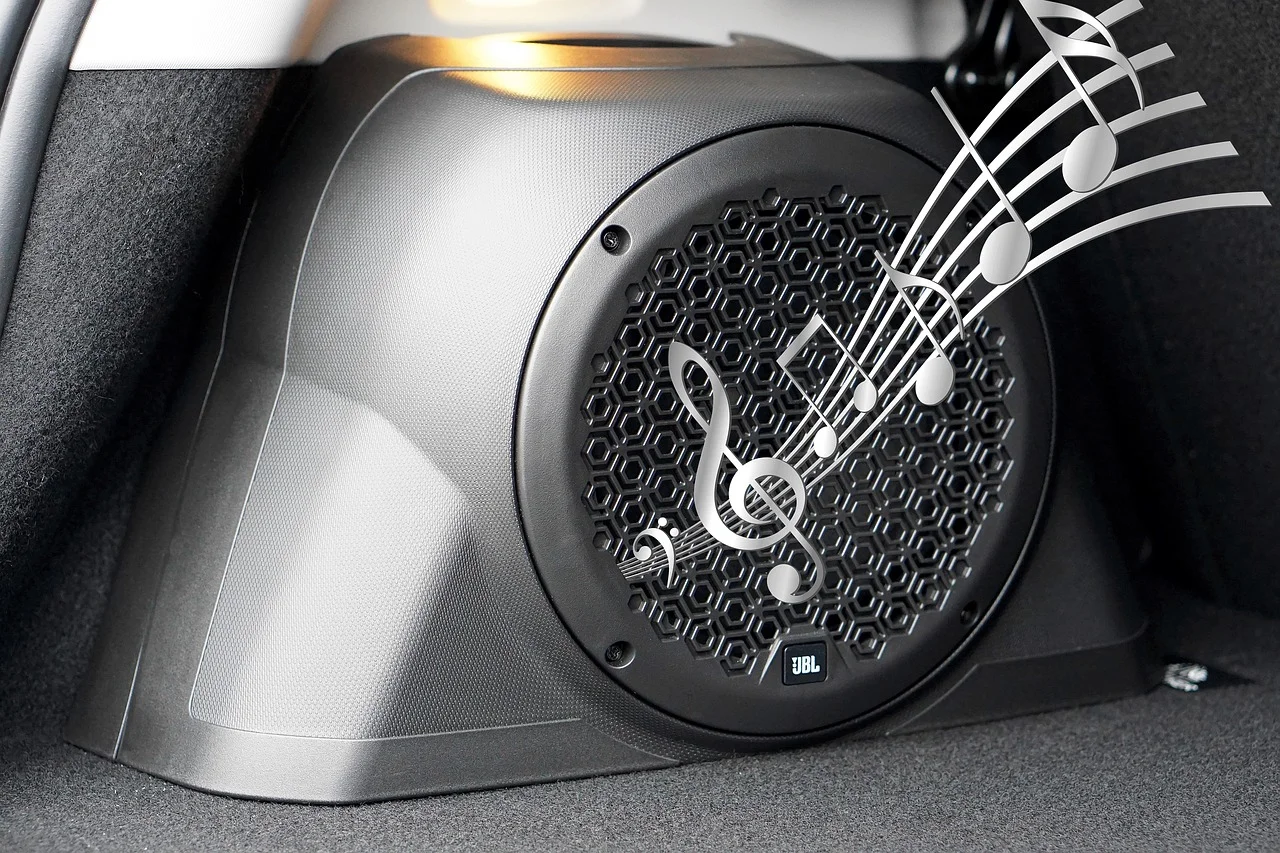
Image Source: caraudioradar.com
Deciphering Muffled Audio
What exactly does “muffled” mean when we talk about car audio? Think of sound waves. Music has many different sound waves. Some waves make low sounds (bass). Some make middle sounds. Others make high sounds (treble). Muffled sound often means the high-frequency sounds are not coming through clearly. The sound might seem dull, flat, or unclear. It can make voices hard to understand and music less lively. It’s a common symptom that something is not right in your car audio system.
Common Places to Check First
Before you dig deep into wires and speakers, start with the easy stuff. Sometimes, the fix is simple.
Checking Your Audio Source
The problem might not be your speakers at all! It could start with what’s sending the music signal.
- The Music File or Source: Are you listening to a low-quality music file? A file with low data (low bitrate) can sound bad even on a great system. Try listening to a high-quality file or a different source like a CD or a different streaming service.
- Bluetooth Connections: Bluetooth is handy, but it can sometimes reduce sound quality compared to a wired connection. Make sure your phone or player’s Bluetooth settings are set for the best possible audio quality.
- Radio Signal: If you’re listening to the radio, a weak signal can cause poor sound. Try a different station or check if the problem happens with other sources.
Looking at Head Unit Audio Problems
The head unit is the radio or stereo in your dashboard. It’s the brain of your audio system. Problems here can mess up the sound before it even gets to the speakers.
- Audio Settings: Your head unit has settings for sound. Look for things like:
- Equalizer (EQ): This lets you change the bass, mid, and treble levels. If the treble is turned down too much, the sound will be muffled. Or if the bass is way too high, it can overpower other sounds, making everything seem unclear. Try setting the EQ to flat or default settings.
- Loudness: This setting boosts bass and treble at low volumes. Sometimes it can make sound sound strange or muffled, especially if it’s always on. Try turning it off.
- Balance and Fade: Make sure the sound isn’t pushed too much to one side or front/back, which could make some speakers seem quieter or different.
- Specific Audio Modes: Some head units have special sound modes (like “Rock,” “Pop,” “Live”). These modes change the sound shape. One might make your music sound muffled. Try turning them off.
- Head Unit Malfunction: Less common, but the head unit itself could have an internal problem causing poor sound quality. This usually requires repair or replacement.
Peeking at the Speaker Grill
This is super simple, but often overlooked. The speaker grill is the cover over the speaker cone.
- Obstructions: Is something blocking the grill? A piece of cloth, a loose panel, or even dirt and dust build-up can stop sound from coming out clearly.
- Loose Grills: A grill that isn’t sitting right or is broken can vibrate or block sound paths.
Take a moment to look closely at each speaker grill. Make sure nothing is in the way.
Delving Deeper into Speaker Issues
If the simple checks didn’t fix it, the problem might be with the speakers themselves.
Checking for Speaker Damage
Speakers work by vibrating a cone (the part that moves back and forth) to create air waves. If this cone is damaged, the sound will suffer. Speaker cone damage is a common reason for poor sound, including muffled audio or car speaker distortion.
- Visual Inspection: Carefully remove the speaker grill if possible. Look at the speaker cone.
- Is it torn?
- Does it have holes?
- Is it separated from the edge (the surround)?
- Is it dented inwards?
- Checking the Surround: The surround is the flexible ring around the cone’s edge. It’s often made of foam, rubber, or cloth. Is it cracked, ripped, or falling apart? A bad surround stops the cone from moving right.
- Checking the Dust Cap: This is the small dome in the center of the cone. Is it dented or detached?
- Push Test: Gently push the cone inwards. It should move smoothly without rubbing or scraping sounds. If it feels stiff or makes noise, the voice coil (the part that makes the cone move) might be damaged or rubbing, which can cause muffled sound or car speaker distortion. This is one of the key blown car speaker symptoms.
A speaker with clear physical damage is likely the source of your muffled sound. The cone isn’t moving correctly to produce all the sounds, especially the higher ones.
Blown Car Speaker Symptoms
A speaker that is “blown” is seriously damaged. Muffled sound is often one of the first signs of a speaker starting to fail or already blown. Other blown car speaker symptoms include:
- No sound at all from the speaker.
- Static, buzzing, or crackling noises.
- Sound cutting in and out.
- Weak or distorted sound, which includes muffled audio.
- A smell like burning plastic (in severe cases).
If you hear these things along with muffled sound from one speaker, that speaker is probably blown or damaged.
Speaker Type and Quality
Sometimes, the speakers themselves are the issue, not because they are broken, but because of their quality or type.
- Factory Speakers: Speakers that came with the car are often made to a budget. They might not produce the full range of sounds very well, leading to a naturally less clear sound.
- Speaker Size and Placement: Small speakers, especially in spots not good for sound (like in door panels aiming at your feet), might struggle to produce clear sound.
- Wrong Speaker for the Job: Using a speaker meant for bass (a woofer) to play high notes will result in very muffled sound. Ensure the right type of speaker is in the right spot (e.g., tweeters for highs, mid-range for middle sounds, woofers for lows).
Loose Speaker Mountings
A speaker needs a solid surface to work right. If the speaker is loose in its mounting location (like a door panel), it can vibrate strangely.
- Check Screws/Bolts: Are the screws holding the speaker tight?
- Mounting Adapter: If an adapter plate was used, is it secure?
- Panel Vibration: The panel the speaker is mounted in could be vibrating itself. This can add unwanted noise and make the sound seem muffled.
Fixing a loose speaker or vibrating panel can sometimes clear up muffled sound.
Pinpointing Speaker Wiring Problems
Wiring is crucial in any audio system. A car speaker wiring problem is a very common reason for bad sound, including muffled audio, distorted sound, or even no sound at all.
Checking Speaker Connections
This is a key step in car audio troubleshooting. Where the speaker wire connects to the speaker and where it connects to the head unit or amplifier must be solid.
- At the Speaker: Look at the two terminals on the back of the speaker. The wires connect here.
- Is the wire firmly attached? It might use clips or screws.
- Is the connection corroded (green or dusty)?
- Is any bare wire touching the car’s metal body? This is a short circuit and is bad.
- At the Head Unit/Amplifier: The other end of the speaker wire connects here.
- Is the wire pushed all the way into the connector?
- Is the connection tight?
- Are the correct wires connected to the correct spots?
A loose speaker wire connection is a very frequent cause of poor sound or a speaker cutting out. It might deliver some signal, but not a clean one, leading to muffled or distorted sound.
Assessing Wiring Integrity
The wire itself can be the issue.
- Damaged Wires: Has the wire been pinched, cut, or frayed somewhere between the head unit/amplifier and the speaker? This can happen inside door panels or under carpets.
- Corroded Wires: Over time, copper wires can corrode, especially in a car’s environment (moisture, temperature changes). Corroded wire doesn’t carry the audio signal well.
- Wrong Gauge Wire: Using wire that is too thin (wrong gauge) for the power going to the speaker or the distance it travels can limit the signal, making sound weak or muffled.
Finding a car speaker wiring problem can be tricky. You might need to trace the wire path.
Correct Speaker Polarity
Every speaker wire has two sides: positive (+) and negative (-). Speakers also have positive and negative terminals. The wire from the positive output of the head unit/amplifier must connect to the positive terminal of the speaker, and negative to negative. This is called correct polarity.
- What Happens with Wrong Polarity? If one speaker (or more) is wired with reversed polarity (positive wire to negative terminal, negative wire to positive terminal), it will play sound out of sync with the other speakers. Instead of the cones moving together, one might move outwards while the other moves inwards. This cancels out certain sound waves, especially bass frequencies, but it can also make the overall sound seem strange, hollow, or yes, muffled, as parts of the sound picture are missing.
- How to Check Polarity: Most speaker wire is marked. One side might have a stripe, printing, or be a different color than the other. Head units and speakers also have + and – labels. Double-check that + connects to + and – connects to – for ALL speakers.
Incorrect polarity is a common cause of weird sound stage and can contribute to muffled audio, although it usually affects bass more noticeably.
Examining Other Audio Components
The speakers aren’t the only parts handling the audio signal. Other components can also fail and cause muffled sound.
Grasping Car Amplifier Issues
If you have an aftermarket amplifier (or even a factory one in some cars), it takes the audio signal from the head unit and makes it stronger before sending it to the speakers. Car amplifier issues can severely impact sound quality.
- Amplifier Settings: Many amplifiers have settings like gain, crossover filters (HPF, LPF), and bass boost.
- Crossover Settings: If the crossover is set incorrectly, it might be blocking the high frequencies from reaching your speakers, making them sound muffled. For full-range speakers or speakers designed for highs (like tweeters), the High-Pass Filter (HPF) should be set correctly (usually around 80Hz for mid-range, or turned off for tweeters letting them play highs). If it’s set too low, or worse, if a Low-Pass Filter (LPF) is accidentally on, it will cut off the highs.
- Gain Setting: The gain setting matches the amp’s input to the head unit’s output level. If set too high, it can cause car speaker distortion, which might sound like harshness along with muffled quality.
- Amplifier Malfunction: The amplifier itself could be failing. Internal component failure can lead to poor sound quality, including reduced output, noise, or muffled audio. This often requires professional diagnosis and repair.
- Power Problems: An amp needs clean power. Issues with its power wire, ground wire, or remote turn-on wire can cause it to not work right, affecting the sound it sends out.
Car amplifier issues are a big area for car audio troubleshooting, especially if you have an aftermarket system.
Revisiting Head Unit Problems
While we looked at settings earlier, the head unit itself might have internal problems.
- Pre-amp Output Issues: If you’re using an amplifier connected via RCA cables, the RCA outputs on the back of the head unit might be having problems. This sends a bad signal to the amplifier.
- Internal Amplifier Failure: Most head units have a small built-in amplifier to power speakers directly. If this internal amp is failing, it can cause distortion, static, or muffled sound, usually affecting all speakers connected to it.
- Software Glitches: Sometimes, resetting the head unit (check your manual for how) can fix strange audio problems caused by temporary software issues.
If your head unit is old or has other issues (like display problems), its audio output might be compromised.
Discovering Crossovers or Processors
If you have a complex system with separate crossovers (passive or active) or a digital signal processor (DSP), these components shape the sound before it gets to the speakers.
- Passive Crossovers: These are small boxes or components connected inline with the speaker wires. They split the signal, sending lows to woofers and highs to tweeters. If a passive crossover is faulty or wired incorrectly, it can block frequencies, potentially causing muffled sound by not sending highs to the tweeter or mid-range speakers.
- Active Crossovers/DSPs: These are more complex electronic devices. Incorrect settings or malfunctions in these can dramatically change the sound, including making it sound muffled. Their settings often need careful tuning.
These are less common in basic factory or simple aftermarket systems but are vital to check in more advanced setups.
A Step-by-Step Guide to Car Audio Troubleshooting
So, you have muffled sound. How do you figure out exactly what’s wrong? This diagnose car speaker issues process can help.
Isolate the Problem
The first step is to figure out if the problem is with:
1. One specific speaker?
2. Speakers on one side of the car (left or right)?
3. Speakers in the front or back?
4. All speakers?
- Test Each Speaker: Use your head unit’s balance and fade controls. Push the sound to just the front left speaker. Is it muffled? Then try front right, rear left, rear right. Listen carefully to each one. This helps narrow down if the problem is system-wide or limited.
- Test Different Audio Sources: Try radio, CD, Bluetooth, AUX cable, etc. Does the problem happen with all sources or just one? If it’s only one source, the issue is likely with that source or how it connects to the head unit.
Visual Checks
Once you’ve narrowed down which speakers are affected:
- Check the speaker grills for blockages.
- Inspect the speaker cones and surrounds for damage (torn, cracked, dented).
- Look at the connections right at the speaker terminals for loose wires or corrosion (loose speaker wire).
Wiring Checks
If a specific speaker or group of speakers is muffled:
- Trace the wires from the affected speaker(s) back to where they connect (head unit or amplifier).
- Check connections at both ends – are they tight? Are they on the correct +/- terminals (polarity)?
- Look along the wire path for any visible damage (pinched, cut wires – car speaker wiring problem).
Component Checks
If the problem affects all speakers or seems system-wide:
- Check head unit audio problems: Go through all the audio settings (EQ, Loudness, Sound Modes). Set them flat or default.
- If you have an amplifier, check its settings (gain, crossovers – car amplifier issues). Make sure crossovers aren’t cutting off high frequencies.
- If you have external crossovers or processors, check their settings and connections.
Swap Test (If Possible)
If you suspect a specific speaker is bad but it looks okay, and you have access to another speaker of the same size:
- Swap the possibly bad speaker with a known good one from the car (if the sound is okay from that one).
- Or, connect a small, known-good speaker directly to the wires of the suspect speaker.
- If the muffled sound moves with the suspect speaker to the new location, the speaker is bad.
- If the muffled sound stays with the wiring/location even with the known good speaker, the problem is likely the wiring or the signal coming to that point.
How to Fix Muffled Car Speakers
The fix depends on what you find during your diagnosis.
| Problem Found | Potential Fixes |
|---|---|
| Audio Source (Low Quality) | Use higher quality files/streaming service. Try different sources. |
| Head Unit Settings | Reset EQ to flat, turn off Loudness/Sound Modes. |
| Speaker Grill Blocked/Loose | Remove obstruction, secure grill. |
| Speaker Cone/Surround Damage | Speaker needs replacement. (Blown car speaker symptoms often mean replacement) |
| Loose Speaker Mounting | Tighten screws/bolts. Secure mounting adapter. Dampen vibrating panel. |
| Loose Speaker Wire at Speaker | Reconnect wire firmly to terminal. Clean corrosion. |
| Loose Speaker Wire at Head Unit/Amp | Reconnect wire firmly. |
| Incorrect Polarity (Loose Speaker Wire) | Swap the positive and negative wires at one end (either speaker or head unit/amp) for the affected speaker(s). |
| Damaged/Corroded Wire | Replace the damaged section of wire or the entire wire run. Use correct gauge wire. (Car speaker wiring problem) |
| Amplifier Crossover Setting | Adjust HPF/LPF settings to allow high frequencies through. (Car amplifier issues) |
| Amplifier Malfunction | Repair or replace the amplifier. |
| Head Unit Internal Problem | Repair or replace the head unit. (Head unit audio problems) |
| External Crossover/DSP Issues | Check settings, connections, or replace unit. |
Simple fixes like adjusting settings, clearing obstructions, or tightening loose speaker wire connections are often quick wins. More complex issues like speaker cone damage, car speaker wiring problem requiring replacement, car amplifier issues, or head unit audio problems might need more time, tools, or even professional help.
Preventing Future Problems
Once you’ve fixed the muffled sound, here are tips to keep your audio clear:
- Protect Your Speakers: Be careful when carrying large items in your car that could hit or damage speaker cones or grills.
- Proper Power: If installing aftermarket gear, make sure your amplifier (if you have one) is properly matched to your speakers’ power handling limits. Overpowering speakers is a main cause of car speaker distortion and blowing speakers. Underpowering can also cause distortion if you try to turn it up too loud.
- Correct Installation: Ensure all wiring is done correctly, secured away from moving parts, and connections are solid. Use proper crimp connectors or solder joints with heat shrink tubing for durability. Avoid loose speaker wire runs.
- Mind Your Settings: Be careful with extreme EQ settings, especially boosting bass or treble too much, as this can overwork speakers and cause car speaker distortion.
- Keep it Clean: Regularly (but gently) clean speaker grills to prevent dust buildup.
When to Get Professional Help
Sometimes, diagnosing and fixing car audio problems is too much. If you’ve checked the simple things and the muffled sound is still there, or if you’re not comfortable working with car electronics, it’s wise to see a professional car audio installer. They have the right tools and knowledge to diagnose car speaker issues like complex car speaker wiring problem, internal car amplifier issues, or head unit audio problems quickly and safely. They can perform detailed car audio troubleshooting and ensure everything is installed correctly.
FAQ: Car Speaker Muffled Sound
- Can a loose speaker wire cause muffled sound? Yes, a loose speaker wire can cause poor connection, leading to weak or distorted sound, which often sounds muffled.
- Does speaker cone damage always cause muffled sound? Speaker cone damage often causes muffled sound, distortion, or no sound at all, depending on how bad the damage is.
- Can the car stereo itself cause speakers to sound muffled? Yes, problems with the head unit’s internal parts, audio settings, or pre-amp outputs can cause muffled sound from your speakers (head unit audio problems).
- Is muffled sound a sign of a blown speaker? Muffled sound can be one of the early blown car speaker symptoms. If the cone or coil is damaged, it won’t produce clear sound.
- How do I know if my amplifier is causing the muffled sound? If you have an amplifier and the muffled sound affects all speakers connected to it, it could be a sign of car amplifier issues, especially if settings like crossovers are wrong or the amp is failing internally.
- Can bad wiring cause car speaker distortion? Yes, damaged or corroded wiring can degrade the audio signal quality, leading to car speaker distortion and potentially muffled sound.
Wrapping Up
Dealing with muffled car speakers can be frustrating. It takes away from the enjoyment of your music or podcasts. But by following a logical car audio troubleshooting process, starting with the simple checks like audio settings and speaker grills, and moving to more complex areas like wiring, speakers, amplifiers, and head units, you can diagnose car speaker issues effectively. Whether the fix is as simple as adjusting your EQ or as involved as replacing a damaged speaker with speaker cone damage or fixing a car speaker wiring problem, getting your car audio system back to sounding clear and crisp is a rewarding task. Don’t let muffled sound ruin your drive – tackle the problem step by step!