
A malfunctioning Kenmore oven can be frustrating, but many common issues can be resolved with a simple reset. Yes, you can reset your Kenmore oven to clear error codes and fix minor electronic glitches. This guide will walk you through the steps to reset your Kenmore oven, troubleshoot common problems, and get your appliance back to working order. We’ll cover everything from a simple power cycle to addressing specific error codes and resetting the control panel.
Image Source: lookaside.fbsbx.com
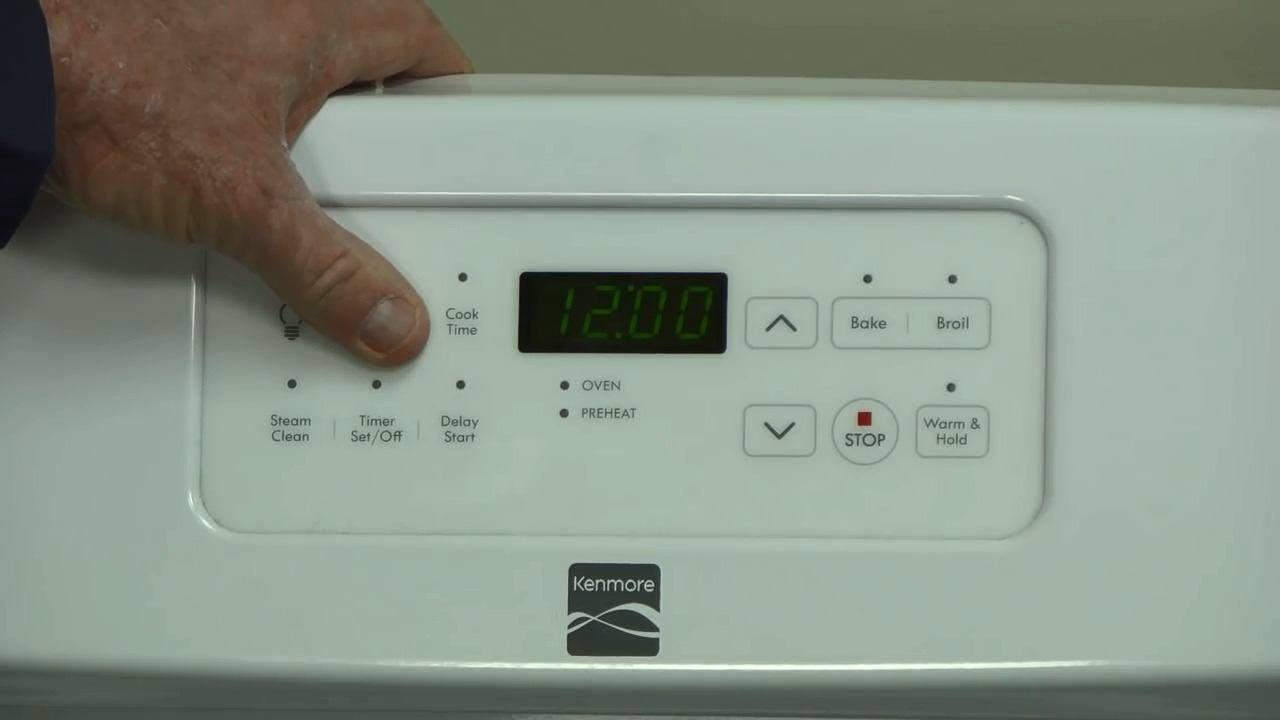
Why Resetting Your Kenmore Oven Works
Electronic control panels in appliances like Kenmore ovens can sometimes encounter temporary glitches. These glitches can manifest as unresponsive buttons, incorrect temperature readings, or an oven that simply won’t turn on. A reset, often referred to as a power cycle Kenmore oven, is essentially like restarting a computer. It interrupts the flow of electricity to the control board, forcing it to reboot and clear any temporary software errors. This can resolve a wide range of problems without needing a technician.
Performing a Power Cycle Reset for Your Kenmore Oven
The most common and effective way to reset Kenmore range is through a power cycle. This involves temporarily disconnecting the oven from its power source.
Step-by-Step Power Cycle Guide
- Locate the Circuit Breaker: Your Kenmore oven is connected to your home’s electrical system via a circuit breaker. You’ll need to find the specific breaker that controls your oven. It’s usually located in your home’s main electrical panel. If you’re unsure which breaker it is, turn off the main breaker for the entire house, but be aware this will shut down all power. It’s best to identify the specific oven breaker beforehand.
- Turn Off the Breaker: Once you’ve identified the correct breaker, flip it to the “OFF” position.
- Wait: Allow the oven to remain disconnected for at least 5 to 10 minutes. This ensures that any residual power in the control board dissipates completely.
- Turn the Breaker Back On: Flip the breaker back to the “ON” position.
- Test the Oven: Turn on your Kenmore oven and check if the issue you were experiencing has been resolved.
This simple procedure is the first step in Kenmore oven troubleshooting for many common problems.
Resetting Specific Kenmore Oven Features
Beyond a general power cycle, some Kenmore ovens have specific reset procedures for certain components or functions.
Kenmore Oven Control Panel Reset
If the display on your Kenmore oven control panel is frozen, unresponsive, or showing incorrect information, a control panel reset might be necessary. In most cases, this is achieved through the power cycle method described above. However, some models may have a specific button combination or a dedicated reset button. Consult your owner’s manual for model-specific instructions.
Kenmore Oven Door Lock Reset
Many modern Kenmore ovens feature a self-cleaning cycle that locks the oven door for safety. If the door remains locked after the cycle has finished, or if the lock mechanism seems stuck, a reset can often help.
Methods for Kenmore Oven Door Lock Reset
- Power Cycle: The most common solution is to perform a power cycle on the oven as described earlier. This often resets the door lock mechanism.
- Manual Release (Rarely Available): Some older models might have a manual override, but this is uncommon on newer appliances. Check your manual for any mention of this.
- Self-Cleaning Cycle Interruption: If the door is locked due to a self-cleaning cycle that didn’t complete properly, a power cycle is usually the way to reset it.
Kenmore Oven Self-Cleaning Reset
After a self-cleaning cycle, sometimes the oven might not reset properly, leaving the door locked or the display showing a “Clean” indicator.
Steps for Kenmore Oven Self-Cleaning Reset
- Ensure Cycle Completion: Make sure the self-cleaning cycle has genuinely finished and the oven has cooled down completely.
- Power Cycle: Perform a power cycle as outlined previously. This is the primary method to reset Kenmore oven self-cleaning.
- Check Manual: If the issue persists, refer to your Kenmore oven’s manual. It may have specific troubleshooting steps for self-cleaning cycle errors.
Kenmore Oven Light Reset
While less common, if the oven light isn’t working, it could be a minor electronic glitch that a reset can fix.
Resetting the Oven Light
- Power Cycle: A general power cycle can sometimes reset the oven’s internal electronics, including the light function.
- Bulb Check: If a power cycle doesn’t resolve the issue, the oven light bulb itself might have burned out and needs replacement. Consult your manual for the correct bulb type and replacement procedure.
Troubleshooting Kenmore Oven Error Codes
Your Kenmore oven might display specific error codes when it detects a problem. These codes provide clues for Kenmore oven troubleshooting.
Common Kenmore Oven Error Codes and Their Meanings
| Error Code | Possible Meaning | Suggested Action |
|---|---|---|
| F1, F2, F3 | Control panel or touch pad issues | Power cycle the oven. If the error persists, the control panel may need replacement. |
| F4, F5 | Temperature sensor or oven temperature issues | Check for obstructions around the sensor. Power cycle the oven. If unresolved, the sensor or oven thermostat may be faulty. |
| F8, F9 | Door lock mechanism issues | Ensure no obstructions are preventing the door from locking or unlocking. Power cycle the oven. |
| F0, F1 | Faulty electronic oven control (EOC) board | Power cycle the oven. If the error code reappears, the EOC board likely needs professional diagnosis and replacement. |
| F20, F21 | Short circuit or open circuit in a component | This could indicate a problem with a heating element, fan, or sensor. A power cycle is a good first step. |
| F50, F51 | Communication error between control components | Power cycle the oven. If the problem continues, there might be an issue with the wiring harness or communication between boards. |
| “LO” or “Lo” | Oven has entered a low-temperature cleaning mode | This is normal during certain self-cleaning cycles. The door will remain locked until the oven cools down. |
Important Note: This table lists common codes, but the specific codes and their meanings can vary significantly between Kenmore oven models. Always refer to your owner’s manual for the most accurate information related to your specific appliance.
How to Clear Kenmore Oven Error Codes
For many Kenmore oven error codes, a power cycle is the primary method to clear them. After performing the power cycle, turn the oven back on and see if the error code has disappeared. If the error code reappears immediately or after a short period, it indicates a persistent problem that requires further investigation.
When a Simple Reset Isn’t Enough: Deeper Troubleshooting
If a power cycle or control panel reset doesn’t fix your Kenmore oven not working, you might need to delve deeper into potential causes.
Common Reasons a Kenmore Oven Isn’t Working
- Power Supply Issues:
- Tripped Circuit Breaker: The breaker might have tripped due to an overload.
- Faulty Outlet: The outlet where the oven is plugged in could be damaged.
- Loose Wiring: Internal wiring connections might be loose.
- Heating Element Failure:
- Broil Element: The top element used for broiling might be burned out.
- Bake Element: The bottom element responsible for baking could have failed.
- Thermostat Problems:
- The oven’s thermostat regulates temperature. If it’s faulty, the oven may not heat correctly or at all.
- Igniter Issues (Gas Ovens):
- For gas ranges, a faulty igniter will prevent the burners or oven from lighting.
- Door Latch or Switch Malfunctions:
- The oven won’t operate if it doesn’t detect the door is properly closed and latched.
- Electronic Control Board Failure:
- The main control board can fail, leading to a completely unresponsive oven.
Addressing Specific Components
Checking the Broil and Bake Elements
Visually inspect the heating elements for any signs of damage, such as blistering, warping, or breaks in the coil. If an element appears damaged, it likely needs replacement. This is a component that often requires professional repair unless you have experience with appliance repair.
Gas Oven Igniter Check
For gas ovens, listen for the igniter clicking. If you don’t hear it, or if it clicks but the gas doesn’t ignite, the igniter or the gas valve might be the issue.
Oven Door Switches
The oven door has safety switches that prevent operation if the door isn’t properly closed. Ensure the door seals are intact and that nothing is obstructing the door from closing fully.
Resetting a Kenmore Stove
The term “stove” can sometimes refer to the entire unit, including the cooktop and the oven. The procedures for resetting the oven portion of a Kenmore stove are largely the same as those for a Kenmore oven.
Resetting the Cooktop
If you’re experiencing issues with the electric burners on your Kenmore stove, a power cycle is also the recommended first step. For gas burners, ensure the gas supply is on and that the igniters are functioning correctly.
Tips for Successful Kenmore Oven Resets
- Always Consult Your Manual: Your Kenmore owner’s manual is the best resource for model-specific reset procedures and troubleshooting tips.
- Safety First: Always unplug the appliance or turn off the circuit breaker before attempting any internal checks or component replacements.
- Patience: Sometimes, it can take a few minutes after a power cycle for the oven’s electronics to fully reset.
- Document Changes: If you notice specific behaviors before a reset, note them down. This can help when diagnosing ongoing issues.
When to Call a Professional
While many issues can be resolved with a simple reset, there are times when professional help is needed.
Signs You Need a Technician
- Persistent Error Codes: If error codes continue to appear after a power cycle.
- Burning Smells: Unusual burning smells from the oven can indicate a serious electrical issue.
- Sparks or Smoke: Never attempt to use an oven that is sparking or smoking.
- Non-Responsive Control Panel After Reset: If the control panel remains completely dead or unresponsive after multiple reset attempts.
- Gas Leaks: If you suspect a gas leak (e.g., the smell of rotten eggs), turn off the gas supply immediately and call a professional.
- Internal Component Damage: If you can clearly see damaged internal components like heating elements or wiring.
Finding a Qualified Technician
When calling for service, be prepared to provide your Kenmore oven’s model number. This will help the technician diagnose the problem more efficiently. Look for certified appliance repair technicians in your area.
Frequently Asked Questions (FAQ)
Q1: Will resetting my Kenmore oven erase my settings?
A: A power cycle reset will typically erase any temporary error states or programming glitches. However, it usually does not erase custom cooking presets or programmed self-cleaning cycles if the power is only interrupted for a short period. For longer interruptions, some models might revert to factory defaults.
Q2: How long should I leave the power off when resetting my Kenmore oven?
A: It’s generally recommended to leave the power off for at least 5 to 10 minutes. This ensures that all residual electrical charge in the control board dissipates, allowing for a clean restart.
Q3: My Kenmore oven is showing an “F3” error. What does that mean?
A: An “F3” error code on a Kenmore oven often indicates an issue with the oven temperature sensor or a problem with the electronic oven control (EOC) board itself. The first step is to perform a power cycle. If the error persists, the sensor or the control board may need to be replaced by a qualified technician.
Q4: Can I reset just the oven light if it’s not working?
A: There isn’t typically a separate reset function just for the oven light. If the light isn’t working, it’s usually due to a burned-out bulb or a fault in the oven’s electronic control system. A general power cycle might resolve electronic glitches affecting the light. If it doesn’t, the bulb likely needs to be replaced.
Q5: What’s the difference between resetting a Kenmore oven and a Kenmore stove?
A: The terms are often used interchangeably. “Kenmore oven” specifically refers to the baking and broiling compartment. “Kenmore stove” usually refers to the entire appliance, which includes both the oven and the cooktop (the part with the burners). The reset procedures for the oven components are the same regardless of whether you call it an oven or a stove.
By following these steps and advice, you can effectively reset Kenmore oven units to address a variety of common issues. Remember to always prioritize safety and consult your owner’s manual for the most accurate guidance specific to your Kenmore appliance.