
Can you connect speaker wire to an RCA jack? Yes, you can connect speaker wire to an RCA jack, but it is very important to know how to do it the right way to avoid damaging your audio equipment. This connection is usually needed when you want to make a custom audio cable, adapt a bare wire end to plug into an RCA input, or connect a device with speaker wire outputs to a device with RCA inputs. It is not as simple as just twisting wires together; you need the right tools, materials, and knowledge of how audio signals work. We will show you the steps to make this connection safely and correctly.
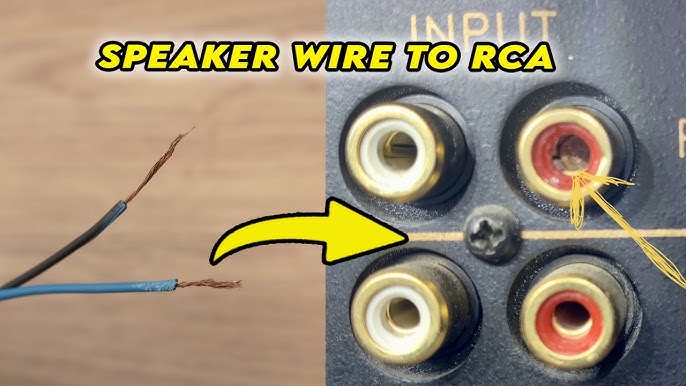
Image Source: i.ytimg.com
Why Link Speaker Cable to RCA?
People need to connect speaker cable to RCA jacks for a few main reasons.
- Building Custom Cables: Sometimes you need a specific length of cable, or you want to use high-quality speaker wire to make audio cables with RCA plugs for connecting things like CD players, receivers, or subwoofers.
- Adapting Equipment: You might have a device with bare speaker wire outputs and need to connect it to a device that only has RCA inputs. This is common with older stereo gear or some simpler audio components.
- DIY Audio Projects: If you are building your own speakers or audio setups, you might need to wire speaker cable to RCA plugs or jacks as part of your design.
- Special Situations: Sometimes, you might encounter gear that uses bare wire terminals where you expect RCA, or vice versa, and need a way to bridge the gap.
Remember, speaker wire usually carries a strong signal meant for speakers, while RCA cables usually carry a weak signal meant for inputs on amplifiers or other devices. Connecting them directly without thinking about the signal type can cause big problems.
Grasping the Differences: Speaker Wire vs. RCA
Before you connect anything, it helps to know how speaker wire and RCA cables work differently.
- Speaker Wire: This type of wire is built to carry a strong, amplified signal from an amplifier or receiver to a speaker. It handles significant voltage and current. It usually has two conductors: one for the positive (+) signal and one for the negative (-) signal.
- RCA Cables: These cables are typically used to carry lower-level signals, often called “line level” signals, between audio components like CD players, preamplifiers, or receivers. They are not designed for high-power speaker signals. An RCA cable usually has a single conductor for the signal (connected to the center pin of the plug) and a shield around it that connects to the ground or negative (-) part (connected to the outer ring of the plug).
Connecting an amplified speaker signal directly to an RCA input that expects a low-level signal will likely overload and damage the input circuit. This is a critical point to understand.
Choosing the Right Way to Connect
There are different ways to connect speaker wire to an RCA jack, depending on what you are trying to do and what kind of signal you are working with.
- Using a Speaker Wire to RCA Adapter: This is often the simplest way, especially for making a custom cable or adapting a bare wire end. An adapter has a simple connector on one end for the speaker wire and an RCA plug on the other.
- DIY Wiring (Cutting and Connecting Bare Wire to an RCA Plug): This method involves cutting the speaker wire, stripping the ends, and connecting the bare wires directly to the contacts inside an RCA plug. This is good for making custom cables.
- Using a Speaker Terminal to RCA Converter: This is needed when you are trying to connect the speaker outputs of a device (like a receiver) to the RCA inputs of another device (like a subwoofer or amplifier). These converters lower the speaker-level signal to a line-level signal that the RCA input can handle safely.
We will focus mainly on the first two methods, which involve connecting the speaker wire itself directly to an RCA plug or adapter. The third method uses a converter box, which is a different type of connection, although related to solving connection problems between speaker outputs and RCA inputs.
Method 1: Simple Connection with a Speaker Wire to RCA Adapter
Using a speaker wire to RCA adapter is the easiest way to connect bare speaker wire ends to an RCA plug. These adapters are designed to make this job quick and simple.
What is a Speaker Wire to RCA Adapter?
A speaker wire to RCA adapter is a small piece that has an RCA plug on one end and some form of connector for bare speaker wire on the other. The speaker wire connection is often a screw-type terminal or a push-button terminal.
Getting Your Adapter Ready
First, you need the right adapter. Make sure it’s designed for connecting bare wire to an RCA plug.
Steps for Using an Adapter:
h4>Gather Your Items</h4>
- The speaker wire to RCA adapter.
- Your speaker cable.
- Wire strippers (optional, if the wire is already stripped).
h4>Prepare the Speaker Wire</h4>
- If your speaker wire ends are not already bare, you need to strip speaker wire. Use wire strippers to carefully remove about 1/4 to 1/2 inch (about 6-12 mm) of the plastic coating from the end of each wire.
- Twist the small strands of bare wire together neatly. This makes it easier to connect them and prevents stray strands from causing short circuits.
h4>Connect the Wire to the Adapter</h4>
- Look closely at the adapter’s speaker wire connector. You will see markings, usually (+) and (-) or red and black.
- You need to identify the positive and negative wires on your speaker cable. Speaker wire positive and negative to RCA connection is crucial. The positive wire is often marked with a color (like red or gold), a stripe, or ribbed insulation. The negative wire is usually plain or marked differently.
- Connect the positive (+) speaker wire to the (+) terminal on the adapter.
- Connect the negative (-) speaker wire to the (-) terminal on the adapter.
- If the adapter has screw terminals, loosen the screws, insert the bare wire end under the screw or into the hole, and tighten the screw firmly to hold the wire in place.
- If it has push terminals, push the button, insert the wire, and release the button.
h4>Check Your Connection</h4>
- Make sure the wires are held securely and that no stray strands of wire are sticking out where they could touch the other terminal. This could cause a short circuit and damage your equipment.
This method is straightforward and does not require any special skills like soldering. It’s a good choice for quick connections or if you are new to working with audio cables.
Method 2: Making a DIY Cable (Connecting Bare Speaker Wire to an RCA Plug)
If you want a more permanent or custom connection, you can connect the bare speaker wire directly to an RCA plug yourself. This involves a bit more work and might require soldering, but it gives you flexibility. This is a common way to make a DIY speaker wire to RCA cable.
Items You Will Need:
h4>Tools and Parts List</h4>
- Speaker cable: The length you need.
- RCA plugs/connectors: You will need one plug for each cable end (e.g., two for a single mono cable, four for a stereo pair).
- Wire strippers: To remove insulation from the speaker wire.
- Wire cutters: To cut the speaker wire to length.
- Small screwdriver (if using screw-type RCA plugs).
- Soldering iron and solder (if using solder-type RCA plugs, recommended for a better connection).
- Heat shrink tubing and a heat gun or lighter (optional, for insulation if soldering).
- A small vice or holder (helpful for soldering).
- Multimeter (helpful for checking connections).
Prepping the Speaker Wire
h4>Cut and Strip the Wire</h4>
- Cut your speaker cable to the desired length.
- At each end of the cable, carefully strip speaker wire. Remove about 1/4 to 3/8 inch (about 6-10 mm) of the plastic coating from both the positive and negative wires. Do not strip too much, as excess bare wire can cause shorts.
- Gently twist the small strands of bare wire together on each conductor (positive and negative). This makes a neater end that is easier to work with.
Prepping the RCA Plug
RCA plugs come in different types. We will focus on solder-type and touch on screw-type. Solder-type plugs usually give a more reliable connection.
h4>Disassemble the Plug</h4>
- A solder-type RCA plug usually has a cover (metal or plastic) and the main plug body with contacts.
- Unscrew or slide off the cover from the plug body. Slide the cover onto the speaker cable before making the connection to the plug body. If you forget this step, you will have to unsolder and start over!
h4>Identify the Contacts</h4>
- Look at the plug body. You will see a center pin and an outer, often U-shaped or cup-shaped, contact around it.
- The center pin is for the positive (+) signal.
- The outer contact (the ground or shield) is for the negative (-) signal.
- This is where you will wire speaker cable to RCA plug contacts. Refer to an RCA connector wiring diagram if needed, but the center is always positive, and the outer is always negative/ground.
Making the Connection (Solder-Type Plug)
Soldering provides a strong and lasting electrical connection.
h4>Prepare for Soldering</h4>
- If using heat shrink tubing for insulation, cut two small pieces for each plug – one for the center pin connection and one for the outer contact. Slide these onto the speaker wire before soldering.
- “Tin” the wires and the contacts on the RCA plug. This means applying a small amount of hot solder to the bare wire ends and the connection points on the plug (the small holes or cups where the wires will go). This makes it easier for the wires and plug to join cleanly.
h4>Solder Speaker Wire to RCA</h4>
- Heat the contact point on the RCA plug with the soldering iron.
- Touch the tinned speaker wire end to the heated contact point.
- Remove the soldering iron once the solder flows and joins the wire to the contact. Do not overheat.
- First, solder the positive (+) speaker wire to the center pin of the RCA plug.
- Then, solder the negative (-) speaker wire to the outer contact (ground) of the RCA plug. Make sure no stray strands from the negative wire can touch the center pin.
- This completes the speaker wire positive and negative to RCA connection for this plug.
h4>Insulate the Connections</h4>
- If you used heat shrink tubing, slide the pieces down to cover the soldered joints on the center pin and outer contact.
- Carefully apply heat (with a heat gun or from a safe distance with a lighter flame) to the tubing until it shrinks snugly around the joint. This adds insulation and strength.
h4>Reassemble the Plug</h4>
- Slide the plug cover (that you put on the cable earlier) down over the plug body.
- Screw or snap the cover into place. It should hold the cable firmly where it enters the plug.
Making the Connection (Screw-Type Plug)
Screw-type RCA plugs are simpler as they do not require soldering.
h4>Prepare the Plug</h4>
- Screw-type plugs usually have a body that you unscrew. Inside, you will find terminals, usually screws, for connecting the wires.
- Slide the cable entry part of the plug onto the speaker cable first.
h4>Connect Bare Speaker Wire to RCA (Screw Type)</h4>
- Look at the terminals inside the plug. There should be a central connection for the positive (+) and an outer connection for the negative (-).
- Insert the twisted bare positive (+) speaker wire into the positive terminal and tighten the screw firmly to secure it.
- Insert the twisted bare negative (-) speaker wire into the negative terminal and tighten the screw firmly.
- Again, ensure no stray wire strands are touching across the positive and negative terminals. This is how you connect bare speaker wire to RCA using this type of plug.
h4>Reassemble the Plug</h4>
- Screw the plug body back together securely. The cable entry part should clamp down on the cable.
Testing Your DIY Cable
Once you have finished connecting both ends of your custom cable, it is a good idea to test it.
- If you have a multimeter, you can check for continuity (a solid connection) between the center pin on one end and the positive wire on the other end, and between the outer ring on one end and the negative wire on the other.
- More importantly, check for short circuits: there should be no continuity between the center pin and the outer ring on the same plug, or between the positive wire and the negative wire along the cable.
- Connect the cable between two low-value audio devices (like a cheap MP3 player and a simple amplifier input) and play some audio at a low volume to ensure it works and sounds right before connecting to more expensive equipment.
Making your own cable requires care and attention to detail, especially with polarity (positive and negative) and preventing short circuits. But it is a rewarding way to create custom connections.
Method 3: Using a Speaker Terminal to RCA Converter
This method is different because it involves a separate device – a speaker terminal to RCA converter – rather than just wiring speaker cable directly into an RCA plug. This is necessary when you need to connect the speaker outputs from an amplifier or receiver to the RCA inputs of another audio component, like a subwoofer or another amplifier, especially if that component only has RCA line-level inputs.
Why Use a Converter?
As we discussed earlier, speaker outputs carry a high-power signal. RCA inputs are designed for low-power line-level signals. Connecting a speaker output directly to an RCA input without changing the signal level will likely damage the equipment connected to the RCA input.
A speaker terminal to RCA converter (also sometimes called a line output converter or high-to-low level converter) takes the high-voltage speaker signal and reduces it to a lower, line-level voltage that is safe for an RCA input.
How a Speaker Terminal to RCA Converter Works
These converters typically have terminals or wires on one side to connect to the speaker outputs of your source device (like your receiver’s speaker terminals). On the other side, they have one or more RCA jacks that provide a line-level output.
Steps for Using a Converter:
h4>Get the Right Converter</h4>
- Choose a converter that matches your needs (e.g., 2-channel for stereo, 4-channel for front and rear speakers). Some converters are passive (no power needed), while others are active (may need a separate power wire).
h4>Identify Wires and Terminals</h4>
- Locate the speaker output terminals on your source device (receiver or amp). These will usually be marked with Left/Right and Positive/Negative (+/-).
- Identify the input wires or terminals on the converter. These will also be marked for connecting to the speaker wires.
- Identify the output RCA jacks on the converter. These will connect to your destination device’s RCA inputs.
h4>Connect Speaker Wires to the Converter Input<</h4>
- Run speaker wire from the speaker output terminals of your source device to the input terminals/wires on the converter.
- Make sure to connect the positive (+) speaker terminal to the positive (+) input on the converter for each channel (Left and Right).
- Connect the negative (-) speaker terminal to the negative (-) input on the converter for each channel.
- Twist the bare wire ends neatly before connecting. Secure them firmly in the converter’s terminals (usually screw terminals).
h4>Connect Converter RCA Output to Destination RCA Input</h4>
- Use standard RCA cables to connect the RCA output jacks on the converter to the RCA input jacks on your destination device (like your subwoofer or amplifier).
- Connect the Left RCA output from the converter to the Left RCA input on your destination device.
- Connect the Right RCA output from the converter to the Right RCA input on your destination device.
h4>Power the Converter (If Needed)</h4>
- If your converter is active, it will need power. Follow the converter’s instructions to connect it to a power source (usually a car battery or a power supply if used in a home). There might also be a remote turn-on wire to connect so the converter turns on with your source device.
h4>Test Your Setup</h4>
- Turn on your audio system at a low volume to check that the sound is coming through correctly. Adjust volume levels slowly.
Using a speaker terminal to RCA converter is the correct and safe way to connect speaker-level outputs to line-level RCA inputs. Do not bypass this step if you are trying to make this specific type of connection.
Considering Passive Speaker RCA Input?
The term passive speaker RCA input can be a bit confusing. Passive speakers do not have built-in amplifiers. They receive their power and the audio signal from an external amplifier through speaker wire terminals (like binding posts or spring clips), not RCA jacks.
If you see a device that looks like a speaker and has an RCA input, it is likely either:
- An active speaker (powered speaker) with a built-in amplifier that accepts a line-level signal via RCA.
- A device that might be mislabeled, or expects a very specific type of signal via RCA (not standard amplified speaker level).
You would not typically connect the speaker wire coming from an amplifier directly to an RCA input hoping it powers a passive speaker or anything expecting a low-level signal. The methods discussed earlier (adapter, DIY wiring) are for making a cable with an RCA plug, or for connecting speaker outputs to RCA inputs using a converter. They are not about giving a passive speaker an RCA input instead of speaker terminals.
Safety First!
Working with electrical wires, even low-voltage audio signals, requires care.
- Always disconnect power to your audio equipment before making or changing any connections.
- Be careful when stripping wires. Use the right tool and go slowly to avoid cutting the wire strands or injuring yourself.
- When soldering, use caution. Solder and the iron are hot. Work in a well-ventilated area.
- Prevent short circuits! Make sure no bare wires or stray strands touch each other or the wrong terminal. Shorts can damage amplifiers, receivers, and other equipment.
- Double-check polarity (positive and negative) before connecting. Reversing polarity on one speaker in a stereo pair will make the audio sound strange and weak.
- If you are unsure about a connection, especially when dealing with amplified signals or converters, it is best to ask for help or research more before connecting.
Summing Up the Connection Process
Connecting speaker cable to an RCA jack is possible and needed in various audio setups, particularly for creating custom cables or adapting equipment. We looked at three main ways to do this:
- Using a Speaker Wire to RCA Adapter: This is a simple plug-and-play method for attaching bare wires to an RCA plug. Easy and no soldering needed.
- DIY Wiring Bare Speaker Wire to an RCA Plug: This involves cutting, stripping, and connecting the speaker wire directly to the inside contacts of an RCA plug, often using soldering for a strong bond. This lets you build custom-length cables. Remember to connect the speaker wire positive and negative to RCA correctly (positive to center pin, negative to outer ring).
- Using a Speaker Terminal to RCA Converter: This method uses a device to safely connect the high-power speaker outputs of one component to the low-power RCA inputs of another. This is essential for avoiding damage.
Always make sure you understand what kind of signal you are working with (speaker level or line level) and what the input you are connecting to expects. Using the correct method, especially a converter when needed, is key to a successful and safe connection. Taking your time, using the right tools like wire strippers, and paying close attention to polarity will help you get the job done right.
Frequently Asked Questions About Connecting Speaker Wire to RCA
h4>Can I just twist speaker wire onto an RCA plug’s contacts?</h4>
No, just twisting is not recommended. It creates a poor connection that can come loose, cause noise, or even lead to short circuits. Use an adapter with screw terminals, a screw-type RCA plug, or ideally, solder the connection for reliability.
h4>How do I know which is the positive and negative speaker wire?</h4>
Speaker wire is usually marked to help you tell positive and negative apart. One wire might have a colored stripe (often red or white), ribbed insulation you can feel, or print on it. The other wire will be plain. The marked wire is typically positive (+), and the plain wire is negative (-). Always check the markings on your specific wire and equipment terminals.
h4>Will connecting speaker wire directly to an RCA input damage my equipment?</h4>
Yes, usually. If you connect the speaker output from an amplifier directly to an RCA input on another device (like a receiver or subwoofer) without using a signal level converter, you will likely send too much voltage to the RCA input, which can damage it. RCA inputs are made for low-level signals.
h4>When should I use a speaker terminal to RCA converter?</h4>
Use a speaker terminal to RCA converter when you need to connect the speaker output terminals of an audio device (which sends a high-power signal) to the RCA input jacks of another audio device (which expects a low-level signal). This often happens when adding a subwoofer to a car stereo that does not have RCA outputs, or connecting an older receiver’s speaker outs to a modern soundbar’s RCA ins.
h4>Is soldering necessary when wiring speaker cable to an RCA plug?</h4>
Soldering provides the best, most durable, and most reliable electrical connection for a DIY speaker wire to RCA cable. However, you can use screw-type RCA plugs or adapters that use screw terminals or push connections if you do not want to solder. These methods are easier but may not be as secure or long-lasting as a soldered connection.
h4>Can I use any speaker wire to make RCA cables?</h4>
Yes, you can use standard speaker wire to make RCA cables, especially for line-level signals. Thicker wire (lower gauge number) is often preferred for speaker connections due to power needs, but for line-level RCA cables, even thinner speaker wire is usually fine. The quality of the wire and how well you make the connections will affect the sound quality.
h4>What is an RCA connector wiring diagram?</h4>
An RCA connector wiring diagram is a simple picture showing which part of the RCA plug corresponds to the signal (positive) and which part corresponds to the ground (negative). The center pin is always the signal (+), and the outer ring or body is always the ground (-).
h4>Can I connect bare speaker wire to RCA without any plug or adapter?</h4>
Trying to simply jam bare speaker wire ends into an RCA jack is a very bad idea. It will result in a poor, unreliable connection and has a high risk of causing a short circuit, which can severely damage your audio components. Always use a proper plug, adapter, or converter designed for the connection.
h4>What is a passive speaker RCA input?</h4>
This term is usually incorrect. Passive speakers do not have RCA inputs; they connect via speaker wire to an amplifier. If a speaker-like device has an RCA input, it is likely an active (powered) speaker designed to receive a low-level line signal, or it is not a typical passive speaker. You don’t connect standard speaker output signals directly to an RCA input on any device, speaker or not, without a converter.
Final Thoughts
Making audio connections can seem tricky, but by understanding the different types of signals and connections, you can link your equipment safely and correctly. Whether you choose a simple speaker wire to RCA adapter, decide to wire speaker cable to RCA plug yourself, or need a speaker terminal to RCA converter, knowing the steps and precautions will help you achieve great sound without damaging your gear. Always double-check your work and prioritize safety!