
Are you asking, “Why does my Midea air conditioner keep turning off?” You are not alone. This is a common problem Midea owners face. When your Midea AC unit suddenly stops working, it can be frustrating, especially on a hot day. The good news is that many reasons for a Midea AC turning off by itself are simple fixes you can do yourself. Other times, the unit is trying to tell you something is wrong. It shuts down to protect itself from damage. We will look at the main reasons this happens and how you can fix them.
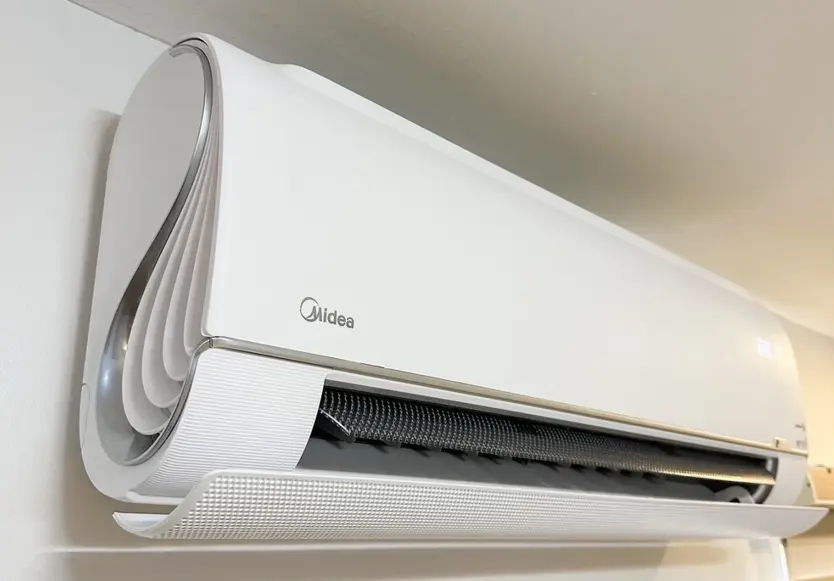
Image Source: acwonders.com
Grasping the Common Reasons Your Midea AC Stops
Your Midea air conditioner has many parts working together. If one part has a problem, the whole unit might stop. The AC turning off by itself is often a safety feature. It stops the unit before something breaks badly. Knowing why your Midea AC keeps turning off helps you know what to check.
Common reasons for this shut-off include:
- A dirty air filter
- Ice building up on the coils
- Problems with the power supply
- The thermostat not working right
- Sensors that are faulty
- A clogged water drain line
- The unit getting too hot (Midea AC overheating)
- Low levels of coolant (refrigerant)
- An error code showing a specific problem
- The AC turning on and off too quickly (Midea AC short cycling)
Let’s look at each of these simple steps you can check. This is part of Midea AC troubleshooting.
Acknowledging Filter Problems
One of the most frequent causes of an AC unit turning off is a dirty air filter. The filter catches dust, dirt, and pet hair. It stops them from getting into the unit’s inside parts.
- How a dirty filter causes shut-off: When the filter is full of dirt, air cannot easily pass through it. This is like trying to breathe with your hand over your mouth. The AC needs good airflow to work right.
- What happens inside: When airflow is low, the cooling coils cannot properly absorb heat from the air. This makes the coils get very cold. They can even freeze over.
- The result: Ice builds up on the indoor coil. This ice blocks airflow even more. It makes the problem worse. The unit’s sensors detect the ice or the very cold temperature. The AC thinks something is wrong and shuts down to melt the ice and prevent damage.
- Relating to Midea AC filter cleaning: This problem is often fixed with simple Midea AC filter cleaning or changing.
Checking Your Midea Filter
Your Midea manual will tell you where the filter is. It is usually behind the front panel of the indoor unit.
- Turn off the AC unit at the thermostat and the power switch.
- Open the front panel.
- Slide out the filter.
- Look at it. Is it covered in a thick layer of dust and dirt?
- If it’s disposable, put in a new, clean filter.
- If it’s washable, take it outside or to a sink. Use warm water and maybe a little soap to clean it well. Let it dry completely before putting it back.
Cleaning or changing the filter is the first step in Midea AC troubleshooting when the unit turns off.
Deciphering Ice Build-up
As mentioned, a dirty filter can cause ice. But other things can cause ice on the coils too.
- What causes ice:
- Dirty filter (low airflow)
- Low refrigerant (not enough coolant)
- A problem with the fan motor (not moving air)
- Blocked vents or registers in your home (low airflow back to the AC)
- Why ice makes it stop: Ice on the coils means the system is not working right. It cannot cool your home well. It also puts a strain on the compressor. The AC shuts off to prevent damage.
- What to do:
- Turn the unit off.
- Let the ice melt completely. This can take a few hours. You can speed it up by running only the fan (if your unit allows) or by opening windows and doors.
- Once the ice is gone, check the filter. Clean or replace it.
- Check that all vents in your home are open and not blocked by furniture or curtains.
- If ice comes back after cleaning the filter and checking vents, the problem could be low refrigerant or a fan issue. These need a professional.
Ice is a clear sign of a problem. Addressing it is key in Midea AC troubleshooting.
Fathoming Power Supply Issues
An air conditioner uses a lot of power. Problems with the power supply can make it turn off. These are Midea AC power problems.
- Common power issues:
- Tripped circuit breaker: This is like a safety switch in your home’s electrical box. If the AC pulls too much power or there is a surge, the breaker trips. This cuts power to the unit.
- Loose wiring: Wires connecting the AC to the power supply might be loose. This can cause power cuts.
- Problems with the outlet or switch: If the AC is plugged in, the outlet might be bad. If it has a disconnect switch near the outdoor unit, that switch might have a problem.
- Power surges or outages: Quick changes or losses in power from the electric company can make the unit shut off.
Checking Your Power Supply
- Check the circuit breaker: Go to your home’s electrical panel. Find the breaker labeled for the air conditioner. If it is tripped, it will be between the “on” and “off” position or fully “off.” Flip it firmly to the “off” position, then back to the “on” position.
- Check outdoor disconnect: Some units have a power switch near the outdoor unit. Make sure it is in the “on” position.
- Check the plug: If it is a window or portable unit, make sure the plug is firmly in the wall outlet. Avoid using extension cords, as they can be dangerous and cause problems.
If the breaker trips again right away or often, do not keep resetting it. There is a problem that needs an electrician or an AC technician. Dealing with Midea AC power problems safely is important.
Interpreting Thermostat Troubles
The thermostat is the brain of your cooling system. It tells the AC when to turn on and off. Midea AC thermostat issues can cause the unit to shut down unexpectedly.
- How a thermostat can cause shut-off:
- Wrong settings: The thermostat might be set to “off” or “fan only” by mistake.
- Dead batteries: Many digital thermostats use batteries. If the batteries die, the thermostat loses power and cannot control the AC.
- Bad placement: If the thermostat is in direct sunlight or near a heat source (like a lamp or TV), it might think the room is warmer than it is. It could turn off the AC too soon or act strangely.
- Faulty wiring: Wires connecting the thermostat to the AC unit can come loose or be damaged.
- Internal problem: The thermostat itself might be broken.
Checking Your Thermostat
- Check the settings: Make sure the mode is set to “Cool” or “Auto.” Check that the fan is set to “Auto” (so it runs with the cooling) or “On” (so it runs all the time, which can help melt ice if needed).
- Replace batteries: If your thermostat uses batteries, change them with fresh ones. Even if the display is on, low batteries can cause problems.
- Check placement: Is the thermostat getting direct sun? Is it near a heat source? If so, this could be the reason. You might need to move the heat source or add a small shield over the thermostat (check your thermostat manual).
- Clean the thermostat: Dust inside the thermostat can sometimes cause issues. Turn off power to the AC and thermostat. Carefully open the thermostat cover and gently clean inside with a soft brush. Do not touch the components.
If these steps don’t help, the thermostat might be faulty or have a wiring problem. This could require a professional to fix. Fixing Midea AC thermostat issues is a key part of Midea AC troubleshooting.
Comprehending Sensor Failures
Air conditioners have sensors. These small parts read temperatures. There is usually a sensor for the room air temperature and a sensor for the temperature of the cooling coil. Midea AC sensor failure can trick the AC into thinking there is a problem when there isn’t.
- How sensors cause shut-off:
- Room sensor problem: If the room sensor reads the temperature wrong, it might tell the AC the room is already cool enough, even if it’s hot. So, the AC turns off too soon.
- Coil sensor problem: If the coil sensor reads the coil is too cold (like when it’s icing up) or too hot, it will trigger a safety shut-off. If the sensor is bad, it might give a wrong reading and shut the unit off by mistake.
- Sensor placement: Sometimes sensors get knocked out of place. This causes them to read the wrong temperature.
Sensors are often small probes near the coils or in the airflow path. They connect to the control board with thin wires.
What to Do About Sensors
Checking sensors is harder for a homeowner.
- Look for visible problems: If you can access the indoor unit’s inside parts (after turning off power!), look for small wires attached to probes. See if any look disconnected or damaged.
- Check for error codes: Midea AC air conditioner error codes often point to a specific sensor problem. (More on error codes below).
Sensor issues usually require an AC technician. They have tools to test sensors and know how to replace them safely. Dealing with Midea AC sensor failure is usually a job for a pro.
Interpreting Drain Line Problems
Air conditioners don’t just cool; they also remove moisture from the air. This water collects in a pan and flows out through a drain line (Midea AC drain line).
- How a clogged drain line causes shut-off:
- Over time, algae, mold, and dirt can build up in the drain line. This causes a clog.
- When the drain line is clogged, the water cannot flow out. It backs up into the drain pan.
- Many Midea units have a float switch in the drain pan. When the water level gets too high, the float switch lifts. This tells the AC’s control board to turn off the unit. This prevents water damage in your home.
Checking and Clearing the Drain Line
This is a common problem you can often fix yourself.
- Find the drain line: It’s usually a PVC pipe (often white or gray) coming out of the indoor unit and leading outside.
- Look for water: See if the drain pan under the indoor unit has standing water. This is a clear sign of a clog.
- Try to clear the clog:
- Outside: Find where the drain line ends outside. Is water dripping out? If not, it’s likely clogged. You can try to suck the clog out using a wet/dry vacuum at the outside end of the pipe. Make a tight seal around the pipe with the vacuum hose.
- Inside (if accessible): There might be a small cap on the drain line near the indoor unit. Open it and try pouring a mixture of vinegar and water (like half and half) into the pipe. This can help break down algae. Let it sit for 15-30 minutes. You can also try pouring plain water slowly to see if it drains. Do NOT use bleach, as it can damage parts or mix badly with other things in the pipe.
- Use a stiff wire: Gently push a thin, flexible wire (like from a coat hanger) into the pipe opening (from either end if possible) to try and break up a clog near the opening. Be careful not to push too hard and damage the pipe.
After trying to clear the clog, turn the AC back on. The water should start draining outside. If the pan fills up again, the clog is still there or deeper in the pipe, or the float switch might be faulty. A persistent Midea AC drain line clog might need a professional.
Grasping Overheating Issues
Your Midea AC unit, especially the outdoor part (the compressor), can overheat (Midea AC overheating). This will cause the unit to shut down as a safety measure.
- What causes overheating:
- Dirty outdoor coil: The coil on the outdoor unit releases heat from your home into the outside air. If it’s covered in dirt, leaves, grass clippings, or pet hair, it cannot release heat well. The compressor gets too hot.
- Blocked airflow to the outdoor unit: Objects placed too close to the outdoor unit (like plants, fences, or storage boxes) block the air needed to cool the coil.
- Fan motor problems: The fan in the outdoor unit pulls air through the coil. If it’s not working right, not spinning, or blocked, the coil and compressor will overheat quickly.
- Low refrigerant: When refrigerant is low, the system works harder than it should, which can cause the compressor to overheat.
Checking for Overheating Causes
- Look at the outdoor unit: Is the coil (the metal fins around the outside) dirty? Clean it carefully (with power off!) using a hose with regular water pressure. Spray from the inside out if possible to push dirt out.
- Check clearances: Make sure there are at least 2-3 feet of clear space all around the outdoor unit. Trim back bushes or plants.
- Check the outdoor fan: With the power OFF, carefully look at the fan blades. Are they clear of debris? Can you spin the fan blade with a stick (again, power OFF!)? It should spin freely. If the power is on and the unit is running (or trying to run), is the fan spinning? If not, turn it off immediately.
- Touch the unit (carefully): If the unit has been trying to run, the outdoor unit might feel very hot to the touch.
Cleaning the outdoor unit and ensuring airflow are steps you can take. If the fan isn’t spinning or the unit is still overheating, you likely have a mechanical issue or low refrigerant, which requires a technician. Preventing Midea AC overheating is vital for the unit’s life.
Deciphering Short Cycling
When your Midea AC unit turns on, runs for only a few minutes, and then turns off, only to repeat this often, it’s called short cycling (Midea AC short cycling). This isn’t just annoying; it’s bad for the unit and wastes energy. It’s also a form of the unit turning off by itself, just happening repeatedly and too soon.
- What causes short cycling:
- Oversized unit: If the AC unit is too big for your home, it cools the space too quickly. The thermostat reaches the set temperature fast, and the unit turns off. Then the temperature rises slightly, and it turns back on. This repeats too often.
- Low refrigerant: Low coolant makes the system work harder and inefficiently. This can cause parts to overheat or the coil to freeze, leading to quick shut-offs.
- Dirty coils (indoor or outdoor): Restricts airflow or heat transfer, causing the unit to struggle and possibly overheat or freeze, leading to short cycles.
- Thermostat problems: Bad placement, faulty sensor in the thermostat, or incorrect calibration can cause the thermostat to misread the temperature and cycle the unit on and off too rapidly.
- Sensor problems: A faulty temperature sensor in the AC unit itself can cause it to misread conditions and short cycle.
- Electrical issues: Problems with the capacitor (helps start the motor) or other electrical parts can cause the unit to turn off prematurely.
Fixing Short Cycling
Fixing short cycling depends on the cause.
- Check the simple things first: Clean the filter, check thermostat settings and placement, check for ice on the coils, and clean the outdoor unit. These are common steps in Midea AC troubleshooting.
- If those don’t work: Short cycling often points to deeper issues like low refrigerant, a failing part (like the capacitor or fan motor), or an incorrectly sized unit. These problems need a professional AC technician to diagnose and fix.
Short cycling puts a lot of stress on the AC’s parts, especially the compressor. Getting it fixed quickly is important.
Interpreting Midea Air Conditioner Error Codes
Your Midea air conditioner is designed to tell you when something is wrong. It does this by showing error codes on the display panel of the indoor unit or the remote control. Midea air conditioner error codes are like a secret language telling you why your Midea AC keeps turning off.
-
How to find error codes:
- Look at the display on the indoor unit.
- Look at the display on the remote control (sometimes you need to press a button, like “Error” or “Check,” or the code might flash).
- Your Midea owner’s manual or installation manual will have a list of error codes and what they mean. You can often find these manuals online on the Midea website.
-
Common Error Code Meanings (Examples – Note: Codes vary by model. Check your manual!):
| Example Code | What it Might Mean (Check Your Manual!) | Simple Explanation | What to Check / Do |
|---|---|---|---|
| E0 | Parameter error | Internal system setup problem | Reset power. If it comes back, call tech. |
| E1 | Room temp sensor fault | Sensor reading room temp is broken | Check sensor wire if visible. Call tech. |
| E2 | Evaporator coil sensor fault | Sensor on indoor coil is broken | Check sensor wire if visible. Call tech. |
| E3 | Condenser coil sensor fault (outdoor) | Sensor on outdoor coil is broken | Check outdoor unit and sensor. Call tech. |
| E4 | System abnormal | General problem, could be anything | Check basic things (filter, power). Call tech. |
| EC | Refrigerant leakage detection | Unit thinks coolant is low/leaking | This needs a tech immediately. |
| F0 / F1 | Indoor fan speed issue | Indoor fan motor problem | Check if fan spins freely (power off!). Call tech. |
| P0 / P1 | Outdoor module error | Problem with outdoor unit’s main board | Call tech. |
Error codes are the most direct way your Midea AC tells you why it turned off. Always check for codes and look them up in your manual as part of Midea AC troubleshooting. This information helps you or the technician know where to start looking.
Exploring Low Refrigerant
Refrigerant (also called Freon, though that’s a brand name) is the stuff that absorbs heat from your home and releases it outside. Your Midea AC unit comes with the right amount of refrigerant. If the level is low, it’s because of a leak. Refrigerant is not used up like gas in a car; it circulates in a closed system.
- How low refrigerant causes shut-off:
- When refrigerant is low, the system doesn’t cool effectively.
- The pressure in the system changes.
- The indoor coil often gets too cold, leading to ice build-up (as discussed before).
- The outdoor compressor has to work harder and can overheat.
- Sensors detect the low temperature (from ice) or high temperature/pressure (from overworking) and trigger a safety shut-off.
- Some newer units have leak detection (like the “EC” code example) and will shut off directly if a leak is suspected.
Why Low Refrigerant Needs a Professional
Dealing with refrigerant is not a DIY job.
- Finding leaks requires special tools: Technicians use leak detectors or dye to find where the refrigerant is escaping.
- Adding refrigerant is complex: The system needs to be emptied properly, the leak repaired, and the correct amount of refrigerant added back using special equipment and pressure gauges. It’s not just topping it off.
- Refrigerant is harmful: It’s bad for the environment and can harm you if not handled right.
If you suspect low refrigerant (unit not cooling well, ice build-up despite clean filter, hissing sounds, or error codes like “EC”), call a professional AC technician right away. This is a serious issue for Midea AC troubleshooting.
Other Potential Problems
While the issues above are the most common, other problems can cause your Midea AC to turn off:
- Faulty Capacitor: Capacitors are electrical parts that help the motors (fan and compressor) start. If a capacitor is weak or bad, a motor might not start or run correctly, causing the unit to shut down.
- Problematic Fan Motor: The fan motor on the indoor or outdoor unit could be failing. If the fan doesn’t move air, the system cannot work and will shut off (due to freezing indoors or overheating outdoors).
- Compressor Issues: The compressor is the main part that pumps the refrigerant. If it’s failing or facing problems (like from low refrigerant or electrical issues), it can shut down to protect itself or the system.
- Control Board Failure: The control board is like the computer of the AC. If it has a problem, it might send wrong signals or fail to keep the unit running.
- Dirty Evaporator or Condenser Coils (Beyond Surface Dirt): Sometimes the dirt is deep within the fins or coated with a greasy film that a simple hose cleaning won’t remove. This requires special coil cleaning solutions and methods, usually done by a professional.
These problems are less common for quick shut-offs compared to filters or power issues. They usually require a technician for diagnosis and repair.
Simple Steps for Midea AC Troubleshooting
When your Midea AC turns off by itself, follow these steps. This systematic Midea AC troubleshooting can help you find the problem.
- Turn it Off and On Again: Sometimes, like a computer, a simple reset can fix a temporary glitch. Turn the unit off at the thermostat and the power switch (breaker). Wait a few minutes (5-10 is good). Then turn the power back on, wait a minute, and turn the AC on at the thermostat. See if it runs normally.
- Check the Filter: This is quick and easy. Clean or replace the air filter. Make sure it’s the right size and put in correctly.
- Look for Error Codes: Check the display on the indoor unit and the remote for any flashing or steady codes. Look up the code in your Midea manual.
- Check Power: Go to your electrical panel and look for a tripped breaker for the AC. Check the outdoor disconnect switch.
- Check the Thermostat: Make sure it’s set to “Cool” mode and the temperature is lower than the room temperature. Check or replace batteries. Ensure it’s not in direct heat or sunlight.
- Look for Ice: Check the indoor unit’s cooling coil. Is it covered in ice? If so, turn the AC off and let it melt completely before trying to run it again (with the filter cleaned and vents open).
- Check the Outdoor Unit: Is it dirty? Clean the outside coil. Is there anything blocking airflow around it? Is the fan spinning when the unit is trying to run?
- Check the Drain Line: Look for standing water in the indoor drain pan. Find the drain line outside. Is water dripping? Try clearing the line if it seems clogged.
These steps cover the most common reasons your Midea AC keeps turning off.
Knowing When to Call a Professional
While many problems can be fixed with simple Midea AC troubleshooting, some require expert help. Call an AC technician if:
- You see Midea air conditioner error codes that your manual says need service.
- The circuit breaker keeps tripping after you reset it.
- You suspect low refrigerant (poor cooling, ice, leak sound, EC code).
- The outdoor fan or indoor fan is not spinning.
- The drain line clog cannot be cleared.
- The unit is short cycling after you’ve checked the filter and thermostat.
- You hear strange noises (grinding, buzzing, hissing) from the unit.
- You smell burning odors.
- You have checked the simple things, and the problem continues.
- You are not comfortable checking electrical parts or internal components.
Professionals have the right tools and knowledge to diagnose complex issues safely, like Midea AC sensor failure, Midea AC power problems beyond a simple tripped breaker, or internal part failures causing Midea AC overheating or short cycling.
Taking Steps to Prevent Problems
Regular care can help stop your Midea AC from turning off by itself. Good maintenance is key to preventing Midea AC troubleshooting needs.
- Regular Midea AC filter cleaning/changing: Do this every 1-3 months, or more often if you have pets or allergies. This is the easiest and most important thing you can do.
- Keep the outdoor unit clean: Clear away leaves, grass clippings, and debris regularly. Hose down the coil gently once or twice a year (make sure power is off!). Keep the area around it clear.
- Keep indoor vents open: Make sure furniture or curtains are not blocking the supply and return vents in your home.
- Consider professional tune-ups: An annual check-up by a technician can find small problems before they cause the unit to shut down. They will check refrigerant levels, clean coils thoroughly, check electrical parts, and inspect the drain line.
Doing these simple maintenance tasks can save you money and hassle by preventing your Midea AC keeps turning off problem.
Conclusion: Getting Your Midea Back on Track
When your Midea air conditioner turns off by itself, don’t panic. It’s often a sign the unit is protecting itself. Start with the simple steps of Midea AC troubleshooting: check the filter, power, and thermostat. Look for error codes. See if there’s ice or a drain line clog. If these easy checks don’t solve the problem, or if you suspect low refrigerant, electrical issues, or faulty parts, it’s time to call a qualified technician. By understanding the common reasons and doing basic maintenance, you can often get your cool air back or know when to get the right help.
Frequently Asked Questions (FAQ)
Q1: How often should I clean the filter on my Midea AC?
Clean or replace your Midea AC filter every 1 to 3 months. If you use your AC a lot, have pets, or someone in your home has allergies, check it every month. Dirty filters are a top reason for Midea AC keeps turning off issues.
Q2: Can a tripped breaker cause my Midea AC to shut off and not turn back on?
Yes. A tripped circuit breaker cuts power to the unit completely. Your Midea AC will not turn on again until the breaker is reset. If it keeps tripping, there’s an electrical problem (Midea AC power problems) that needs a professional.
Q3: Why would my Midea AC freeze up?
The most common reason is low airflow, usually from a very dirty filter (Midea AC filter cleaning needed) or blocked vents. Low refrigerant can also cause the indoor coil to freeze because it doesn’t absorb heat properly.
Q4: What should I do if my Midea AC shows an error code?
First, find your Midea owner’s manual or look online for your specific model. Look up the Midea air conditioner error code in the manual. It will tell you what the code means and what steps you can take or if you need to call for service.
Q5: My Midea AC drain line is clogged. Can I use bleach to clean it?
No, do not use bleach. It can damage parts of your AC system and can create dangerous fumes if mixed with other substances in the pipe. Use a mixture of vinegar and water, or try a wet/dry vacuum from the outside end of the pipe to clear the clog.
Q6: What is Midea AC short cycling?
Midea AC short cycling is when the unit turns on, runs for a very short time (just a few minutes), and then turns off, repeating this cycle often. It’s a sign of a problem like incorrect sizing, low refrigerant, dirty coils, or sensor/thermostat issues.
Q7: Can low refrigerant make my Midea AC overheat?
Yes. Low refrigerant makes the compressor work much harder to try and cool. This extra work can cause the compressor to overheat (Midea AC overheating), leading the unit to shut down as a safety measure. If you suspect low refrigerant, you need a technician.