
Storing a flat screen TV safely is important to keep it working well. You might need to store it when you move, remodel, or just want to keep it safe for a while. Can you store a TV without the original box? Yes, you can, but it needs extra care. What is the best way to store a TV? The best way uses the original box and keeps the TV in a place with stable temperature and low moisture. Can you store a flat screen TV in a garage? It’s usually not a good idea because garages can get too hot, too cold, or too damp, which can harm the TV. This guide will show you how to pack and store your flat screen TV the right way to protect your investment.
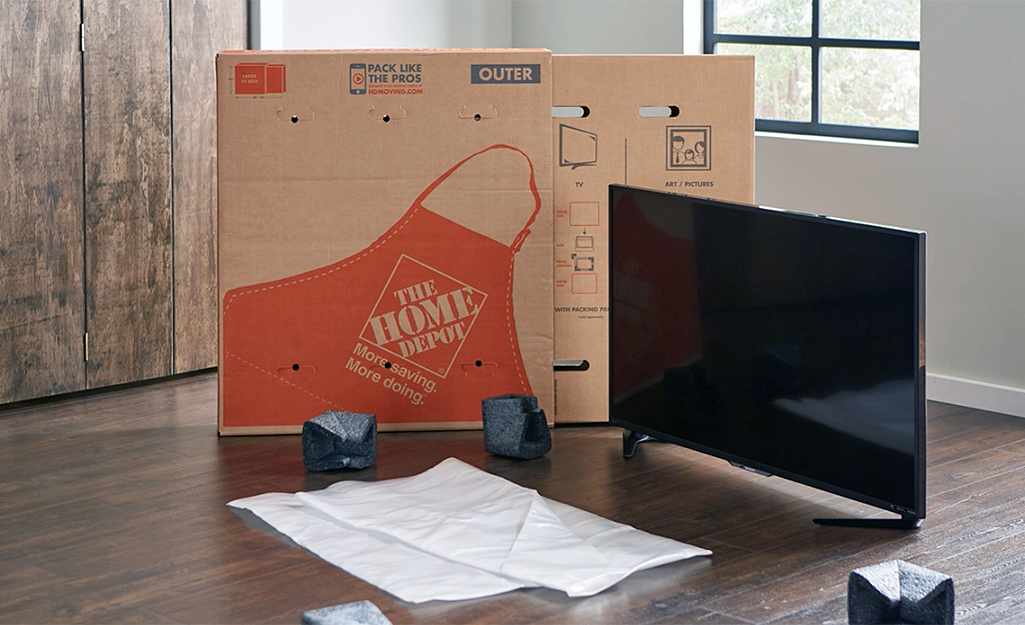
Image Source: contentgrid.homedepot-static.com
Why Taking Care When Storing Your TV Matters
Flat screen TVs are built with sensitive parts, especially the screen itself. The screens are thin and can break easily. The electronic parts inside are also sensitive to things like moisture, dust, and big changes in temperature.
If you don’t store your TV the right way, bad things can happen:
- Screen Damage: The screen can get scratched, cracked, or pressed in if not protected well. This is the most common problem.
- Moisture Damage: Water or just too much dampness in the air can rust parts inside or cause circuits to fail. This is a big risk in places like basements or garages.
- Temperature Damage: Very hot or very cold temperatures can harm the materials in the TV, like the liquid crystals in the screen or the glue holding parts together. Fast changes in temperature can also cause problems.
- Dust and Pests: Dust can get inside and cause problems. Pests like insects or rodents might chew on wires or build nests.
- Physical Damage: The TV can be knocked over, hit, or crushed if not packed well and placed safely.
Taking the time to pack and store your TV properly saves you from these headaches later. It helps make sure your TV works just like it did before you stored it.
Getting Ready: Gathering Your Supplies
Before you start packing flat screen TV, you need to get the right things together. Having everything ready before you start makes the job easier and helps you pack the TV better. These are the important packing materials for TV:
- The Original TV Box and Foam Inserts (Best Choice): If you still have the box your TV came in, use it! It was made for your specific TV size and shape. The foam pieces inside are also shaped to hold the TV just right and keep it from moving.
- A Sturdy Moving Box (If No Original Box): If you don’t have the original box, get a strong cardboard box. It should be close to the size of your TV but a little bigger to fit padding. Boxes made for moving pictures or mirrors can work well.
- Foam Padding: Use foam sheets, foam blocks, or foam corner protectors. These help cushion the TV, especially the edges and corners. You can buy these at moving supply stores.
- Bubble Wrap: This is great for wrapping the whole TV for an extra layer of protection. Get the kind with bigger bubbles for more cushion.
- Moving Blankets or Soft Cloths: Use soft moving blankets, thick quilts, or many towels or sheets. These protect the screen and can wrap around the TV for padding.
- Strong Packing Tape: Use good quality tape to seal boxes and secure padding. Don’t use tape directly on the TV screen or frame as it might leave sticky stuff or pull off the finish.
- Cardboard Sheets: Get flat pieces of sturdy cardboard. You will use one piece to protect the TV screen directly.
- Plastic Wrap or a Large Plastic Bag: Use this to wrap the TV after padding. It helps protect against dust and moisture. Make sure the TV is dry before wrapping it in plastic.
- Markers: To label the box clearly (like “FRAGILE – TV – THIS SIDE UP”).
- Small Plastic Bag (Optional): To put screws and small parts in if you remove the stand.
Having these items ready means you can pack your TV without stopping to look for things. This is the first step to a safe and easy packing flat screen TV process.
Step-By-Step Guide to Packing Your TV
Packing your TV the right way is key to protecting TV screen during storage and keeping the whole unit safe. Follow these steps carefully.
Prepare the TV
- Turn Off and Unplug: Make sure the TV is off and unplugged from the wall. Let it cool down completely if it’s been on for a while.
- Remove Cables: Disconnect all cables from the back of the TV (HDMI, power, etc.). You can put them in a small bag and tape it to the box or store them separately.
- Remove the Stand or Wall Mount: Most flat screen TVs have a removable stand. Unscrew it carefully. If your TV was on a wall mount, remove the mounting bracket from the back of the TV. Keep all screws in a small plastic bag and tape it to the removed stand or inside the box so you don’t lose them. Removing the stand or mount helps the TV lie flat in the box and reduces the chance of these parts getting bent or breaking the screen.
Protect the Screen
This is perhaps the most important step for protecting TV screen during storage.
- Clean the Screen: Gently wipe the screen with a microfiber cloth to remove dust or fingerprints. Don’t use liquid cleaners right now.
- Place a Cardboard Sheet: Cut a piece of sturdy, flat cardboard to the exact size of your TV screen. Place this cardboard sheet directly onto the screen. This creates a stiff barrier that helps prevent things from pressing on the screen surface.
- Add a Soft Layer: Place a soft moving blanket, a thick piece of foam sheeting, or even a few layers of bubble wrap over the cardboard sheet. This adds cushioning and protects the screen from scratches that the cardboard might cause if it shifts. Make sure this layer covers the whole screen area.
Pad the Edges and Corners
The edges and corners of flat screen TVs are weak points. They can get dinged or crushed easily.
- Use Foam Corner Protectors: If you have specific foam corner protectors that came with the TV or that you bought, place them on all four corners. These are designed to absorb impact.
- Improvise with Foam or Cardboard: If you don’t have special protectors, you can use pieces of foam padding (like leftover packing foam) or folded cardboard. Tape these improvised pads securely to the edges and corners of the TV using packing tape. Do not tape directly onto the TV frame. Wrap the tape around the foam/cardboard and onto the back of the TV if needed, but keep tape off the screen and front frame.
Secure the TV
Once the screen is protected and edges are padded, you need to make sure everything stays in place.
- Secure the Layers: Use packing tape to hold the cardboard sheet, soft layer, and corner protectors in place. Wrap the tape around the padded TV but be careful not to wrap it so tightly that it bends the TV. The goal is just to keep the padding from slipping off.
Wrap for Protection
Now, wrap flat screen TV for storage to add more cushioning and protect against dust and light bumps.
- First Wrap – Bubble Wrap or Blanket: Wrap the entire padded TV in several layers of large-bubble bubble wrap. Secure the bubble wrap with packing tape. Make sure the tape only sticks to the bubble wrap itself. Or, wrap it carefully in a thick moving blanket or quilt, taping the blanket closed around the TV.
- Second Wrap – Plastic: For moisture and dust protection, wrap the bubble-wrapped or blanket-wrapped TV in a large plastic bag or plastic stretch wrap. This seals the TV off from the environment. Make sure the TV is completely dry before doing this to avoid trapping moisture inside.
Your TV is now packed and ready to go into its final container. This careful wrapping is key when you wrap flat screen TV for storage.
Storing Your TV Without the Original Box
Ideally, you should use the original box. It’s the best fit and offers the most protection. But sometimes you just don’t have it. Don’t worry, you can still store TV without original box safely, but you need to be extra careful and use more padding.
Why the Original Box is Better
- Custom Fit: It holds the TV snugly so it doesn’t move around inside.
- Specific Padding: The foam inserts are shaped to support the TV’s weight and protect weak points.
- Designed for the Weight: It’s built to hold that specific TV securely.
- Clear Labeling: Often has “This Side Up” and fragile symbols printed on it.
How to Pack Without It
Since you can’t use the custom box, you need to create a protective shell yourself.
- Find the Right Box: Get a strong, heavy-duty cardboard box. A box designed for moving large pictures or mirrors is a good option. It should be a little bit bigger than your TV’s dimensions (height, width, and thickness) after you’ve added padding.
- Prepare the Box: If the box is too long, you might need to cut it down to size. Tape the bottom of the box securely with several layers of strong packing tape.
- Add Bottom Padding: Place a thick layer of foam padding (at least 2-3 inches thick) or tightly crumpled packing paper or bubble wrap at the bottom of the box. This cushions the base of the TV.
- Carefully Lower the TV: With help, gently lower your fully wrapped and padded TV into the box. Remember to keep the TV upright (the way it would sit on a stand) if possible. Many flat screens are not designed to lie flat for long periods, as pressure could be put on the screen.
- Fill Empty Space: This is very important when you store TV without original box. The TV should not be able to shift inside the box. Fill any gaps around the sides, top, and bottom with more foam padding, bubble wrap, packing paper, or even soft moving blankets. Pack the material firmly but don’t force it so hard that it puts pressure on the TV screen or frame. The goal is to fill space and add cushion.
- Add Top Padding: Place another thick layer of foam or padding on top of the TV inside the box.
- Seal the Box: Close the box flaps and seal them securely with plenty of strong packing tape. Tape all edges where flaps meet.
- Label Clearly: Write “FRAGILE – FLAT SCREEN TV – THIS SIDE UP” in large letters on multiple sides of the box. Draw arrows showing which way is up. This helps movers and anyone handling the box know how to carry and stack it.
Packing without the original box takes more effort and materials, but it can be done safely if you use enough padding and a strong box.
Finding the Right Place to Store Your TV
Choosing the location is just as important as how you pack the TV. The wrong spot can damage it even if it’s packed well. This section helps you find the best way to store TV, especially for long term TV storage.
Ideal Storage Conditions
The best place to store your TV has these qualities:
- Climate-Controlled: This is the most important factor, especially for long term TV storage. The temperature stays steady, ideally between 50°F and 80°F (10°C and 27°C).
- Low Humidity: The air is not damp. Humidity levels below 50% are good. High humidity can lead to moisture inside the TV.
- Dry: No risk of leaks from pipes, roofs, or windows.
- Clean: Free from excessive dust and pests.
- Stable: The TV box can sit upright (remember those “THIS SIDE UP” arrows!) on a flat surface. It should not be leaning or stacked under heavy items.
Examples of good storage locations:
- An extra room inside your home: If you have a spare bedroom or office that you don’t use, this can be a good spot. It’s climate-controlled because your home is.
- A climate-controlled storage unit: These units are specifically designed to maintain steady temperature and humidity levels. This is often the best option if you need to store the TV outside your home for a long time.
Places to Avoid
Some places might seem convenient but are risky for electronics. Avoid storing your flat screen TV in garage, attics, and non-climate-controlled basements.
- Garage: Storing flat screen TV in garage is generally a bad idea. Garages are often not insulated well. This means temperatures can get very hot in the summer and freezing cold in the winter. These extreme temperature swings can damage the internal parts of the TV. Garages can also be damp, especially if you live in a humid area or where it rains a lot. Pests like spiders and rodents are also more common in garages.
- Attic: Attics are even worse than garages for temperature extremes. They get incredibly hot in summer. This heat can melt adhesives, warp plastic parts, and damage electronics.
- Non-Climate-Controlled Basement: Basements can be damp and humid, which is bad for electronics. While temperatures might be more stable than attics or garages, the moisture risk is high, leading to potential corrosion. Pests can also be an issue.
- Sheds or Outbuildings: These have similar problems to garages and basements – lack of climate control, moisture, and pests.
If you must store in a place with less-than-ideal conditions, like a garage (though strongly not recommended), ensure the TV is wrapped very well in plastic to protect against moisture and dust. Place it on something off the floor (like a wooden pallet) to protect against ground moisture and potential floods. But understand the risks are still high.
Using a Storage Unit
If you need to store your TV away from home, a storage unit is a common choice. Always choose a climate-controlled storage unit for electronics like TVs. The slightly higher cost is worth the protection it offers against temperature and humidity damage compared to a standard unit. Make sure the unit is clean and check it for signs of pests before putting your TV inside.
By picking the right location, you greatly increase the chances that your TV will work perfectly when you take it out of storage, even for long term TV storage.
Moving Your Packed TV Safely
Even after you’ve done a great job packing, you need to be careful when moving flat screen TV to its storage spot. TVs are still fragile and can break if dropped or handled roughly.
Here are tips for moving your packed TV box:
- Keep it Upright: Always carry and store the TV box in the position marked “THIS SIDE UP”. Flat screen TVs are designed to have their weight distributed when standing upright. Laying them flat can put too much pressure on the screen, especially during movement or if something is placed on top.
- Get Help: Most flat screen TVs, even small ones, are bulky and awkward to carry alone in a box. Always ask a friend or family member to help you lift and carry the TV. Lifting with two people is safer for both you and the TV.
- Use Proper Lifting Techniques: Bend your knees and lift with your legs, not your back. Keep the box close to your body.
- Use a Dolly or Hand Truck: For larger or heavier TVs, use a furniture dolly or hand truck. Secure the box to the dolly using straps or rope. This prevents you from having to carry the full weight and makes moving through doorways and hallways easier.
- Clear the Path: Make sure the path from where you packed the TV to the storage location is clear of obstacles. Open doors wide. Move furniture out of the way. You don’t want to trip or bump into things while carrying the TV.
- Be Careful on Stairs: Moving a TV upstairs or downstairs is risky. Use a strong dolly designed for stairs or have two people, one at the top and one at the bottom, coordinating carefully. Never rush.
- Transporting in a Vehicle: If you’re driving the TV, stand the box upright in the vehicle if possible. Use straps or bungee cords to secure it so it can’t tip over while the vehicle is moving. If you absolutely must lay it flat (avoid this if you can!), make sure the screen side is facing up, and there is nothing heavy on or near it that could shift. Drive carefully, avoiding sudden stops or sharp turns.
Taking care during the move is the final step in the packing flat screen TV process before it reaches its safe spot.
Essential Tips for Storing Electronics Safely
Storing electronics safely involves more than just packing. It’s about the environment they are in and how they are placed. These tips apply to your TV and other electronics you might store. This covers the broader topic of storing electronics safely.
- Temperature and Humidity Control is Key: As mentioned, avoid extreme heat, cold, and dampness. Stable, moderate conditions are best for preventing damage to internal components, batteries (if any), and screens.
- Keep Them Upright: For flat screen TVs, standing them upright is crucial. This prevents pressure on the screen. For other electronics, store them in their natural orientation if possible, especially items with internal hard drives (though TVs don’t have these, other stored electronics might).
- Protect Against Dust: Even in a box, fine dust can sometimes find its way in. The plastic wrap layer helps a lot with this. Storing the box off the floor can also help reduce dust exposure.
- Avoid Stacking Heavy Items: Never place heavy boxes or items on top of a TV box or any box containing electronics. The weight can crush the item inside. Labeling your box clearly as “FRAGILE” and “DO NOT STACK” helps prevent this.
- Store Off the Floor: Place your TV box on a shelf, pallet, or even a few stacked pieces of wood. This protects it from any minor flooding, spills, or moisture that might be on the floor. It also helps with air circulation.
- Check for Pests: Before putting your TV in storage, check the area for signs of insects or rodents. Make sure the storage area is clean. Pests can chew through wires and packing material.
- Disconnect Batteries: If storing other electronics with removable batteries (like remote controls or old laptops), remove the batteries to prevent corrosion over time.
- Consider Insurance: For expensive electronics like large TVs, if you’re using a professional storage unit, consider getting insurance that covers the value of your stored items against theft, fire, or environmental damage.
Following these general rules for storing electronics safely helps protect not just your TV, but any other gadgets you might be putting away.
Checking On Your TV During Storage
If your TV is in long term TV storage, it’s a good idea to check on it sometimes, especially if the storage conditions aren’t perfectly controlled.
- Listen to Weather: Pay attention to the weather outside. If there’s been heavy rain or very hot/cold spells, it might be a good time to check on your storage area, particularly if it’s a basement or garage.
- Look for Signs of Trouble: Visit your storage area and look at the TV box. Are there any water stains on the box? Does the box look crushed? Are there any strange smells (like mildew, which means moisture)?
- Check for Pests: Look for droppings, chewed corners on the box, or insect activity near the TV box.
- Briefly Inspect the Box: If possible, quickly open the outer plastic wrap or blanket on the box to see the inner packing. Does anything feel damp? Is the internal padding shifting? Reseal quickly if everything looks okay. Don’t unpack the whole TV unless you have a reason to think there’s a problem.
Regular checks are more important in places like garages or older basements than in climate-controlled storage units. But even in the best places, a quick look every few months during long term TV storage doesn’t hurt.
Bringing Your TV Out of Storage
When it’s time to set up your TV again, take your time unpacking it.
- Move to the Final Location: Get the TV box to the room where you plan to set it up before you start unpacking.
- Let it Adjust: If the TV has been stored in a place with a very different temperature (like a cold garage in winter or a hot unit in summer), let the box sit in the room for several hours (or even a full day if the temperature difference is big) before opening it. This lets the TV slowly adjust to the room temperature and helps prevent condensation from forming inside the electronics, which can cause damage.
- Open Carefully: Place the box upright and carefully cut the tape holding it closed. Remove the top padding.
- Lift Out Gently: With help, gently lift the TV straight out of the box. Do not tilt or twist it awkwardly.
- Remove Packing Materials: Place the TV somewhere safe (like leaning against a wall, protected by a blanket) while you remove the outer plastic, bubble wrap/blanket, internal padding, corner protectors, soft screen layer, and finally the cardboard screen protector. Do this slowly and carefully.
- Reattach Stand/Mount: Find the bag of screws and reattach the stand or wall mount bracket.
- Connect Cables: Reconnect all your cables.
- Power On: Turn on the TV. Check the screen carefully for any issues. Test all the inputs.
If the TV doesn’t turn on right away after being in a cold place, wait a bit longer for it to warm up fully before trying again.
Frequently Asked Questions (FAQ)
Here are answers to common questions about storing flat screen TVs.
Q: What is the absolute best way to store a flat screen TV?
A: The best way is to pack it in its original box with the original foam inserts, keeping it upright, and storing it in a climate-controlled, dry place with stable temperatures and low humidity.
Q: Can I store my TV in a garage?
A: It is strongly not recommended. Garages experience large temperature changes and can be damp, which can seriously damage the TV’s electronics and screen over time.
Q: How do I store a flat screen TV without the original box?
A: Use a sturdy moving box (like a picture/mirror box). Pack the TV upright with thick layers of foam, bubble wrap, or moving blankets around all sides, especially protecting the screen and corners. Fill all empty space inside the box so the TV cannot move.
Q: How do I protect the TV screen during storage?
A: Place a piece of stiff cardboard cut to size directly on the screen, followed by a soft layer like a moving blanket or foam sheet. Secure these with tape that does not touch the screen.
Q: How should I wrap a flat screen TV for storage?
A: After padding the screen, edges, and corners, wrap the entire TV in several layers of large-bubble bubble wrap or a thick moving blanket. Then, wrap the whole thing in plastic to protect against dust and moisture.
Q: What kind of packing materials for TV are essential?
A: You need a sturdy box (original is best), foam padding, bubble wrap or moving blankets, cardboard for screen protection, strong packing tape, and plastic wrap.
Q: Is it okay to store a TV lying flat?
A: It’s best to store a flat screen TV upright, as it would sit on its stand. Laying it flat, especially for long periods or if something is placed on top, can put stress on the screen.
Q: How long can I keep a TV in storage?
A: If packed correctly and stored in a climate-controlled, dry environment, a TV can be stored for many years. The risks increase significantly in places with poor conditions like garages or basements.
Q: How should I move a packed TV?
A: Always keep the box upright. Get help to carry it. Use a dolly for larger TVs. Clear your path. Be extra careful on stairs. Secure it well if transporting in a vehicle.
Q: What should I do before turning on a TV that has been in cold storage?
A: Bring the TV box into the room where you plan to use it and let it sit for several hours to slowly warm up to room temperature. This prevents condensation damage.
Conclusion
Storing your flat screen TV doesn’t have to be a gamble. By using the right packing materials for TV, following a step-by-step process for packing flat screen TV (including crucial steps for protecting TV screen during storage), and choosing the best possible location for long term TV storage (avoiding places like storing flat screen TV in garage), you can keep your investment safe. Whether you store TV without original box or with it, the key is ample padding, keeping it upright, and ensuring a stable, dry environment. Taking these precautions during moving flat screen TV and storage means your TV will be ready for use whenever you need it again, working just as well as the day it went into the box. Following these tips for storing electronics safely is the smart way to go.