
Does your air conditioner fan keep running and won’t turn off? You might wonder, “Why does the fan keep running on my air conditioner?” This is a common problem. It means the blower motor inside your home’s air handler is running non-stop, even when the cooling part of the AC unit is off. This guide will help you figure out why this is happening and what you can do about it.
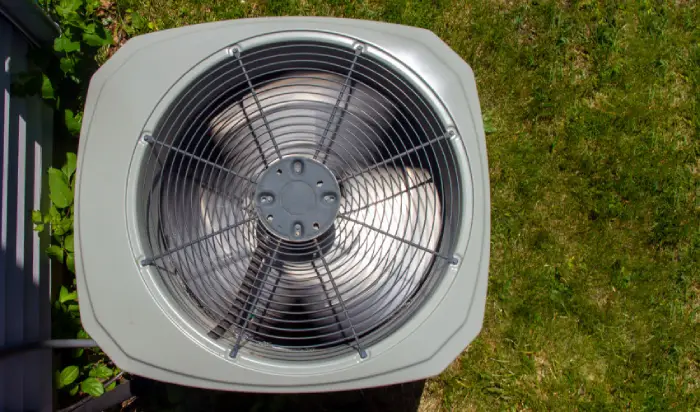
Image Source: www.aireserv.com
What the AC Fan Does
The fan inside your home’s air conditioner system is very important. Its job is to move air. When the AC is cooling, the fan pulls warm air from your rooms. This air goes over cold coils to get cool. Then, the fan pushes the cool air back into your rooms. This is how your house gets cool.
Normally, the fan turns on when the AC needs to cool. It turns off when the house is cool enough. Or, it turns on when the furnace needs to heat, and turns off when the house is warm enough.
But sometimes, the fan stays on all the time. The air conditioner blower motor won’t stop. This can waste energy. It can also mean something is wrong with your system.
Let’s look at the reasons why your AC fan won’t turn off.
First Checks: Your Thermostat
The most common reason for the fan to run all the time is simple. It’s often just a setting on your thermostat.
Examining Thermostat Settings
Most thermostats have settings for the fan. You usually see two main choices: “AUTO” and “ON”.
- AUTO: This is the usual setting. The fan turns on only when your air conditioner (or furnace) is actively cooling or heating. When the system stops cooling or heating, the fan stops too. This saves energy.
- ON (or Continuous Fan Mode): This setting tells the fan to run all the time. It runs 24 hours a day, seven days a week, no matter if the AC is cooling or the furnace is heating.
If your fan is running non-stop, check your thermostat. Is the fan setting on “ON” instead of “AUTO”? This is the first and easiest thing to look at when troubleshooting AC fan running issues. Someone might have changed it by accident.
How to Change the Thermostat Setting
Look at your thermostat screen or buttons. Find the “Fan” setting. Change it from “ON” to “AUTO”.
If this was the problem, the fan should turn off a few minutes after you change the setting. If it does, great! The problem is fixed.
If the fan keeps running even after you set it to “AUTO”, the problem is likely something else. Don’t worry, we will look at other things.
Digital vs. Manual Thermostats
- Digital Thermostats: These usually have a screen. You might see the fan setting clearly labeled. You might press a button that says “Fan” to cycle through options like AUTO, ON, or sometimes PROGRAM. Check your thermostat’s manual if you are not sure.
- Manual Thermostats: These are older models. They might have a simple switch for the fan. Make sure this switch is set to “AUTO” and not “ON”.
Changing the setting is step one. If the fan is still running after setting it to AUTO, it means a part of your system might be causing the air handler fan constant run.
Deeper Causes: System Parts
If the thermostat setting is correct (on AUTO), but the fan keeps running, the problem is likely with a part inside your air conditioning or heating system. These parts control when the fan turns on and off.
What a Stuck Fan Relay Means
One common part that can fail is the fan relay.
- What is a Fan Relay? Think of the fan relay as an electrical switch. It’s told by the thermostat or the control board when to let power go to the fan motor (turning it ON) and when to stop the power (turning it OFF). It’s like a gatekeeper for the fan motor’s electricity.
- Why It Gets Stuck: Sometimes, this electrical switch gets stuck in the “closed” position. This means it keeps letting power flow to the fan motor all the time. It’s like the gate is stuck open. This is a frequent cause of an AC fan won’t turn off problem.
- Finding the Relay: The fan relay is usually located inside your air handler unit, near the blower motor or on the main control board.
- How to Know If It’s Stuck: If the thermostat is on AUTO and telling the fan to be off, but the fan is still running, a stuck relay is a very likely cause.
- Fixing a Stuck Relay: You cannot usually “unstick” a relay. If it is stuck, it needs to be replaced. This requires working with electrical parts. It’s best to call a trained HVAC technician for this. They have the right tools and knowledge to safely check and replace the HVAC fan relay stuck in the ‘on’ position.
Issues with the AC Control Board
The control board is like the brain of your HVAC system. It gets signals from the thermostat and tells different parts, like the fan, when to turn on and off.
- What is the Control Board? It’s a circuit board with wires and electronic parts. It manages how the system works. It decides when to start cooling, when to start heating, and importantly, when to run the fan.
- Why It Can Cause Problems: If the control board itself has a fault, it might send the wrong signal to the fan. It might keep telling the fan to run constantly, even if the thermostat says AUTO. This is an AC control board issue.
- Symptoms: A faulty control board can cause many problems, not just the fan running all the time. But the fan running non-stop on AUTO is a clear sign it could be the control board.
- Finding the Control Board: It’s usually located inside the air handler unit. It has many wires connected to it.
- Fixing a Control Board Issue: Like a stuck relay, fixing or replacing a control board needs technical skill. Messing with the control board can damage it more or hurt you because of the electricity. A professional technician should diagnose and fix an AC control board issue. They can test if the board is sending the correct signals.
Thermostat Wiring Problems
The thermostat connects to the control board (or directly to parts like the relay) with wires. These wires send messages.
- How Wires Work: Different wires do different jobs. For example, one wire might tell the AC to cool, another might tell the heat to turn on, and another might control the fan. The “G” wire often controls the fan directly.
- Why Wiring Goes Wrong: Wires can become loose. They can get connected to the wrong place. Wires can get old or damaged. A faulty wire or a wrong connection can cause a Thermostat wiring fault.
- How It Causes the Fan to Run: If the wire that tells the fan to run is always getting power, or if it’s connected incorrectly, the fan might run all the time, no matter the thermostat setting. Sometimes, during installation or repair, a wire is accidentally put on the wrong terminal.
- Checking Wiring: You can sometimes look at the wires connected to your thermostat and the control board. Make sure they are connected to the right labels (like G for fan, Y for cooling, W for heat, R for power, C for common). However, just looking doesn’t always show a problem. A loose wire hidden inside the wall or a break in the wire itself can cause issues.
- Fixing Wiring Problems: Checking and fixing HVAC wiring needs care. You must turn off power to the system before touching any wires. If you are not comfortable with electrical work, call a professional. They can test the wires to find a Thermostat wiring fault.
Considering the Fan Limit Switch (Less Common for Cooling)
Some systems, especially those with a furnace, have a fan limit switch.
- What it is: This switch is usually found on the furnace. It turns the fan on and off based on the temperature inside the furnace (in the heat exchanger). When the furnace gets hot enough, the switch turns the fan on to blow the hot air. When the furnace cools down, it turns the fan off.
- Its Role in Constant Fan: A fan limit switch is mainly for controlling the fan during heating cycles. In older systems, if this switch got stuck in the “on” position, it could potentially keep the fan running even when the furnace wasn’t hot. However, modern systems and cooling-only systems often use the control board and relay more directly for fan control. A Fan limit switch problem is less likely to be the cause of a cooling fan running non-stop unless there’s a very unusual wiring setup or the system is very old.
- Why it Might Seem Relevant: Because the fan is the same blower that pushes both cool and warm air, people might think the furnace’s fan limit switch is causing the AC fan problem. But usually, the AC control signals bypass or override the heating-specific fan limit switch during cooling cycles.
- When It Might Be a Factor: If you have a very old system, or if the wiring was done in a non-standard way, a stuck fan limit switch could keep the blower running. But focus on the thermostat, relay, and control board first, as these are much more common causes for an Air conditioner blower motor won’t stop during AC operation.
Let’s summarize these internal parts:
| Possible Cause | What it is | How it Causes Fan to Run Continuously | Typical Location | How to Address | Professional Help Needed? |
|---|---|---|---|---|---|
| Thermostat Setting | Control panel for the system | Set to “ON” instead of “AUTO” | On your wall | Change setting to “AUTO”. | No, user action. |
| HVAC Fan Relay Stuck | Electrical switch for the fan motor | Stuck in the “ON” position (closed) | Inside air handler/board | Needs testing and replacement. | Yes, likely. |
| AC Control Board Issue | System’s electronic brain | Faulty board sends constant ON signal | Inside air handler | Needs testing and potential replacement. | Yes, likely. |
| Thermostat Wiring Fault | Wires connecting thermostat to system | Loose, wrong connection, or damaged wire | Between thermostat/unit | Wires need inspection and potentially repair. | Yes, likely. |
| Fan Limit Switch Problem | Temperature switch on furnace (mostly heat) | Stuck in “ON” position based on temp (less common for AC fan) | On furnace heat exchanger | Needs testing and potential replacement (if relevant). | Yes, likely. |
The Purpose of Continuous Fan Mode
We talked about the “ON” or “Continuous fan mode” setting on the thermostat. While it can be the cause of your fan running non-stop, it’s also a setting that some people choose on purpose.
Deciphering Continuous Fan Mode
Why would someone want the air handler fan constant run? There are some reasons why people use the ON setting:
- Better Air Mixing: Running the fan all the time helps mix the air throughout your home. This can make the temperature more even in different rooms. If you have hot and cold spots, running the fan might help.
- Improved Air Filtering: When the fan is running, air is constantly passing through your air filter. This means the air is filtered more often, removing dust, pollen, and other small particles from the air. This can be good for people with allergies or asthma.
- Increased Comfort: Some people just prefer the feeling of constant air movement. It can feel less “stuffy”.
Downsides of Continuous Fan Mode
There are reasons why “AUTO” is the more common setting:
- Higher Energy Bills: Running the fan motor all the time uses electricity. This will increase your energy bill compared to letting the fan run only when cooling or heating is active. Even though a fan motor uses less power than the compressor (the main cooling part), running it non-stop adds up.
- Faster Wear and Tear: The fan motor and other parts connected to it are running constantly. This puts more hours of use on them. It can lead to the motor wearing out faster and needing repair or replacement sooner.
- Humidity Issues (in cooling season): When the AC is cooling, it removes humidity from the air. This moisture collects on the cold coil and drains away. If the fan keeps running after the cooling stops, it blows air over the still-wet coil. This can cause some of that moisture to evaporate back into your home’s air, making it feel more humid.
So, while Continuous fan mode has benefits, it also has costs. Most people use the AUTO setting to save energy and reduce wear on the system.
If your fan is running on “ON” because you chose that setting, and you understand these pros and cons, then it’s not a “problem” with the system. But if the fan is running on “ON” when you intended it to be on “AUTO”, then something is indeed wrong.
Steps for Troubleshooting AC Fan Running
If your fan is running all the time and the thermostat is already on AUTO, you need to do some troubleshooting AC fan running steps. Always turn off the power to your HVAC system before opening any panels or inspecting wiring inside the air handler. There’s usually a switch near the air handler or furnace, and the breaker in your main electrical panel.
Here is a step-by-step guide:
Step 1: Double-Check the Thermostat
- Go to your thermostat.
- Look at the fan setting. Make absolutely sure it says “AUTO”.
- If it was on “ON”, switch it to “AUTO”. Wait about 5-10 minutes. Did the fan turn off?
- If yes, problem solved.
- If no, or if it was already on AUTO, move to Step 2.
Step 2: Power Cycle the System
Turning the power off and on again can sometimes fix minor electronic glitches.
- Go to your electrical panel (breaker box).
- Find the breaker switch for your HVAC system (it might be labeled “Furnace,” “Air Handler,” or “AC”).
- Flip the switch to the “OFF” position.
- Wait for at least 30 seconds, maybe even a minute. This gives electronic parts time to discharge.
- Flip the switch back to the “ON” position.
- Go back to your thermostat. Make sure the setting is still on AUTO.
- Wait about 5-10 minutes. Did the fan turn off?
- If yes, a simple reset fixed it.
- If no, move to Step 3.
Step 3: Listen and Look (Carefully, Power is OFF!)
This step involves looking inside the air handler. MAKE SURE POWER IS OFF AT THE BREAKER BEFORE DOING THIS.
- Locate your air handler (usually in a closet, basement, attic, or garage).
- Find the access panel. You might need a screwdriver to open it.
- Look inside. You are looking for the control board. It’s a flat board with lots of wires.
- Look for the fan relay. Sometimes this is a separate cube-shaped part near the blower motor or mounted on the board. Other times, it’s integrated into the control board itself.
- Can you see anything obvious? Burn marks on the board? Loose wires on the control board terminals?
- This visual check is often hard for a homeowner because you need to know what looks normal. But sometimes, a clear problem like a loose wire or burn mark is visible.
Step 4: Consider What Was Happening Before
Did the fan start running non-stop suddenly? Or after something else happened?
- Did you just change the air filter? (Maybe a wire was accidentally pulled).
- Did you have any other work done on the system?
- Was there a power outage or surge?
- Did you or someone else recently use the thermostat?
Thinking about what happened right before the problem started can sometimes give a clue.
Step 5: Check for Error Codes
Some modern systems and thermostats can display error codes if there is a problem.
- Look at your thermostat screen. Is it showing a message or a code?
- Look at the control board inside the air handler (with power OFF, then ON briefly just to check lights if needed, but be careful). Some boards have small LED lights that blink in a certain pattern to show codes.
- If you see a code, look it up in your system’s manual or search online using the brand and model number. This code might point directly to an AC control board issue or other problems.
Step 6: Know When to Call a Pro
If checking the thermostat setting and power cycling did not fix the problem, the cause is likely an internal component failure like a stuck relay, a control board issue, or a wiring problem.
These repairs are complex and involve electrical parts. Trying to fix them yourself without the right skills and tools can be dangerous and can cause more damage.
If your Air conditioner blower motor won’t stop running and the simple thermostat check didn’t fix it, it’s time to call a qualified HVAC technician.
Why Calling a Professional is Important
Dealing with HVAC systems involves electricity, refrigerant (for cooling), and complex components.
- Safety: Technicians know how to safely work with electrical components. They can properly turn off and verify power before working, reducing the risk of electric shock.
- Diagnosis: They have tools and training to accurately test components like relays, control boards, and wiring. They can quickly pinpoint whether it’s an HVAC fan relay stuck, an AC control board issue, a Thermostat wiring fault, or something else.
- Correct Repair: They know which parts need replacing and how to install them correctly. Using the wrong part or installing it incorrectly can cause more problems.
- Warranty: Some parts might be under warranty. A professional service can help you use the warranty if available.
Don’t feel like you have to fix it yourself if the simple checks fail. Troubleshooting AC fan running issues beyond the thermostat setting is often best left to experts.
Impact of the Fan Running Continuously
Besides the annoyance and potential for a problem, what are the effects of your fan running all the time when it’s not supposed to?
- Wasted Energy: This is the most direct impact. The fan motor uses electricity. If it runs 24/7 instead of only when cooling (maybe a few hours a day), your electricity bill will be higher.
- Increased Wear: As mentioned, the fan motor and its bearings will wear out faster. This can lead to a costly repair or replacement of the blower motor sooner than expected. An Air conditioner blower motor won’t stop means that motor is constantly working, shortening its life.
- Reduced Dehumidification: During cooling, the AC coil gets very cold and removes moisture from the air. When the compressor turns off, the coil warms up. If the fan keeps blowing over the still-wet coil, some of that removed moisture is blown back into the house. This can make your home feel clammy or humid, even if the temperature is cool. This is especially noticeable in humid climates.
- Dust Movement: While filtering more often is a benefit of intentional continuous fan use, if the system is constantly running due to a fault, it can also stir up dust within the ductwork, potentially circulating it more than usual before it hits the filter.
- Noise: The constant hum of the fan can be annoying for some people, especially at night.
Addressing the issue quickly is important to avoid these negative effects and prevent further damage to your system. If your AC fan won’t turn off, it’s not just an inconvenience; it’s often a sign that something needs attention.
Preventative Steps and Maintenance
While you can’t always prevent parts from failing, regular maintenance can help keep your system running smoothly and might catch potential problems early.
- Regular Tune-Ups: Have an HVAC technician inspect your system once or twice a year (usually before the cooling season and before the heating season). They can check the health of components like the fan relay and control board.
- Check Thermostat Settings: Periodically look at your thermostat to ensure the fan is set to AUTO if that’s your preference. This prevents accidental continuous running.
- Change Air Filters: A dirty air filter makes the fan work harder. While not a direct cause of the fan running non-stop, keeping filters clean is just good practice for system health.
- Inspect Wiring (Carefully): If you are comfortable and have turned off power, a quick visual check of the accessible wiring at the thermostat and control board during filter changes can sometimes spot a wire coming loose. But again, extreme caution with electricity is necessary.
Regular care helps ensure that all parts, including the ones that control the fan, are in good working order. This reduces the chances of experiencing an air handler fan constant run issue caused by component failure.
Comparing AUTO vs. ON Settings Again
Let’s quickly look at the two thermostat fan settings side-by-side. This helps decide which setting is right for you, assuming your system is working correctly and letting you choose.
| Feature | AUTO Setting | ON Setting (Continuous Fan Mode) |
|---|---|---|
| Fan Operation | Runs only when cooling or heating is needed | Runs all the time, 24/7 |
| Energy Use | Lower (fan runs less) | Higher (fan runs constantly) |
| Component Wear | Less wear on fan motor and related parts | More wear on fan motor and related parts |
| Temperature | Can have slight temp differences room-to-room | Helps make temp more even throughout the house |
| Air Filtering | Filters air only when system is running | Filters air constantly (more often) |
| Humidity | Better dehumidification during cooling | Can re-evaporate moisture from coil (adds humidity) |
| Noise | Quieter overall (fan turns off) | Constant fan noise |
Most people choose AUTO for energy savings and system longevity. But ON is a valid choice for specific comfort or air quality needs, as long as you are aware of the costs. The problem we are discussing is when the fan is stuck on ON, even when AUTO is selected.
Conclusion
An air conditioner fan that keeps running on its own is a common issue. The simple fix is often just checking and changing the Thermostat fan setting from “ON” to “AUTO”. If that doesn’t work, the problem is usually more serious.
Internal components like an HVAC fan relay stuck, an AC control board issue, or a Thermostat wiring fault are likely culprits. These parts control the fan’s operation. When they fail, they can cause the air handler fan constant run problem.
Troubleshooting AC fan running beyond the thermostat setting requires technical skill and involves electrical safety risks. If changing the setting or power cycling doesn’t solve the problem, it’s best to call a professional HVAC technician. They can safely diagnose the exact cause of the Air conditioner blower motor won’t stop and fix it.
Don’t ignore an AC fan won’t turn off issue. Fixing it saves energy, prevents further damage to your system, and restores comfort to your home.
Frequently Asked Questions (FAQ)
h4> Does a running fan use a lot of electricity?
Yes, running the fan uses electricity. While the fan motor uses less power than the main cooling part (the compressor), running it non-stop, 24/7, adds up on your electricity bill compared to letting it run only when the system is cooling or heating.
h4> Can I just leave the fan running all the time?
Yes, you can use the “ON” setting if your system is working correctly and letting you choose. This is called Continuous fan mode. Some people do this for more even temperatures or better air filtering. However, be aware that this uses more energy, can increase humidity in summer, and may cause the fan motor to wear out faster. If the fan is running on AUTO setting, then there is a problem that should be fixed.
h4> Is it bad for my AC to have the fan run all the time?
If the fan is running all the time because the Thermostat fan setting is on “ON”, it’s using more energy and causing more wear on the fan motor. If it’s running all the time when the setting is on “AUTO”, it means a part is broken (like an HVAC fan relay stuck or AC control board issue), and that broken part needs to be fixed to prevent further issues or wasted energy.
h4> My fan won’t turn off even after I flip the breaker off and on. What does that mean?
If power cycling the system didn’t stop the fan (after waiting a few minutes for it to cycle down), it points strongly to a physical component problem. The fan relay might be stuck, or there could be a problem with the control board or thermostat wiring fault that isn’t fixed by a simple reset. This usually means you need to call a professional technician.
h4> The outside unit is off, but the inside fan is still running. Is that normal?
If your thermostat fan setting is on “AUTO”, the inside fan should turn off shortly after the outside unit (the compressor) turns off. If the outside unit is off and the inside fan keeps running, it means something is wrong, likely with the thermostat setting, relay, control board, or wiring inside the air handler. If the thermostat is set to “ON”, then the inside fan will run all the time, even when the outside unit is off.
h4> How much does it cost to fix a stuck fan relay or control board?
The cost varies based on the part needed, your system’s model, and labor rates in your area. A fan relay is generally less expensive than a main control board. Repairs can range from a couple of hundred dollars to over a thousand dollars, depending on the specific part and complexity. Getting a diagnosis from a technician is the first step to getting a cost estimate.
h4> Can a dirty filter cause the fan to run non-stop?
A very dirty filter makes the fan work harder to pull air through. While it might make the fan run longer during a cooling cycle, a dirty filter itself does not typically cause the fan to run non-stop when the system is set to AUTO. Constant running is usually caused by a control issue (thermostat, relay, board, wiring), not airflow blockage. However, a very restricted system can cause other problems that might lead to control issues, so always keep your filters clean.
h4> My AC technician says the problem is a “short” in the wiring. What does that mean?
A “short circuit” or “short” means electricity is flowing along a path it shouldn’t be. In the case of a Thermostat wiring fault causing the fan to run, it might mean the fan wire is somehow getting power all the time, or it’s accidentally touching another wire that is always live. Fixing a short requires finding where the wires are faulty or touching incorrectly, which a technician can do safely.