
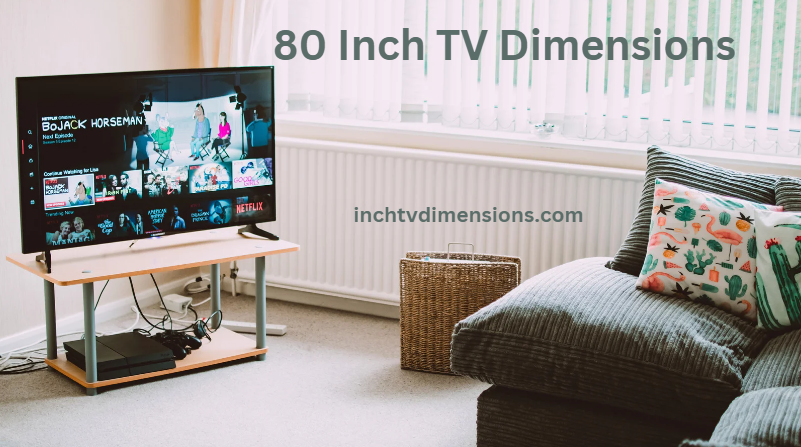
Image Source: www.inchtvdimensions.com
Demystifying How Big Is An 80 Inch Tv Size and Dimensions
How big is an 80 inch TV? An 80-inch TV refers to the diagonal measurement of the screen, from one corner to the opposite corner. It’s a common way to describe TV sizes, but it doesn’t tell you the width or height directly.
Picking a new TV can be fun. It can also be a bit tricky. You hear numbers like 55-inch, 65-inch, or 80-inch. But what does that number truly mean? And how big is an 80-inch TV in your room? This post helps you figure that out. We will look at the actual size. We will talk about where to put it. And we will see if it is right for you.
Grasping the Diagonal Measurement
TV size uses a diagonal number. This number is the distance across the screen. It goes from the top left corner to the bottom right corner. Or from the top right to the bottom left. For an 80-inch TV, this distance is 80 inches.
This number is helpful for comparing TVs quickly. A bigger number means a bigger screen shape overall. But it does not tell you the width or height. These are the numbers you need for fitting the TV in a space. You need them to know 80 inch TV dimensions.
Think of a ruler. If you lay an 80-inch ruler across the screen corner to corner, that is the size. But the TV is a rectangle. Rectangles have a width and a height. We need to know these too.
Deciphering 80 Inch TV Dimensions: Width and Height
The “80 inch” is just the diagonal. The actual width and height matter more for placement. These 80 inch TV dimensions depend on the screen’s shape. Almost all modern TVs have a shape called 16:9 (sixteen by nine).
This 16:9 number is the aspect ratio. It means the screen is 16 units wide for every 9 units tall. Using this ratio, we can find the width and height from the 80-inch diagonal.
For an 80-inch TV screen with a 16:9 aspect ratio:
- The width is about 69.7 inches.
- The height is about 39.2 inches.
These numbers are just for the screen part. They are the screen 80 inch TV width height. The total size of the TV is bigger. It includes the frame around the screen. This frame is called a bezel. It also includes the stand if you use one.
Typical 80 Inch TV Measurements
When you buy an 80-inch TV, the box lists its size. This size includes the frame. The frame adds a little bit to the width and height. The thickness of the TV matters too. And the depth of the stand matters a lot. This tells you how much space needed for 80 inch TV on a table or cabinet.
Here are some typical 80 inch TV measurements. These are just examples. Exact sizes differ slightly between brands and models.
- Screen Diagonal: 80 inches
- Approximate Screen Width: 69.7 inches
- Approximate Screen Height: 39.2 inches
- Typical Total TV Width (with frame): Between 70 and 72 inches. Some might be slightly less or more.
- Typical Total TV Height (with frame, without stand): Between 40 and 41.5 inches.
- Typical Total TV Height (with stand): Between 42 and 45 inches. The stand height varies.
- Typical TV Depth (without stand): Between 1.5 and 4 inches. Thinner TVs exist, especially OLED ones.
- Typical TV Depth (with stand): Between 10 and 16 inches. The stand is much deeper than the screen.
These 80 inch TV measurements are key. They help you plan where the TV will go.
H5 Checking Your Space for an 80 Inch TV
Before you buy an 80-inch TV, measure your space.
- Measure the width: Will it fit on your TV stand or inside a wall unit? Remember the total TV width, including the frame.
- Measure the height: If putting it on a stand, will it fit under a shelf or other object? Remember the total height with the stand. If wall mounting, where will the top and bottom edges be?
- Measure the depth: If using a stand, is your table or cabinet deep enough? Remember the depth with the stand. If wall mounting, how far will it stick out from the wall? This affects how much space needed for 80 inch TV projection into the room.
An 80-inch TV is big. It needs a good amount of space. Do not just look at the diagonal number. Look at the width, height, and depth. These 80 inch TV dimensions are very important for fitting the TV in your home.
80 Inch TV Size Comparison to Other TVs
How does an 80-inch TV compare to others? It is one of the largest TV screen sizes common in homes. You often see 55-inch, 65-inch, and 75-inch TVs. Let’s compare TV sizes to see how an 80-inch TV stacks up.
We will look at the diagonal and the approximate screen width and height. This helps show the difference in screen area.
H4 Compare TV Sizes: A Quick Look
| TV Size (Diagonal) | Approx. Screen Width (16:9) | Approx. Screen Height (16:9) | How much bigger than previous size? |
|---|---|---|---|
| 55 inches | 47.9 inches | 27.0 inches | – |
| 65 inches | 56.7 inches | 31.9 inches | Noticeably larger |
| 75 inches | 65.3 inches | 36.7 inches | Quite a bit bigger |
| 80 inches | 69.7 inches | 39.2 inches | A bit bigger again |
| 85 inches | 74.1 inches | 41.7 inches | Definitely larger |
| 98 inches | 85.4 inches | 48.0 inches | Much, much larger |
As you can see in the 80 inch TV size comparison, the width and height grow with the diagonal. Going from 75 inches to 80 inches might not seem huge by the diagonal number. But it adds nearly 4.5 inches to the width and 2.5 inches to the height. This adds up to a significantly larger screen area.
An 80-inch TV has a lot more screen space than a 65-inch one. The screen area is roughly the square of the diagonal number. An 80-inch screen has about (80/65)^2 times the area of a 65-inch screen. That’s about 1.5 times more area. A 65-inch TV screen area is roughly (65/55)^2 = 1.4 times bigger than a 55-inch.
So, while the diagonal difference might seem small at larger sizes, the actual screen area grows quite a bit. This is important for how immersive the picture feels.
Considering 80 Inch TV Viewing Distance
Where you sit in relation to the TV is very important. This is called viewing distance. For a large TV like an 80-inch one, the viewing distance matters even more. Sitting too close can make the picture seem less clear. It can also be tiring for your eyes. Sitting too far away makes the large screen feel less impactful.
There is a recommended seating distance 80 inch TV. This distance depends on the TV’s picture quality. Most 80-inch TVs sold today have 4K resolution. Some might even have 8K.
H4 Recommended Seating Distance 80 Inch TV
Experts suggest different distances based on resolution:
- For 4K resolution: You can sit closer to a 4K screen than an older HD screen. This is because the pixels (tiny dots that make the picture) are smaller. On an 80-inch 4K TV, the recommended seating distance is usually between 6.5 feet and 10 feet.
- For 8K resolution: An 8K screen has even more pixels than 4K. You can sit even closer. For an 80-inch 8K TV, you might sit as close as 3.3 feet, though this is very close for most people. A range of 4 feet to 6 feet is often suggested to fill your view.
Sitting at the closer end of the recommended seating distance 80 inch TV fills more of your vision. This creates a more movie-like experience. Sitting further away is more relaxed viewing.
To get the best picture from your 80-inch 4K TV, sitting about 8 feet away is a good starting point. This lets your eyes see all the detail of the 4K picture without seeing the individual pixels. It is a key part of enjoying the large 80 inch TV size.
Is 80 Inch TV Too Big?
This is a question many people ask. Is 80 inch TV too big for my room? The answer is not the same for everyone. It depends on several things.
H4 Factors Making an 80 Inch TV Feel Right or Too Big
- Room Size: A very large room can handle a very large TV. A small room might feel overwhelmed by an 80-inch TV. The wall it goes on matters too. A small wall might make the TV look out of place.
- Viewing Distance: As we talked about, how far you sit is key. If your main seating is less than 7 feet away, an 80-inch 4K TV might feel too big or too close for comfortable viewing over time. If your seating is 12-15 feet away, an 80-inch TV might feel just right, or maybe even a bit small for some!
- Room Layout: Where are the doors, windows, and other furniture? Does the room shape make it easy to place seating at the right distance?
- Personal Preference: Some people love a huge, cinema-like picture that fills their view. Others prefer a TV that is less dominant in the room.
- TV Resolution: A higher resolution (like 4K or 8K) allows you to sit closer without seeing pixel structure. This means a larger TV like 80 inches is more suitable for closer viewing distances than it would be if it were only HD resolution.
Think about the feeling you want. Do you want the TV to be the main focus? Or just one part of the room?
An 80-inch TV is large. There is no getting around that. If your main couch is less than 8 feet away in a typical living room, you should think carefully about whether an 80 inch TV is too big for your comfort over long periods. If you have a large open living area and your seating is further back, it might be perfect.
It is good to measure your room and seating distance. Then look at the recommended seating distance 80 inch TV for 4K TVs. This helps you decide.
How Much Space Needed for 80 Inch TV
Knowing the exact 80 inch TV dimensions helps figure out how much space needed for 80 inch TV. This is not just about the TV itself. It is also about the area around it.
H5 Space on the Stand
If you use the TV stand, you need a surface that is:
- Wide enough for the total width of the TV (around 70-72 inches).
- Deep enough for the stand’s depth (often 10-16 inches). Make sure the stand legs have space too.
- Strong enough to hold the TV’s weight. An 80-inch TV can weigh from 70 lbs to over 100 lbs depending on the model and stand.
Also, think about height. If you put the TV in a cabinet or under a shelf, check the total TV height with the stand (around 42-45 inches).
H5 Space on the Wall
If you wall mount the TV, you need:
- A wall strong enough to hold the weight.
- Enough wall area for the TV’s width (70-72 inches) and height (40-41.5 inches).
- Space around the TV for air flow. Do not cram it into a tight spot.
- An electrical outlet nearby.
- A place to put your cable box, streaming device, or soundbar. These might go on a small shelf below the TV or in nearby furniture.
Think about the side view too. How far will the TV stick out from the wall? The depth without the stand (1.5-4 inches) plus the wall mount thickness determines this.
Planning for how much space needed for 80 inch TV helps avoid problems later. It ensures the TV fits well and looks good in your room.
The Role of Resolution and Screen Size
We talked about 4K and 8K resolution affecting viewing distance. Let’s look closer at why this matters for large TVs like 80 inches.
Resolution is the number of pixels on the screen. More pixels mean a sharper, more detailed picture.
- HD (1080p): About 2 million pixels.
- 4K (UHD): About 8 million pixels (four times more than HD).
- 8K: About 33 million pixels (four times more than 4K).
On a small TV, the difference between HD and 4K might not be obvious from a normal viewing distance. But on a large screen, like 80 inches, the difference is very clear.
An 80-inch HD TV would look pixelated if you sat too close. You would need to sit far back (maybe 12-15 feet) for the picture to look smooth.
But an 80-inch 4K TV looks sharp even when you sit closer (like 8 feet). This lets you enjoy the large 80 inch TV size and feel more immersed without seeing the tiny dots.
An 80-inch 8K TV is even sharper. You could potentially sit even closer and still have a perfect picture. However, 8K content is not common yet. Most people buy 80-inch TVs with 4K resolution.
So, when considering an 80-inch TV, remember that its size is best enjoyed with 4K (or higher) resolution content viewed from the correct distance. The resolution allows the large size to show off fine details.
Stepping Up: Largest TV Screen Sizes
While 80 inches is very large for a home, there are even largest TV screen sizes available.
- 85 inches: A common step up from 80 inches. It adds about 4-5 inches in width and 2-3 inches in height. It has a noticeable larger screen area.
- 98 inches: This is a huge jump. A 98-inch TV is over 8 feet wide! These are often used in dedicated home theaters or very large living spaces.
- 100+ inches: Some manufacturers make even bigger sizes, like 100 inches, 110 inches, or even modular micro-LED displays that can be huge. These are very expensive and not for typical homes.
For most people looking for a very large TV, 80 inches or 85 inches are the practical largest TV screen sizes to consider based on cost, availability, and fitting in a regular room.
When you compare TV sizes, moving from 75 to 80 to 85 inches feels like stepping up in scale. An 80-inch TV is definitely in the category of large, immersive displays.
Thinking About Installation
Putting up a large TV like 80 inches is not a one-person job. These TVs are heavy and awkward to handle.
- Weight: An 80-inch TV can weigh 70-100+ pounds. You need at least two people to lift and move it safely.
- Wall Mounting: If you wall mount, you need a strong wall mount designed for the TV’s size and weight. You need to find studs in the wall (the wooden or metal beams behind the drywall) to screw the mount into. Drywall alone will not hold it. Hiring a professional installer is often a good idea for TVs this size. They have the right tools and know how to do it safely.
- On a Stand: Even putting it on a stand needs care. Make sure the stand is stable and centered. Do not let children or pets push or pull on it.
Installation adds to the planning. It is part of figuring out how much space needed for 80 inch TV, not just on the wall or stand, but the workspace needed during setup.
Summing Up the 80 Inch TV Size
An 80-inch TV means an 80-inch diagonal screen measurement.
- The actual screen width is about 69.7 inches.
- The actual screen height is about 39.2 inches.
- The total TV width (with frame) is typically 70-72 inches.
- The total TV height (with stand) is typically 42-45 inches.
- The total TV depth (with stand) is typically 10-16 inches.
These 80 inch TV dimensions are critical for knowing how much space needed for 80 inch TV.
Comparing TV sizes, an 80-inch TV is significantly larger in screen area than a 65-inch or 75-inch model. It is one of the largest TV screen sizes people put in their homes.
For an 80-inch 4K TV, the recommended seating distance 80 inch TV is usually 6.5 to 10 feet. Sitting around 8 feet away is a good goal for a clear, immersive picture.
Is 80 inch TV too big? It depends on your room size, seating distance, and personal preference. Measure your space and consider the viewing distance before deciding.
Installation requires at least two people and careful planning, especially for wall mounting.
Choosing an 80-inch TV means you want a very large, impactful picture. Knowing its true dimensions and space needs helps make sure it is the right fit for your home.
Frequently Asked Questions (FAQ)
H3 What are the exact 80 inch TV dimensions (width and height)?
The screen itself is about 69.7 inches wide and 39.2 inches tall. The total TV with the frame is usually wider, around 70-72 inches. The total height with a stand is about 42-45 inches.
H3 How much space do I need for an 80 inch TV on a stand?
You need a stand that is at least 70-72 inches wide. It also needs to be 10-16 inches deep to hold the stand securely. Check the TV’s weight and make sure the stand can hold it.
H3 How far should I sit from an 80 inch 4K TV?
The recommended seating distance 80 inch TV for 4K is usually between 6.5 and 10 feet. Sitting about 8 feet away is often suggested for a good balance of immersion and picture clarity.
H3 Is an 80 inch TV too big for a normal living room?
It can be. It depends on how big your room is and how far your seating is from the TV. If your main seating is less than 7-8 feet away, it might feel too big or too close for some people. Measure your room and seating distance.
H3 What is the difference between an 80 inch and 85 inch TV size?
An 85-inch TV has a larger screen area than an 80-inch. Its screen width is about 74.1 inches and height is 41.7 inches, compared to 69.7 and 39.2 for the 80-inch. It is a noticeable step up in physical size.
H3 How much does an 80 inch TV weigh?
An 80-inch TV typically weighs between 70 and 100+ pounds. The exact weight depends on the specific model and brand. It is heavy and requires at least two people to lift and move it safely.
H3 Do 80 inch TVs come in different resolutions?
Most 80-inch TVs sold today are 4K resolution. Some higher-end models might be 8K. Older or cheaper models might be 1080p HD, but this is less common now for this size. 4K is recommended for an 80-inch TV to ensure a sharp picture at closer viewing distances.