
You can tell if your air conditioner thermostat is bad by watching for specific problems. These include when your AC won’t turn on, the screen is dark, the house temperature is wrong, or the system runs oddly. Spotting these symptoms of a bad thermostat early helps fix your cooling fast.
When your thermostat not working AC happens, the whole cooling system stops. This makes your home hot and uncomfortable. A bad thermostat can cause many headaches. Let’s look at the signs.
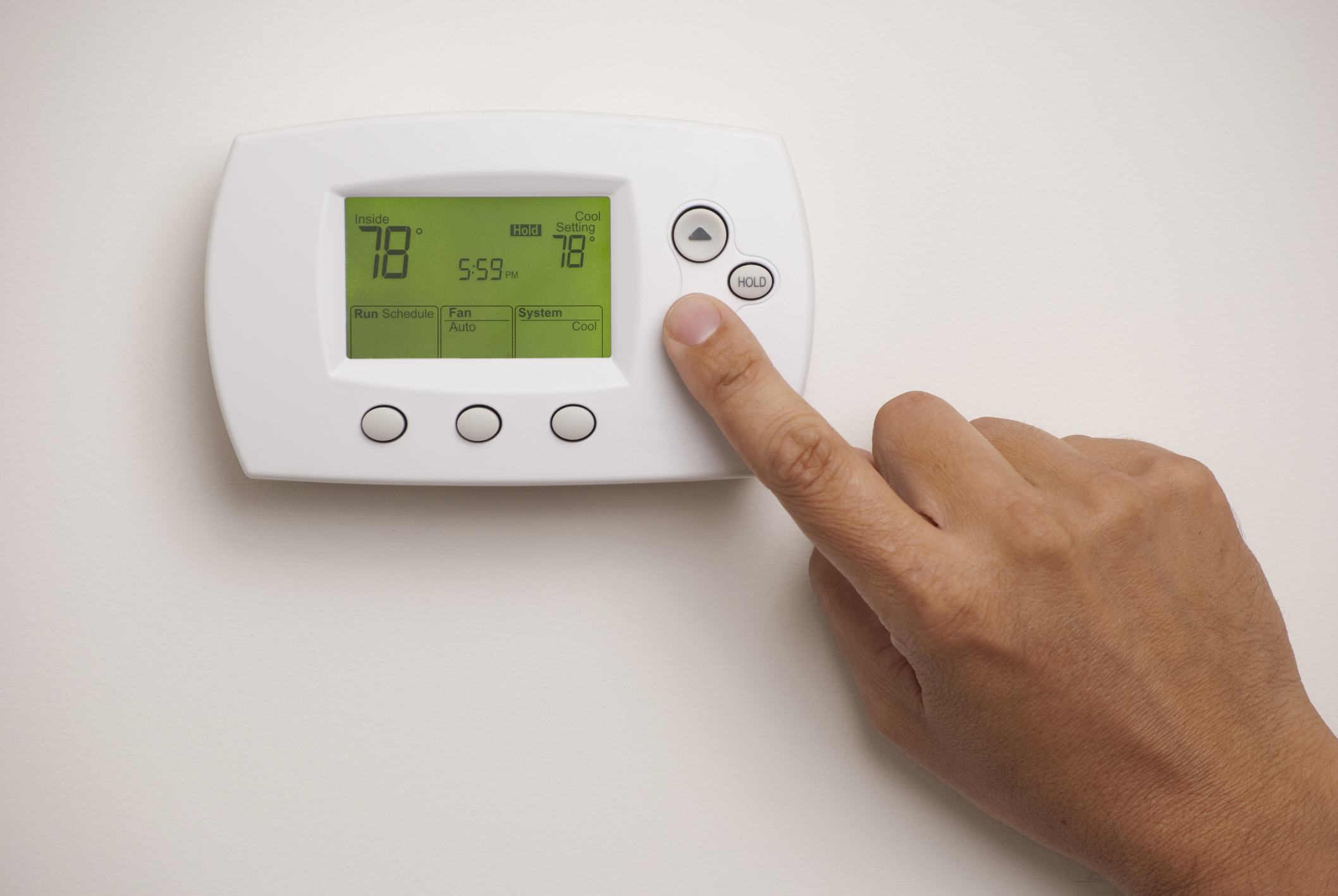
Image Source: www.gopreferred.com
Common Signs Your Thermostat Has a Problem
Many things can tell you your thermostat isn’t working right. Some signs are easy to see. Others are more hidden. Knowing what to look for is key. A faulty thermostat stops your AC from doing its job.
Here are some common signs.
Your AC Won’t Turn On
This is a big one. You set the thermostat to cool. You turn the temperature way down. But nothing happens. The AC unit outside stays quiet. The fan inside doesn’t blow cool air. This is a main sign of a problem. It could be the thermostat itself. Or it could be a wiring issue at the thermostat. When the thermostat won’t turn on AC, you need to check things.
This symptom is frustrating. Especially on a hot day. You expect cool air. You get nothing. This points strongly to the thermostat having a fault. It’s not sending the “turn on” signal. Or it’s not getting power itself.
What to Look For
- Is the thermostat set to ‘Cool’?
- Is the fan set to ‘Auto’ or ‘On’?
- Is the temperature setting lower than the room temperature?
- Does the thermostat make a clicking sound? Older ones might click when turning on.
- Does the thermostat show any sign of life?
If you check these things and the AC still doesn’t start, the thermostat might be the cause. It’s one of the most clear signs of a faulty thermostat.
The Thermostat Screen Is Blank
This is another very clear sign. You walk up to your thermostat. You expect to see the temperature. You expect to see the settings. But the screen is dark. Nothing is lit up. It looks dead. This is a classic sign. A thermostat display blank means it’s not getting power. Or the screen itself is broken.
Without a working screen, you cannot see the temperature. You cannot change settings. The thermostat cannot tell the AC what to do. It’s like the brain of the system is asleep. Or maybe it’s completely off.
Possible Reasons for a Blank Screen
- Dead Batteries: Many digital thermostats use batteries. If they die, the screen goes blank. This is an easy fix. Just change the batteries.
- No Power: If your thermostat gets power from your AC system, a wiring problem or a tripped circuit breaker can stop the power. No power means no light.
- Internal Failure: Sometimes the thermostat simply breaks inside. Parts fail. The screen stops working even with power.
Checking the power source is important here. For battery-powered ones, batteries are the first check. For others, check your home’s breaker box. Make sure the switch for your AC or furnace is on.
A blank screen is a direct sign. It means the thermostat is likely not able to control your AC at all. It’s a big symptom of a bad thermostat.
AC Runs All the Time
This is the opposite problem. The AC turns on. But it never turns off. It just keeps running and running. Your house gets very cold. Much colder than you want. The thermostat is supposed to turn the AC off when the right temperature is reached. If it doesn’t, something is wrong.
This problem wastes energy. It also puts too much stress on your AC unit. Running non-stop can cause the unit to freeze up. It can cause parts to wear out faster. This is a definite sign of a faulty thermostat. It’s not reading the temperature correctly. Or it’s not sending the “turn off” signal.
What Might Cause This?
- Bad Temperature Sensor: The thermostat has a sensor. It reads the room’s temperature. If this sensor is bad, it might think the room is still hot. So it keeps the AC running.
- Stuck Relay: Inside the thermostat are switches called relays. They turn the AC on and off. If the “on” relay gets stuck, the AC keeps running.
- Poor Placement: If the thermostat is near a heat source (like a sunny window or a lamp), it reads a higher temperature than the rest of the room. It might keep running to cool that small hot spot. This isn’t the thermostat being “bad” itself, but it causes the symptom of constant running.
If your AC runs non-stop, check the thermostat’s location. Make sure nothing hot is nearby. If the location is fine, the thermostat itself might have a problem.
AC Turns On and Off Too Quickly
This is called “short cycling.” The AC unit starts up. It runs for a very short time (like a few minutes). Then it shuts off. After a short break, it might turn on again. Then off again. It cycles on and off many times in an hour.
Short cycling is bad for your AC. It puts stress on the motor and other parts. It doesn’t cool your home well. It can be caused by several things, including problems with the AC unit itself (like low refrigerant). But it can also be caused by the thermostat.
How the Thermostat Can Cause Short Cycling
- Thermostat Placement: If the thermostat is too close to a vent blowing cold air, it might sense the cold air quickly. It thinks the room is cool enough and shuts off the AC. Then the room temperature goes back up fast, and the AC turns on again.
- Faulty Sensor: A bad temperature sensor might give sudden, incorrect temperature readings. This causes the thermostat to quickly turn the AC on or off based on wrong data.
- Wiring Issues: Loose or corroded wires at the thermostat can cause signals to drop out. This might make the AC turn off randomly.
If your AC is short cycling, check the thermostat’s location first. Make sure it’s not near a vent. If the problem continues, the thermostat could be sending faulty signals. This is another way a thermostat not working AC shows up.
The Temperature in the Room Does Not Match the Thermostat Setting
You set the thermostat to cool your home to 75 degrees. But it feels much warmer. You look at a separate thermometer in the room. It says 80 degrees. The thermostat thinks it reached the temperature goal, but it didn’t. Or maybe the AC is running, but the temperature isn’t dropping as it should.
This shows that the thermostat isn’t correctly reading the room’s temperature. Or it’s not communicating properly with the AC unit. The thermostat won’t hold temperature. You set it, but the house temperature doesn’t get there or stay there.
Reasons for Temperature Discrepancy
- Bad Temperature Sensor: Like with running constantly, a faulty sensor is often the cause. It’s not reading the room temperature right.
- Thermostat Placement: Again, poor placement can cause this. If the thermostat is in a drafty spot, it might read colder than the room. If it’s in a hot spot, it reads warmer. This prevents it from controlling the temperature correctly for the whole room.
- System Problem: Sometimes this symptom is not the thermostat’s fault. It could be a problem with the AC unit itself. Low refrigerant, a dirty coil, or a clogged filter can stop the AC from cooling properly. The thermostat asks for cool, but the AC can’t deliver.
If the room temperature is wrong, check the thermostat’s location. Also, check if your AC filters are clean. If these are okay, the thermostat might be the issue. It’s a sign of a faulty thermostat regarding its main job: controlling temperature.
Your Thermostat Won’t Respond to Changes
You press the buttons on the thermostat. You try to turn the temperature up or down. You try to change the mode (cool, heat, off). But nothing happens on the screen. Or the screen changes, but the AC system doesn’t react. The thermostat buttons seem dead. Or the touch screen doesn’t work when you press it.
This is a sign that the thermostat’s controls are broken. Or its internal computer is frozen. It’s not taking your commands. When the thermostat won’t hold temperature or won’t let you change it, it’s broken.
What This Means
- Button Failure: Physical buttons can wear out or get stuck.
- Touch Screen Problem: Touch screens can become unresponsive due to dirt, damage, or internal faults.
- Software Glitch: Like any computer, digital thermostats can sometimes freeze up.
- No Power: If the thermostat has no power (blank screen issue), it also won’t respond to inputs.
If your thermostat screen is on but the buttons don’t work, the controls are likely broken. If the screen is off, check for power first. Unresponsive controls are a clear symptom of a bad thermostat.
Programs or Settings Don’t Save
Many modern thermostats are programmable. You can set different temperatures for different times of the day. This saves energy. But what if you set a program, and the thermostat forgets it? Or the settings change back by themselves? This means the thermostat isn’t saving your information.
This problem is usually specific to digital or smart thermostats. It shows that the internal memory or battery backup is failing.
Why Settings Won’t Save
- Internal Battery Failure: Programmable thermostats often have a small backup battery (like a coin cell) to remember settings during power outages. If this battery dies, it loses its memory.
- Power Issues: Frequent power interruptions can sometimes mess with the thermostat’s programming.
- Internal Defect: There might be a fault in the thermostat’s internal circuits that handle memory.
If you have to re-enter your program or settings often, your thermostat likely has a problem with its memory function. This is a specific type of common thermostat problem for newer models.
Deciphering Thermostat Problems
Now we know the signs. What do they mean? And what can you do? Troubleshooting AC thermostat issues often starts with simple checks. Don’t call a repair person right away. You might fix it yourself.
Simple Checks You Can Do First
Before you think the thermostat is broken, do these quick checks. They solve many problems.
H5 Check the Power Source
- Batteries: If your thermostat uses batteries, change them first. Even if the screen is partly lit, low batteries can cause weird issues. Use fresh, good-quality batteries. Put them in correctly.
- Circuit Breaker: Go to your home’s electrical panel. Look for the breaker labeled “AC,” “Furnace,” “Handler,” or “Thermostat.” It might be tripped. A tripped breaker is often halfway between ON and OFF. Turn it completely OFF, then firmly flip it back to ON.
- Power Switch: Some furnace units have a regular light switch on the wall nearby. This switch controls power to the furnace and often the thermostat. Make sure it is ON. It might look like a regular light switch and someone might have accidentally turned it off.
H5 Check the Thermostat Settings
- Mode: Is the thermostat set to COOL? Or is it on HEAT, OFF, or AUTO? Make sure it’s on the right setting.
- Temperature: Is the desired temperature set lower than the current room temperature? If the room is 78 degrees, setting the thermostat to 80 degrees won’t turn the AC on.
- Fan: Is the fan set to AUTO or ON? In AUTO mode, the fan only runs when the AC is cooling. In ON mode, the fan runs all the time, even if the AC is off. If the fan is ON but no cool air comes out, the AC isn’t running. This points to the AC or thermostat, not just the fan setting.
H5 Look at the Thermostat Location
- Is the thermostat in direct sunlight?
- Is it near a lamp or heat source?
- Is it near a vent that blows cold or hot air directly onto it?
- Is it in a drafty spot (near a door or window)?
Bad placement makes the thermostat read the wrong temperature. This causes cooling problems, but the thermostat itself isn’t broken. It’s just getting bad information.
H5 Check the AC Air Filter
A dirty air filter can block airflow. This can cause the AC to work poorly or even freeze up. While this isn’t a thermostat problem, it can look like one because the house isn’t cooling. Always check your filter regularly. A clogged filter can even cause short cycling in some systems.
How to Test AC Thermostat (Simple Home Tests)
You can do a few basic tests yourself to see if the thermostat is the issue.
H5 The Temperature Differential Test
This tests if the thermostat’s sensor is reading correctly.
1. Find a separate, accurate thermometer. Place it near the thermostat.
2. Wait 15-20 minutes for the separate thermometer to adjust to the room temperature near the thermostat.
3. Compare the reading on the separate thermometer to the reading on the thermostat display.
4. They should be very close, usually within 1-2 degrees.
5. If the thermostat reading is more than a few degrees different from the separate thermometer, the thermostat’s sensor might be bad.
H5 The Call for Cool Test
This tests if the thermostat is sending the signal to turn on the AC.
1. Set the thermostat mode to COOL.
2. Lower the temperature setting significantly – at least 5-10 degrees below the current room temperature.
3. Listen closely. You should hear a click from the thermostat itself (especially older ones).
4. Go to your outdoor AC unit. After a few minutes, you should hear it start up.
5. Go to your indoor furnace/air handler unit. You should hear the fan turn on and feel air coming from the vents.
If you do this test:
* No click from thermostat, no sound from AC, no fan: Thermostat is likely not sending the signal. Could be power or internal failure.
* Click from thermostat, but no AC or fan: The signal is sent, but the AC system isn’t reacting. Could be wiring issue between thermostat and AC, or a problem with the AC unit itself.
* Click from thermostat, fan runs, but outdoor unit is quiet and air isn’t cool: The thermostat is asking for cool, but the outdoor AC unit isn’t working. This is likely an AC problem, not the thermostat.
This “Call for Cool Test” is key when your AC not turning on is the main problem.
When Simple Checks Don’t Work
If you’ve done these checks and the problems continue, the thermostat might truly be bad. Or there’s a problem with the wiring. Or the AC system itself has a fault.
At this point, if you are not comfortable working with electrical wiring, it’s best to call a trained HVAC technician. They have tools to test wiring and components safely. They can tell for sure if the thermostat is the cause or if the problem is elsewhere in the system.
Deeper Look at Thermostat Problems
Let’s explore some issues in more detail. These are the most common thermostat problems.
Power Issues
We talked about blank screens. But power issues cause other problems too. A thermostat needs a steady power supply. Older thermostats might get power from low-voltage wires connected to the furnace/AC system. Newer digital or smart thermostats might also use these wires, plus batteries for backup, or even need a “C-wire” (common wire) for continuous power for features like Wi-Fi.
H5 Symptoms Related to Power
- Thermostat display blank (as discussed).
- Settings don’t save (as discussed, especially if backup battery fails).
- Intermittent problems: The thermostat works sometimes, then stops. The screen flickers. The AC turns off randomly. This could be loose wiring causing power to cut in and out.
- Weak display: The numbers or lights on the screen are dim. This can mean low battery or low power from the system.
If you suspect power is the issue (especially if it’s not just dead batteries), check the circuit breaker again. If that’s fine, there might be a wiring issue between the thermostat and the AC system. This often needs a pro to fix.
Sensor Problems
The temperature sensor is vital. It’s the thermostat’s “eyes.” If it can’t read the room temperature correctly, the thermostat can’t do its job.
H5 Symptoms Related to a Bad Sensor
- AC runs too long or not long enough: The sensor reads the wrong temperature, so the thermostat doesn’t turn the system off at the right time.
- Temperature doesn’t match setting: The sensor thinks the room is a different temperature than it really is.
- Short cycling: The sensor might report wild temperature swings, causing the AC to turn on and off rapidly.
- Thermostat won’t hold temperature: It reaches the set point (according to its faulty sensor) and shuts off, even though the room is still too hot.
You can’t easily replace just the sensor in most thermostats. If the sensor is bad, the whole thermostat usually needs to be replaced. The temperature differential test (comparing to another thermometer) helps find this problem.
Wiring Problems
The thermostat connects to your AC system through wires. These wires send low-voltage signals. They tell the AC to turn on cooling, turn on the fan, turn off, etc. Problems with these wires can cause many issues.
H5 How Wiring Causes Thermostat Problems
- Loose Wires: Wires can come loose from the terminals on the back of the thermostat or at the furnace/air handler. Loose wires cause intermittent problems or stop signals from getting through. This leads to issues like AC not turning on, thermostat won’t turn on AC, or the fan not working.
- Corroded Wires: Over time, wire ends can get corroded. This stops good contact. Like loose wires, this breaks the connection and stops signals.
- Incorrect Wiring: If the thermostat was installed incorrectly, the wires might be connected to the wrong terminals. This causes the system to behave strangely or not work at all. For example, the heat might come on when you ask for cool.
- Damaged Wires: Wires can be damaged inside the wall or near the units. This requires finding the damaged spot, which is hard.
Checking thermostat wiring yourself involves taking the thermostat off the wall. Make sure you turn OFF the power to the HVAC system at the breaker box first. Look at the wires connected to the back of the thermostat. Are they firmly under the screws or in the terminals? Are they cut or damaged? If you find loose wires, you can try gently pushing them back in or tightening the screws. But be careful not to touch multiple wires together. This can damage the system.
If you are unsure about checking wiring, call a professional.
Internal Component Failure
Like any electronic device, thermostats have parts that can fail. These are inside the thermostat.
H5 Examples of Internal Failure
- Relays: These are small switches that physically open and close connections to send signals to the AC system. If a relay gets stuck open, the AC won’t turn on. If it gets stuck closed, the AC runs non-stop.
- Circuit Board: The main electronic board can fail. This can cause any number of problems, from a blank screen to incorrect readings to complete failure.
- Screen/Display: The display itself can stop working, even if the rest of the thermostat is fine. This leads to a thermostat display blank or garbled issue.
- Buttons/Touch Sensor: The parts you interact with can break.
If you’ve checked power, batteries, and location, and suspect a problem, it’s likely an internal failure. This means you need to replace the thermostat. You cannot usually fix internal parts yourself.
Deciding What to Do Next
You’ve seen the symptoms of a bad thermostat. You’ve done some basic troubleshooting AC thermostat steps. What’s the next step?
When to Try Replacing the Thermostat
Replacing a thermostat is something many homeowners can do. It’s often the least expensive part of the AC system to fix. If your thermostat is old, has a blank screen (and batteries are new), or shows clear signs of internal failure (like unresponsive buttons or major temperature inaccuracy), replacing it might be the solution.
H5 Before You Replace: Important Steps
- Turn Off Power: ALWAYS turn off power to your HVAC system at the circuit breaker before removing the old thermostat. Confirm the power is off.
- Take a Picture: Take a clear picture of the wires connected to the old thermostat terminals before you disconnect them. Labeling the wires helps even more. This is crucial for connecting the new thermostat correctly.
- Choose the Right New Thermostat: Make sure the new thermostat is compatible with your HVAC system (e.g., does your system use 24V low voltage? Do you have a C-wire? Is it a single-stage or multi-stage system?). Check the new thermostat’s packaging or manual for compatibility.
- Follow Instructions: Install the new thermostat carefully, following the instructions that come with it. Connect the wires to the correct terminals using your photo and labels.
If you replace the thermostat and the problems go away, great! You fixed it.
When to Call a Professional
There are times when you should call an HVAC technician.
- You’re Not Comfortable: If you don’t feel safe working with wires or aren’t sure what you’re doing.
- Complex Systems: If you have a complex multi-zone system, a heat pump, or a multi-stage system, wiring can be more complicated.
- Suspect AC System Problem: If you’ve done all the simple checks, replaced the thermostat, and the problem is still there (e.g., still no cool air, or unit short cycling), the issue is likely with the AC unit itself.
- Wiring Looks Damaged: If you see frayed or broken wires.
- After Replacing Thermostat: If the new thermostat still doesn’t work, the problem is definitely not just the thermostat.
A professional can quickly diagnose if it’s the thermostat, the wiring, or the AC unit. They have the tools and knowledge to safely test AC thermostat wiring and the rest of the system.
Preventing Future Thermostat Problems
Taking care of your thermostat can help it last longer and work better.
H4 Proper Placement is Key
Avoid placing a thermostat where it gets direct sun, near lamps, TVs, or heat-producing electronics. Keep it away from supply vents and drafty spots. Placing it on an interior wall, away from these things, gives it the best chance to read the average room temperature accurately.
H4 Keep it Clean
Dust can build up on thermostat sensors and internal parts. Gently clean the outside with a soft, dry cloth. Don’t use harsh chemicals or spray cleaners directly onto the thermostat.
H4 Change Batteries Regularly
If your thermostat uses batteries, change them once a year as part of your regular home maintenance. Don’t wait for the low battery warning. Pick a date, like the start of cooling season, to change them. This prevents the thermostat display blank issue due to dead batteries.
H4 Check Wiring (If Comfortable)
If you are comfortable and have turned off the power, you can occasionally remove the thermostat cover and check that the wires are still securely fastened to their terminals. This helps prevent issues from loose connections.
What About Smart Thermostats?
Smart thermostats offer more features. They can be controlled by phone apps, learn your schedule, and connect to Wi-Fi. While they add convenience, they can also have unique problems.
H4 Smart Thermostat Specific Issues
- Connectivity Problems: Wi-Fi issues can prevent app control or smart features from working. This isn’t the thermostat’s core function (controlling AC) being broken, but it makes the “smart” part not work.
- C-Wire Requirement: Many smart thermostats need a C-wire for constant power. If your old thermostat didn’t use one, you might need an electrician to run one or use a power adapter kit. Without enough power, they can have blank screens, intermittent problems, or not work correctly.
- Software Glitches: Like any app or smart device, the software can sometimes have bugs or freeze. Often, restarting the thermostat (by removing power/batteries or using a reset option) fixes this.
- Compatibility: Make sure a smart thermostat is compatible with your specific HVAC system type (e.g., conventional, heat pump, multi-stage).
Many of the same symptoms of a bad thermostat (AC not turning on, wrong temperature) apply to smart thermostats too. But they add a layer of complexity with their smart features and power needs. Troubleshooting AC thermostat issues with a smart model might involve checking your home network and power supply more closely.
Summary of Symptoms and Checks
Here’s a quick guide to the signs and what they might mean.
| Symptom | Possible Cause(s) | Simple Check(s) | Potential Fix(s) |
|---|---|---|---|
| AC not turning on / Thermostat won’t turn on AC | Power issue, Wiring issue, Bad thermostat relay/board | Check mode/setting, Breaker, Furnace switch, Call for Cool test, Wiring | Change batteries, Flip breaker, Tighten wires, Replace thermostat/Call Pro |
| Thermostat display blank | No power, Dead batteries, Internal display failure | Check batteries, Breaker, Furnace switch | Change batteries, Flip breaker, Replace thermostat |
| AC Runs Constantly | Bad temp sensor, Stuck relay, Poor placement | Check location (sun, vents), Temp differential test | Relocate thermostat, Replace thermostat |
| AC Short Cycles | Poor placement, Faulty sensor, Airflow issue (filter) | Check location (vents), Check filter, Temp differential test | Relocate thermostat, Change filter, Replace thermostat |
| Thermostat won’t hold temperature / Temp doesn’t match | Bad temp sensor, Poor placement, AC system problem | Check location (sun, drafts), Temp differential test, Check AC filter/unit | Relocate thermostat, Replace thermostat, Call Pro |
| Thermostat Unresponsive | No power, Internal control failure | Check power/batteries, Try pressing buttons repeatedly (gently) | Change batteries, Replace thermostat |
| Program/Settings Don’t Save | Internal backup battery dead, Internal memory fault | Change thermostat batteries (if applicable, small coin cell) | Replace thermostat |
This table helps quickly match a problem to what you can check. Remember, these are common thermostat problems.
Frequently Asked Questions (FAQ)
H5 Can a Bad Thermostat Cause My AC Not to Cool?
Yes, absolutely. A bad thermostat is a major reason for AC not turning on or not cooling correctly. If the thermostat doesn’t send the “cool” signal, or if its temperature sensor is wrong, it won’t tell the AC to run when needed or shut off at the right time.
H5 How Long Do Thermostats Usually Last?
The lifespan varies. Older, simple mechanical thermostats can last 20+ years. Digital and programmable thermostats often last 10-15 years. Smart thermostats are newer, but their lifespan is likely similar, perhaps limited by electronic components or software support. Extreme temperatures or power surges can shorten any thermostat’s life.
H5 Is It Cheaper to Replace a Thermostat Myself?
Yes, replacing a standard thermostat yourself is usually cheaper than hiring a professional. The cost is just the new thermostat itself (from $20-$200+ depending on features) and your time. Hiring a pro includes labor costs, which can add $100-$300 or more. However, if you’re unsure or the wiring is complex, paying a pro is safer and might save you money in the long run by preventing damage.
H5 Can a Power Surge Damage a Thermostat?
Yes, power surges or lightning strikes can damage electronic devices, including digital and smart thermostats. If you had a recent power issue and your thermostat stopped working, a surge could be the cause.
H5 Will Changing the Batteries Fix a Blank Thermostat Screen?
For many digital thermostats that use batteries, yes, changing dead batteries is the most common fix for a thermostat display blank. Make sure to use fresh batteries and put them in correctly.
H5 What is a C-Wire and Do I Need It?
A C-wire (common wire) provides continuous 24V power from the HVAC system to the thermostat. Older thermostats didn’t always need one. Newer digital and especially smart thermostats often require a C-wire to power their screens, Wi-Fi, and other features constantly. Without a C-wire, some smart thermostats can try to “power steal” (charge using the wires meant for signals), which can cause common thermostat problems like flickering screens, intermittent power, or not working at all. You might need an electrician to add a C-wire if your system doesn’t have one.
H5 My Thermostat Works, But the House Still Isn’t Cooling. Is It the Thermostat?
If your thermostat screen is on, responds to commands, and seems to be correctly calling for cooling (you hear a click, the indoor fan runs), but the air isn’t cool and the outdoor unit isn’t running, the problem is likely not the thermostat. It’s probably an issue with the AC unit itself, such as a bad capacitor, compressor problem, or low refrigerant. In this case, you need to call an HVAC professional to repair the AC system.
H5 Are Smart Thermostats Better Than Programmable Ones?
“Better” depends on your needs. Smart thermostats offer more convenience (remote control, learning your habits). They can save energy if used correctly. Programmable thermostats also save energy by letting you set schedules. Simple digital thermostats just maintain a set temperature. If you like tech and convenience, a smart thermostat might be better. If you just want a set-it-and-forget-it schedule, a programmable one works well. If you want simple control, a basic digital one is fine. All types can develop symptoms of a bad thermostat.
Conclusion
Knowing the symptoms of a bad thermostat is the first step in fixing your AC problems. A thermostat not working AC makes for an uncomfortable home. Look for signs like a blank screen, the AC not turning on, constant running, or wrong temperatures. Start with simple troubleshooting AC thermostat steps: check batteries, breakers, and settings. Look at where the thermostat is placed. Do a basic how to test AC thermostat check like the Call for Cool test. Many times, these simple things solve the issue.
If the problems continue after basic checks, you might have a truly faulty thermostat, a wiring issue, or a problem with your AC system. Replacing an old or clearly broken thermostat is a good next step for many homeowners. But if you’re unsure, or the problem seems bigger, calling a qualified HVAC technician is wise. They can properly diagnose the issue and get your cool air flowing again. Being aware of these signs of a faulty thermostat helps you decide the best course of action. Don’t let common thermostat problems leave you sweating!