
Making your own online TV channel might sound hard, but it is possible! Many people are starting professional online channels today. This guide will show you how to do it, step by step. You can create your own space online to share videos and reach people all over the world.
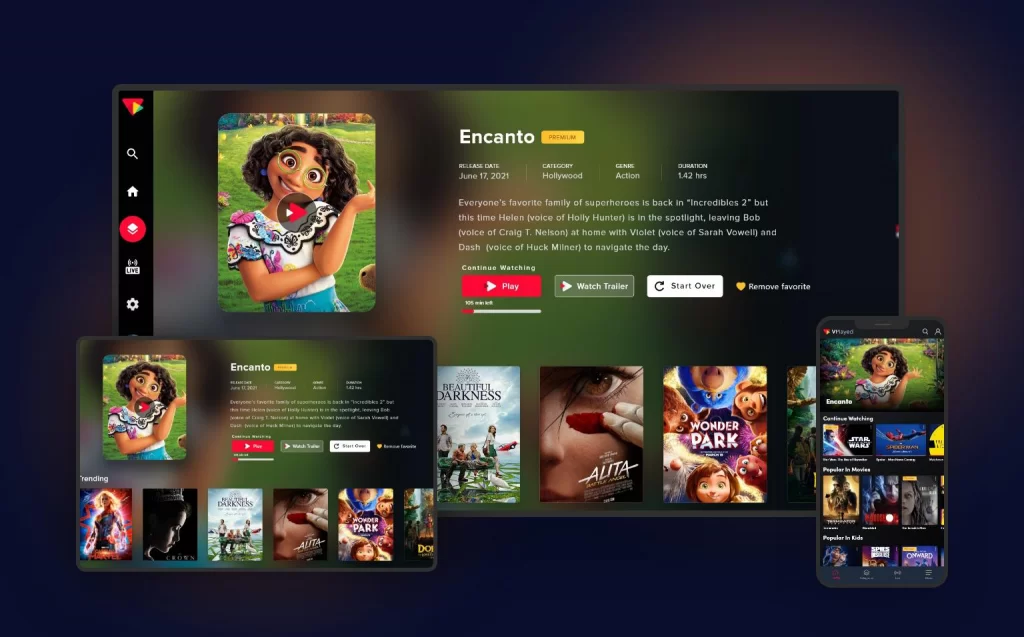
Image Source: www.contus.com
Deciphering Your Channel Idea
Before you start, think about what your channel will be about.
Picking Your Channel’s Focus
What topics do you love? What are you good at? Your channel should have a clear idea. Will it be about cooking, games, news, music, or something else?
- What do people want to watch? Think about what is popular online.
- What makes your idea special? How will your channel be different?
- Who do you want to watch? Think about the kind of person who will like your channel. This is your target audience.
Picking a focus helps you make good content. It helps people know what your channel is about.
Gathering the Right Tools
You need some tools to make your channel work. Think of it like setting up a small TV station at home.
Looking at Digital Broadcasting Technology
Digital broadcasting technology is just the tech that sends your video out online. You need ways to record, prepare, and send your videos over the internet.
Key Things You Will Need
You don’t need super fancy stuff to start. But some basic video production equipment is helpful.
- A Camera: Your phone might be good enough to start. Later, you might get a better camera.
- A Microphone: Good sound is very important. People will stop watching if the sound is bad. Get a simple microphone you can plug in.
- Good Lights: Good lighting makes your video look clear. You can use lights you have or buy simple video lights.
- A Computer: You need a computer to edit videos and run your channel.
- Internet: A fast and steady internet connection is a must.
Software Needs
You also need software programs.
- Editing Software: This is for cutting and changing your videos. Simple free programs are available.
- Live Broadcasting Software: If you want to show things live, you need this software. It helps send your live video to the internet. Can I show things live on my channel? Yes, you can use live broadcasting software to stream events or shows as they happen.
Choosing Where to Put Your Channel Online
You need a place on the internet for people to watch your channel. This is where online video streaming services and platforms come in.
Looking at Online Video Streaming Services
There are many online video streaming services. Some are free, some cost money.
- Free Options: YouTube is the biggest free place. It’s easy to use and lots of people are already there. Facebook and Twitch are also free options.
- Paid Platforms: Some platforms are made for businesses or people who want more control. They might cost money but give you more features or let you make money in different ways.
Picking a Streaming Platform
A streaming platform is the service you use to host and show your videos. Which streaming platform is best? It depends on what you need.
- YouTube: Great for starting out. Free, huge audience. Ads might show on your videos unless you qualify to stop them.
- Vimeo: Looks very nice, good for creative videos. Costs money for more space and features.
- Twitch: Best for live gaming and live shows.
- Other paid platforms: Some platforms let you build your own website for your channel. You have more control but it takes more work.
Think about your audience and your goals when picking a streaming platform.
Thinking About the Web TV Channel Setup
The web TV channel setup involves putting everything together. It’s not just about the platform. It’s about how your channel looks and works for viewers.
- Your Channel Page: Make it look nice. Use good pictures. Write a clear description.
- How Videos are Organized: Group your videos by topic or series. This makes it easy for people to find what they want.
- Adding Your Brand: Use your channel’s name, logo, and colors. Make it look like your channel.
Grasping Content Delivery
When people watch your videos, the video data travels from the platform’s servers to their device. For people far away, this can sometimes be slow.
What is a Content Delivery Network (CDN)?
A Content Delivery Network (CDN) is a system that helps your videos load faster for people everywhere. How does a Content Delivery Network (CDN) help? It stores copies of your videos in many places around the world. When someone wants to watch your video, the CDN sends it from the place closest to them. This makes the video start faster and play smoother. If you use a big streaming platform like YouTube, they use CDNs for you. If you use your own website or a smaller platform, you might need to think about a CDN service yourself, especially if you expect lots of viewers from different areas.
Making Your Videos
Now it’s time to create the actual content for your channel.
Planning Your Shows
Don’t just start recording. Plan what you will say and show.
- Write an outline: What main points will you cover?
- Make a script (or notes): This helps you stay on track.
- Prepare visuals: What will people see? Pictures, text on screen, demos?
Recording Your Content
Use your video production equipment to record.
- Find a quiet place.
- Make sure your lighting is good.
- Check your microphone to make sure the sound is clear.
- Record practice takes if needed.
Editing Your Videos
This is where you put it all together.
- Cut out mistakes.
- Add your intro and outro.
- Add music or sound effects (be careful about using music you have the right to use).
- Add text or graphics.
- Make sure the video looks and sounds good.
Getting Ready for Live Shows
If you plan live shows, practice using your live broadcasting software.
- Learn how to switch cameras or show things on your screen.
- Test your internet speed before going live.
- Have a plan for what you will do or talk about.
Setting Up Your Online Channel
Let’s go through the steps of setting up your web TV channel setup on a platform like YouTube or a similar service.
Basic Web TV Channel Setup Steps
- Create an account: Sign up for the streaming platform you chose.
- Name your channel: Pick a name that fits your content and is easy to remember.
- Add channel art: Upload a banner image and profile picture. Make them look good.
- Write a channel description: Tell people what your channel is about. Use keywords so people can find you.
- Link your social media: Help people find you on other sites.
- Upload your first video: Or schedule your first live show.
More Setup for a Professional Look
Starting a professional online channel means paying attention to details.
- Channel Trailer: Make a short video showing what your channel is like. Put it where new visitors see it first.
- Playlists: Organize your videos into groups.
- Custom Thumbnails: Make nice pictures for each video. These pictures make people want to click and watch.
- Channel Tags and Video Tags: Use words that describe your channel and videos. This helps people find you in searches.
Bringing Viewers to Your Channel
Making great videos is one thing. Getting people to watch them is another. This is called building audience streaming. How can I get people to watch my online channel? You need to promote it and make it easy for people to find. Building audience streaming takes time and effort.
Telling People About Your Channel
- Share on Social Media: Post about your new videos or live shows on Facebook, Instagram, X (formerly Twitter), etc.
- Tell Friends and Family: Ask them to watch and share.
- Use Email: If you have an email list, tell them about your channel.
- Work with Others: Find other channels like yours and see if you can help each other out.
- Be Active in Communities: Join online groups where people talk about your channel’s topic. Share your videos there (if allowed).
Making Your Content Easy to Find (SEO for Video)
SEO stands for Search Engine Optimization. It helps people find your videos when they search online.
- Good Titles: Use clear titles with important words.
- Detailed Descriptions: Write a few sentences about your video. Use keywords.
- Tags: Add many relevant tags to your videos.
- Subtitles: Add captions to your videos. This helps people who can’t listen and helps search engines understand your content.
Keeping Viewers Watching
Once someone is watching, make them want to stay.
- Make Good Videos: Quality content is key.
- Engage with Viewers: Talk to people in the comments. Respond to questions.
- Ask People to Subscribe: Remind viewers to subscribe so they don’t miss new videos.
- End Screens and Cards: Use features on platforms like YouTube to point viewers to your other videos.
Making Money From Your Channel
Many people want to monetize online channel work they do. Can I make money from my online TV channel? Yes, there are many ways to monetize online channel content.
Different Ways to Monetize Your Channel
- Ads: Show ads before, during, or after your videos. Platforms like YouTube have programs for this. You get a share of the money from the ads.
- Subscriptions: You can ask people to pay a monthly fee to watch your channel or get extra content. Some platforms let you do this.
- Donations: Viewers can give you money directly if they like your content.
- Selling Products: You can sell your own products, like t-shirts with your logo, or digital products.
- Sponsorships: Brands might pay you to talk about their products in your videos.
- Affiliate Marketing: You recommend products and get a small payment if someone buys through your link.
Picking Your Money Plan
- Think about your audience. What are they willing to do?
- How much work do you want to put in? Ads are easy once set up. Selling products takes more work.
- Many channels use more than one way to make money.
Starting a professional online channel means thinking about how it can support itself over time.
Keeping Your Channel Running
Running an online channel is not a one-time thing. You need to keep making content and talking to your viewers.
Making a Schedule
How often will you put out new videos? How often will you go live?
- Pick a schedule you can stick to. Once a week? Twice a month?
- Tell your viewers your schedule. This helps them know when to expect new content.
Looking at Your Numbers
Platforms give you info about who is watching and what they like.
- How many people are watching?
- Where are they from?
- How long do they watch?
- Which videos are most popular?
Looking at these numbers helps you make better videos in the future.
Planning for Growth
- What new types of videos can you make?
- How can you get more viewers?
- How can you make more money?
Starting a professional online channel means always thinking about how to make it better.
A Summary of the Journey
Making an online TV channel is a fun project. It takes planning, the right tools (video production equipment, live broadcasting software, using a streaming platform, maybe a Content Delivery Network (CDN)), making good videos, setting up your channel (web TV channel setup), getting people to watch (building audience streaming), and figuring out how to make money (monetize online channel). Using digital broadcasting technology effectively means picking good online video streaming services and learning how they work. Starting a professional online channel is a process, but with clear steps and hard work, you can unlock your dream and share your passion with the world.
Frequently Asked Questions (FAQ)
Is it expensive to start an online TV channel?
You can start very cheap using just your phone and free online video streaming services like YouTube. As you grow, you might want to buy better video production equipment or use paid platforms, which cost money.
How long does it take to build an audience?
Building audience streaming takes time. It can take months or even years to get a large number of viewers. Be patient and keep making good content.
Do I need to be good with computers?
You need to be able to use basic computer programs for editing and uploading. Platforms make the web TV channel setup easier. You don’t need to be a computer expert, but you should be comfortable learning new software.
What kind of videos should I make?
Make videos about something you are passionate about. Think about what people are searching for or what problems you can help solve. Look at other successful online channels in your area of interest for ideas.
Can I use music in my videos?
Be careful! You can only use music that you have permission to use. There are websites that offer music you can use for free or for a small payment for your channel content. Using music you don’t have rights to can cause problems with your channel.
How often should I upload new videos?
It’s good to have a regular schedule so viewers know when to expect new content. Whether it’s once a week or once a month, try to stick to it. Consistency helps with building audience streaming.