
Imagine this: You’re trying to type a long email on your tablet, but your fingers keep slipping on the tiny on-screen keys. Or maybe you’re working from a coffee shop and want to ditch those messy wires. That’s where Bluetooth keyboards come in, offering freedom and a better typing experience. But with so many different kinds out there, it’s tough to know which one is right for you. You might wonder if it will connect easily, if it will feel good to type on, or if it will even last long enough on a single charge.
Choosing the perfect Bluetooth keyboard can feel like a puzzle. You want something that’s easy to use, works well with your devices, and doesn’t break the bank. This post is here to help you solve that puzzle! We’ll guide you through the important things to think about when picking a Bluetooth keyboard, so you can stop feeling overwhelmed and start typing with ease.
By the end of this article, you’ll have a much clearer idea of what to look for. We’ll break down the features that matter most, from how they connect to how comfortable they are to use. Get ready to discover how a great Bluetooth keyboard can make your digital life simpler and more productive!
Our Top 5 Bluetooth Keyboards Recommendations at a Glance
Top 5 Bluetooth Keyboards Detailed Reviews
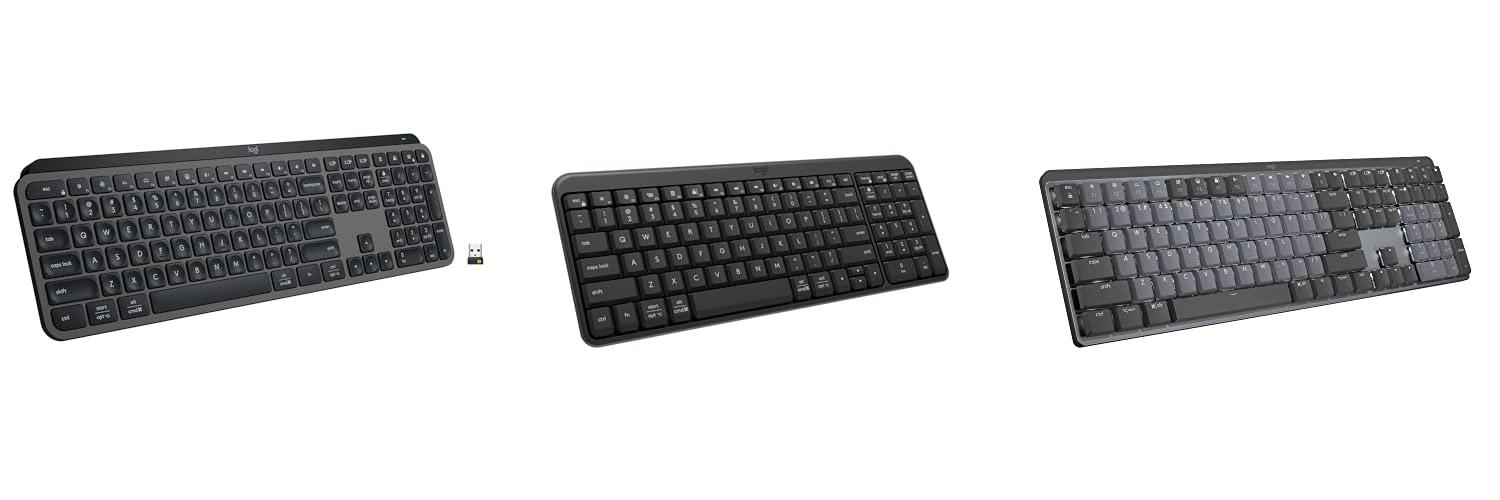
1. Logitech MX Keys S Wireless Keyboard

Rating: 9.1/10
The Logitech MX Keys S Wireless Keyboard in Graphite is designed to make your typing experience smooth and efficient. Its low-profile design and special keys feel great under your fingers, letting you type quickly and accurately. You can even set up shortcuts to do multiple things with just one button press, saving you time. This keyboard is built for comfort, so you can work for longer periods without feeling tired. It connects wirelessly to up to three devices and works with most operating systems like Windows, Mac, and Linux. The smart backlighting turns on when you get close and adjusts to the light around you, making it easy to see your keys in any situation. It also fully supports Windows 11.
What We Like:
- Typing feels very fluid, fast, and quiet, just like on a laptop.
- You can create custom shortcuts called Smart Actions to make repetitive tasks easier.
- The low-profile design and comfortable angle help you work longer without discomfort.
- It easily connects to up to three different devices using Bluetooth or a USB receiver.
- The keyboard lights up automatically when your hands get near and adjusts to the room’s brightness.
- It’s rechargeable with USB-C, so you don’t need to buy batteries.
What Could Be Improved:
- The Logi Options+ app is needed for some advanced features like Smart Actions, which might not appeal to everyone.
- While it works with many systems, some users might prefer a more dedicated connection option than just Bluetooth or the included receiver.
This keyboard is a fantastic tool for anyone who spends a lot of time typing and wants a more comfortable and productive setup. It offers smart features and a premium feel that can truly enhance your daily computer use.
2. Logitech K250 Bluetooth Keyboard with Numpad

Rating: 9.5/10
The Logitech K250 Bluetooth Keyboard with Numpad is a fantastic option for anyone looking for a reliable and comfortable keyboard. It’s made with recycled plastic, so it’s good for the planet. This keyboard connects easily with Bluetooth, meaning no extra dongles are needed. It’s also spill-resistant, which is a big plus for busy desks. The keys are comfortable for typing, and the adjustable legs let you find the perfect angle. Plus, it has a number pad and all the keys you need, even though it’s compact. You get about a year of battery life, so you won’t be changing batteries too often. Logitech has been making quality products since 1981, so you can trust this keyboard.
What We Like:
- Super easy to connect with Bluetooth – no fuss!
- It’s spill-resistant, so little accidents won’t ruin it.
- The keys feel comfy and make typing a breeze.
- It’s compact but still has a number pad and all the important keys.
- Made with recycled plastic, which is great for the environment.
- The battery lasts a whole year, which is awesome.
- It works with both Windows and MacOS.
What Could Be Improved:
- Some users might prefer a quieter typing sound.
- The connection range might be a bit limited for very large spaces.
Overall, the Logitech K250 is a well-rounded keyboard that offers a lot of value. It’s a solid choice for everyday use, blending comfort, convenience, and eco-friendliness.
3. Logitech MX Mechanical Wireless Illuminated Performance Keyboard

Rating: 8.9/10
The Logitech MX Mechanical Wireless Illuminated Performance Keyboard offers a fantastic typing experience for anyone who spends a lot of time on their computer. It’s built with a durable metal body in a sleek Graphite color, and the low-profile mechanical keys feel great under your fingers. This keyboard works with almost any device, making it super versatile for both work and play.
What We Like:
- The Tactile Quiet mechanical switches give you a satisfying bump when you press a key. You feel a clear click, but it’s quiet enough not to bother others around you.
- The low-profile keys and ergonomic design make typing comfortable, even for long periods. Your wrists will thank you.
- Smart illumination makes typing easier in any light. The keys light up when your hands get close and adjust their brightness automatically.
- You can customize the keyboard to your liking using the Logi Options+ app. Change what the Fn keys do, set up cool lighting effects, and even control multiple computers.
- It connects to up to three different devices using Bluetooth or the Logi Bolt receiver. Plus, it works with almost all operating systems like macOS, Windows, Linux, iOS, and Android.
- The USB-C quick charging is a lifesaver. You get up to 15 days of use on one charge, or even 10 months if you turn off the backlighting.
- Logitech used 45% recycled plastic in the Graphite version, which is a good step for the environment.
What Could Be Improved:
- While the Tactile Quiet switches are great, some users might prefer a louder, clickier switch for a more traditional mechanical keyboard feel.
- The price point might be a bit high for casual users, making it more of an investment for serious typists and professionals.
Overall, the Logitech MX Mechanical keyboard is a top-notch choice for productivity and comfort. Its thoughtful features and excellent build quality make it a worthy upgrade for any desk setup.
4. Logitech MK270 Wireless Keyboard and Mouse Combo for Windows

Rating: 8.7/10
The Logitech MK270 Wireless Keyboard and Mouse Combo is a black, plug-and-play set that brings convenience to your computer setup. It works wirelessly, so you don’t have to worry about messy cords. This combo is designed for both PCs and laptops, making it a versatile choice for anyone who uses a computer.
What We Like:
- It’s super easy to set up. Just plug in the tiny USB receiver, and you’re ready to go!
- The wireless connection is really strong, reaching up to 33 feet, so you can work from your couch or across the room without any lag.
- You won’t have to change batteries often. The keyboard lasts for about 3 years, and the mouse for a year. Plus, there are power switches to save energy.
- Typing feels good because the keys are quiet and don’t take much force to press. The layout is standard with all the keys you need, including a number pad.
- This set is built tough. It can handle spills, and the keys are made to last. The adjustable legs let you set the keyboard at a comfortable height.
- You can quickly access things like the internet, email, play/pause music, and control volume with 8 special hotkeys.
- It works perfectly with Windows 11.
What Could Be Improved:
- The mouse is a bit basic and might feel small for people with larger hands.
- While the keys are quiet, they don’t have backlighting, which can be a problem if you type in a dark room.
Overall, the Logitech MK270 is a solid and reliable wireless keyboard and mouse combo that offers great value for its price. It’s an excellent choice for everyday use, whether for work or play.
5. Logitech Pebble Keys 2 K380s

Rating: 9.4/10
The Logitech Pebble Keys 2 K380s in Tonal Graphite is a stylish and smart Bluetooth keyboard designed to add a pop of personality to your workspace. It’s slim, portable, and packed with features that make typing easy and fun, all while being mindful of the environment.
What We Like:
- It has a super slim and portable design, making it easy to take anywhere.
- You can connect to and switch between three different devices (like your computer, tablet, and phone) with just one click.
- The customizable shortcut keys let you do things like search or paste emojis faster.
- The round, scooped keys feel comfortable and quiet when you type, similar to a laptop.
- It boasts an impressive 3-year battery life, so you don’t have to worry about charging it often.
- The keyboard is made with recycled plastic, and its packaging is responsibly sourced.
- It comes in multiple colors to match your personal style.
What Could Be Improved:
- While portable, some users might prefer a slightly larger keyboard for extended typing sessions.
- The software for customizing shortcuts (Logi Options+) might take a little getting used to for some users.
This keyboard is a fantastic option if you want a keyboard that’s both functional and fashionable. It’s a great way to make your everyday tech feel a little more exciting and a lot more convenient.
Your Guide to Picking the Best Bluetooth Keyboard
Bluetooth keyboards make your devices more versatile. You can type on your tablet, phone, or computer without messy wires. Finding the right one can be tricky. This guide helps you choose the perfect Bluetooth keyboard.
1. Key Features to Look For
Size and Portability
Some keyboards are big, like your computer’s keyboard. Others are small and fold up. Think about where you will use it. Do you need to carry it around a lot? A compact or foldable keyboard is great for travel. A full-sized keyboard offers a more comfortable typing experience at home or in an office.
Key Type and Feel
Keyboards have different kinds of keys. Some keys click loudly. These are called mechanical keys. They feel good to type on for many people. Other keys are quiet. They feel softer. This is good for quiet places like libraries. Try to find a keyboard with keys that feel right for you.
Battery Life
Bluetooth keyboards use batteries. Some use regular AA or AAA batteries. Others have batteries you charge with a USB cable. Check how long the battery lasts. A keyboard with long battery life means you won’t have to charge it often.
Connectivity and Compatibility
Make sure the keyboard works with your devices. Most Bluetooth keyboards connect to phones, tablets, and computers. Some can connect to more than one device at once. This is handy if you switch between a phone and a tablet.
Extra Features
Some keyboards have extra buttons. These buttons can control music, adjust volume, or go back to the home screen. Backlit keys are also nice. They help you see the keys in dim light.
2. Important Materials
The materials used affect how a keyboard feels and lasts.
- Plastic: Most keyboards are made of plastic. High-quality plastic feels sturdy. Cheap plastic can feel flimsy.
- Metal: Some keyboards have metal parts. This makes them stronger and look more premium.
- Rubber: Rubber feet keep the keyboard from sliding. Some keys have rubber domes underneath.
3. Factors That Improve or Reduce Quality
Good Quality
A well-built keyboard feels solid. The keys press down evenly. The connection to your device is strong and doesn’t drop. Good materials and careful building make a keyboard last longer.
Lower Quality
A cheap keyboard might feel wobbly. Keys might stick or feel uneven. The Bluetooth connection might be weak. This can be frustrating to use. It might break easily.
4. User Experience and Use Cases
Typing Comfort
A good keyboard makes typing easy and comfortable. You can type for a long time without your fingers getting tired. The layout of the keys also matters. Are the keys spaced out nicely?
Productivity
For students, a Bluetooth keyboard can help them write papers faster on their tablet. For people who work from home, it can make their laptop setup more ergonomic. It helps you get more done.
Portability and Travel
Small, foldable keyboards are perfect for travelers. You can easily slip them into a bag. They let you type emails or documents on the go.
Entertainment
You can use a Bluetooth keyboard to control a smart TV or a media player from your couch. It’s easier than using a remote control for typing.
Frequently Asked Questions (FAQ)
Q: What is the main benefit of a Bluetooth keyboard?
A: The main benefit is that it’s wireless. You don’t have to plug it in with a cable. This gives you more freedom to move.
Q: How do I connect a Bluetooth keyboard?
A: You turn on the keyboard and put it in pairing mode. Then, you go to the Bluetooth settings on your device and select the keyboard to connect.
Q: Can I use a Bluetooth keyboard with my phone?
A: Yes, most Bluetooth keyboards work with smartphones and tablets that have Bluetooth.
Q: What’s the difference between mechanical and membrane keys?
A: Mechanical keys click and have a distinct feel. Membrane keys are quieter and have a softer feel.
Q: How long does the battery usually last?
A: Battery life varies. Some last a few weeks, while others can last for months on a single charge.
Q: Are all Bluetooth keyboards compatible with all devices?
A: Most are, but it’s always good to check the product description to make sure it works with your specific devices (like Windows, macOS, Android, or iOS).
Q: Should I get a full-sized or compact keyboard?
A: A full-sized keyboard is better for long typing sessions. A compact keyboard is best if you need to save space or travel.
Q: What does “multi-device pairing” mean?
A: It means the keyboard can connect to and switch between several devices, like your computer and tablet, without needing to re-pair.
Q: Is it hard to set up a Bluetooth keyboard?
A: No, it’s usually very simple. You just need to turn on Bluetooth on both devices and follow a few on-screen prompts.
Q: Can I use a Bluetooth keyboard while it’s charging?
A: Many rechargeable Bluetooth keyboards allow you to type while they are plugged in and charging.
In conclusion, every product has unique features and benefits. We hope this review helps you decide if it meets your needs. An informed choice ensures the best experience.
If you have any questions or feedback, please share them in the comments. Your input helps everyone. Thank you for reading.